
Nasa’s Cat Armor 1.21+
Nasa’s Cat Armor Addon adds a cute and stylish cat-themed armor set to Minecraft MCPE and Bedrock Edition. Designed for mobile players, it offers clean visuals, survival-friendly balance, and smooth performance without changing core gameplay.
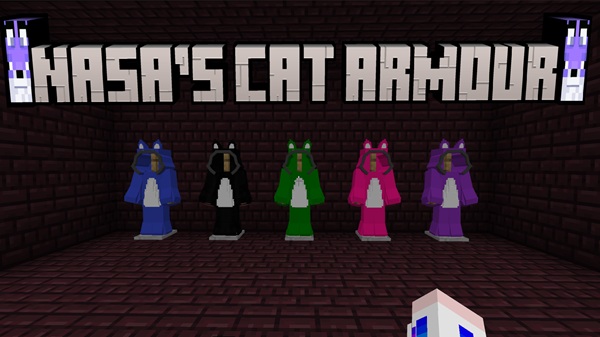
Nasa’s Cat Armor Addon – Cute, Stylish Armor for MCPE
If you enjoy customizing your character while keeping Minecraft gameplay familiar, Nasa’s Cat Armor Addon is designed with you in mind. This addon introduces a cat-themed armor set for Minecraft PE (Bedrock Edition), focusing on visual style rather than complex mechanics or heavy changes.
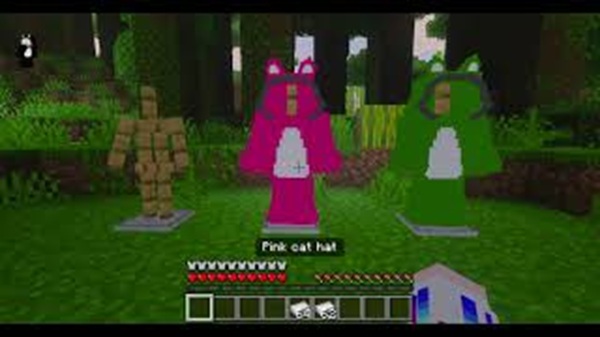
Built specifically for MCPE players, Nasa’s Cat Armor Addon fits smoothly into survival, roleplay, and casual multiplayer worlds. It adds personality to your character while respecting the balance and simplicity that many Bedrock players prefer.
What Makes This Armor Cute and Stylish
At its core, this addon is about appearance and identity. Before getting into mechanics, it helps to understand why the design stands out and why many players choose it for everyday gameplay.
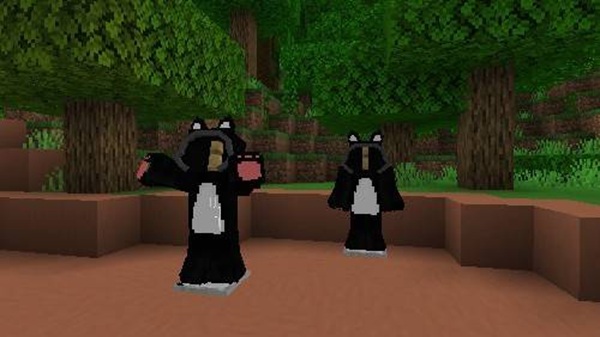
The armor features cat-inspired visuals that feel playful but still appropriate for vanilla Minecraft. Instead of flashy effects, it focuses on clean textures and recognizable shapes that blend naturally into the game.
Key visual strengths include:
-
Soft, friendly colors that suit many skins
-
A design that feels expressive without being distracting
-
A style that works well in both survival and creative worlds
If you like cozy builds, roleplay servers, or aesthetic-focused gameplay, this armor fits right in.
How the Armor Works in MCPE
Understanding how Nasa’s Cat Armor Addon behaves in-game is essential, especially for MCPE players who value simplicity and stability. This section explains what the armor does and how it integrates with standard gameplay.
Wearable Player Armor Set
The addon adds a full armor set for the player:
-
Helmet
-
Chestplate
-
Leggings
-
Boots
Each piece functions like regular armor and is equipped directly from your inventory.
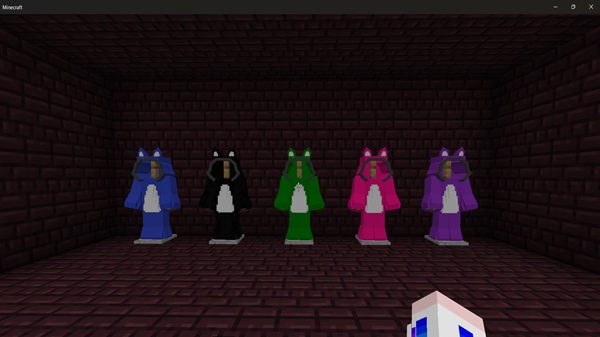
Standard Armor Mechanics
This addon uses default Minecraft Bedrock armor mechanics. That means:
-
No custom buttons or controls
-
No commands required
-
No learning curve
If you’ve used armor before, you already know how this works.
Survival-Friendly Balance
Balance matters, especially in long-term worlds. The Cat Armor is designed to provide reasonable protection without overpowering gameplay. It feels natural alongside existing armor tiers, making it suitable for survival play, shared worlds, and SMP environments.
Visual Changes When Equipped
Once equipped, the armor visibly changes your character’s appearance. This is especially noticeable in:
-
Third-person view
-
Multiplayer sessions
-
Roleplay scenarios
The visual upgrade is clear, but it never overwhelms the Minecraft style.
Works Seamlessly on MCPE
Because the addon follows Bedrock standards, it runs smoothly on mobile devices. Once activated, it works without additional setup or configuration.
Visual Experience In-Game
Visual consistency is important for MCPE players who enjoy screenshots, social worlds, or building themed environments. This section focuses on how the armor looks during normal gameplay.
The Cat Armor complements most player skins and works well with standard lighting. It doesn’t conflict with Minecraft’s environment or animations, which helps maintain immersion.
Players often use this addon for:
-
Roleplay worlds and character-based stories
-
Casual multiplayer sessions with friends
-
Creative screenshots and showcases
It enhances your character’s look without pulling attention away from the world itself.
Compatibility & Supported Platforms
Before installing any addon, compatibility is always a concern. Fortunately, Nasa’s Cat Armor Addon supports modern Bedrock environments.
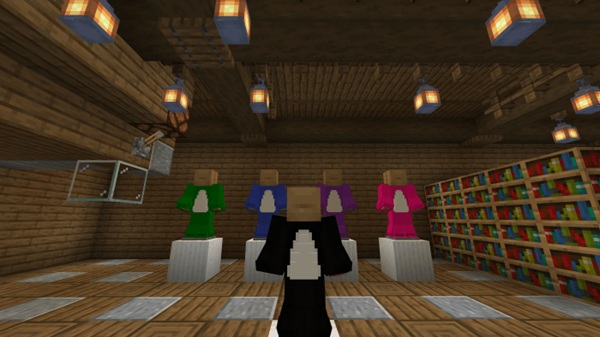
Supported platforms include:
-
Android
-
iOS
-
Windows 10 / 11 (Bedrock Edition)
-
Consoles that allow addon-enabled worlds
No additional resource packs or dependencies are required.
Performance & Mobile Optimization
Performance is a major priority for MCPE players, especially those on lower-end devices. This addon is designed to stay lightweight and efficient.
Key performance benefits:
-
Optimized textures for mobile hardware
-
Minimal impact on load times
-
Stable performance during long play sessions
You can enjoy customization without worrying about lag or instability.
Helpful Tips for Players
To get the best experience with Nasa’s Cat Armor Addon, keep these tips in mind:
-
Place the addon higher in the pack order if using multiple armor packs
-
Avoid mixing with other armor retexture addons that affect the same slots
-
Restart Minecraft if the armor doesn’t appear right away
-
Works best in survival, roleplay, and casual multiplayer worlds
These small steps help prevent common issues.
Who This Addon Is Best For
This addon is especially suitable for:
-
Players who enjoy cute, cozy, or aesthetic designs
-
MCPE users who prefer simple, reliable addons
-
Casual survival players
-
Roleplay and SMP communities
-
Players who want visual upgrades without changing game mechanics
If you enjoy personalizing your character while keeping gameplay familiar, this addon fits well.
Summary
Nasa’s Cat Armor Addon offers a simple and charming way to customize your Minecraft Bedrock experience. By combining cute visuals, standard armor mechanics, and mobile-friendly performance, it delivers exactly what many MCPE players look for.
If you want stylish armor that feels natural in survival and looks great in multiplayer or roleplay worlds, Nasa’s Cat Armor Addon is a solid addition to your collection.
Installation on MCPE (Bedrock Edition)
Installing Nasa’s Cat Armor Addon is straightforward, even if you’re new to addons. The process follows standard Bedrock installation steps.
-
Import the addon file into Minecraft
-
Activate the Resource Pack
-
Activate the Behavior Pack
-
Enable experimental features if prompted
-
Create a new world or apply it to an existing one
For best results, starting with a new world is recommended.











