
Necromancy 1.21+
Necromancy Addon adds a summoning-and-upgrade progression to Minecraft Bedrock/MCPE, giving you companion-style helpers, new crafting goals, and practical tips for installation, compatibility, and smooth mobile performance.
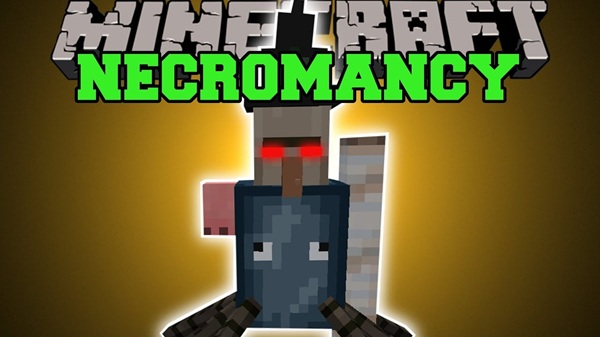
Necromancy Addon: Summons & Upgrades That Change Survival
If your MCPE survival worlds feel a little “samey,” Necromancy Addon gives you a fresh path to follow: build a summoner-style setup, craft progression items, and unlock upgrades that make day-to-day survival smoother and more goal-driven. Imagine Nira (your friend on mobile) stepping into her first cave run with a new staff, a small helper at her side, and a clear upgrade plan—suddenly, the world feels less grindy and more like a journey.
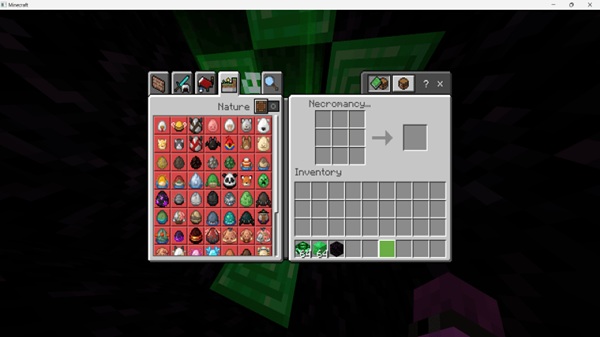
Quick Summary (MCPE-First)
This section is your fast “Is this for me?” answer, written for mobile readers who skim first and commit second. Here’s the core value of Necromancy Addon before you dive into details.
Who This Addon Fits Best
-
MCPE/Bedrock players who enjoy survival progression
-
Explorers who want companion-style support during caves and nighttime travel
-
Themed builders and roleplay fans who like dark-fantasy aesthetics (without needing complex setups)
What You’re Getting
-
A Bedrock addon built around summons + upgrades
-
A new gameplay loop: collect → craft → summon → upgrade
-
New items and crafting steps that add long-term goals to your world
Key Features at a Glance
Before you learn the step-by-step gameplay, it helps to see what Necromancy Addon changes at a high level. The sections below break the features into the parts players care about most.
Summonable Companions
Summons act like helpful companions that can support your survival routine. Depending on your version/config, they may:
-
Follow you while exploring
-
Help with nearby threats
-
Make early-game travel feel safer and more controlled
Upgrade-Based Progression
Instead of getting everything at once, you grow stronger through upgrades:
-
Tiered crafting and unlocks
-
Improvements that reward consistent play (not quick shortcuts)
-
A progression system that keeps the addon interesting past Day 1
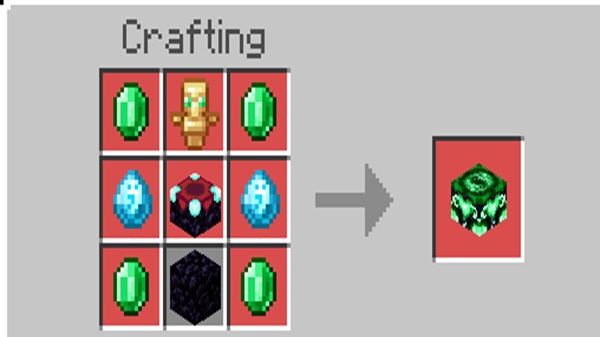
New Items and Crafting Content
Expect a typical Bedrock addon setup with themed items such as:
-
A staff/wand-style tool (your “main controller” item)
-
Tome/relic-style items (upgrade materials or progression pieces)
-
Altar/table-style crafting (a workstation for higher tiers)
How It Works in Survival
This is where Necromancy Addon feels different from a simple item pack. The goal is to give you a survival routine that naturally expands as you play.
Getting Started
Most players begin by gathering familiar materials plus addon drops:
-
Bones, rotten flesh, and common mob drops
-
Addon-specific materials (essence, fragments, dust—names vary by pack)
Summoning and Control
Summons typically work in one of these simple Bedrock-friendly ways:
-
Tap/aim summon: hold the staff and use it to call a helper near you
-
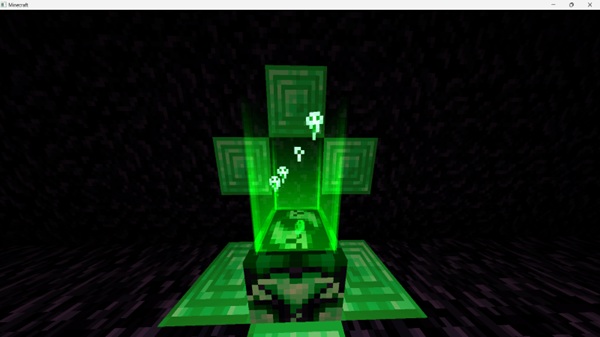
Craft/ritual summon: use a special block or recipe to unlock a summon
Upgrades That Actually Matter
Upgrades should feel practical, especially on MCPE:
-
Higher-tier tools or summons
-
Better efficiency (cooldowns, capacity, durability—depending on the addon)
-
Stronger “midgame” stability for caves and structures
Compatibility & Performance (Mobile Focus)
Bedrock updates move fast, and mobile devices vary a lot. This section helps players set expectations for Necromancy Addon and keep gameplay stable.
Supported Platforms and Versions
-
Works best on Android, iOS/iPadOS, and Windows Bedrock
-
Share a tested version range in your post (example: “tested on recent 1.20+ builds”)
-
Compatibility can change after game updates, so re-test after major patches
Performance Tips for MCPE
Summons are extra entities, so keep it reasonable:
-
Low-end devices: 3–5 active summons
-
Mid/high devices: up to ~10–12 if your world is otherwise light
-
If you notice stutter: lower render distance and reduce heavy effects
Tips, Best Uses, and Play Ideas
To get the most out of Necromancy Addon, treat it like a playstyle—not a one-time feature. These ideas help you turn the addon into a full survival theme.
Survival and Exploration Tips
-
Bring summons into caves to reduce early-game pressure
-
Use upgrades as “milestones” for your world (first summon, first tier, next unlock)
Themed Builds and World Design
-
Build a compact “crafting corner” for relics/materials
-
Create an altar room or tower to match the addon’s theme (great for screenshots)
Addon Pairing Advice
-
Pairs well with exploration or loot-focused content
-
Avoid stacking multiple addons that change the same mob behaviors unless tested
Troubleshooting (By Symptom)
If something goes wrong, fix it by symptom instead of guessing. Most issues with Necromancy Addon are quick to solve.
Quick Fix Table
| Symptom | Likely Cause | Fix |
|---|---|---|
| Items show, mechanics don’t work | Behavior Pack or experiments off | Enable BP + required experiments |
| Summons won’t appear | Pack order conflict | Move Necromancy Addon higher |
| Missing/purple textures | Resource Pack not active | Enable RP or re-import |
| Lag on mobile | Too many entities/effects | Reduce summons + lower settings |
FAQ
These are the questions MCPE readers ask most often. Keeping answers short helps players resolve issues fast and improves SEO for long-tail searches around Necromancy Addon.
Common Questions
-
Do I need both packs? Yes—Resource Pack + Behavior Pack are usually required.
-
Do experiments matter? If your addon requires them, turning them off can disable features.
-
Can I use it with other addons? Usually yes, but avoid overlaps with other mob/AI overhaul packs.
-
Will it run on my phone? Most devices can handle it if you keep summon counts moderate.
Disclaimer
A quick disclaimer protects your page for monetization and keeps expectations realistic for Bedrock players.
Notes for Players
Necromancy Addon is a community-made add-on for Minecraft Bedrock / MCPE and is not affiliated with Mojang or Microsoft. Compatibility and performance can vary by device, settings, and game version.
Installation Guide (MCPE / Bedrock)
On mobile, most “it doesn’t work” problems come from pack activation or missing toggles. Follow this flow and you’ll avoid the common traps with Necromancy Addon.
Before You Install
-
Use the correct format: .mcaddon or .mcpack
-
Keep some free storage space for import + world data
-
Best practice: test in a new world first
Import Method (Mobile)
-
Get the addon file from your official source
-
Tap the file to import into Minecraft
-
Confirm it appears in Settings → Storage
Enable the Packs in Your World
-
World Settings → Resource Packs → activate Necromancy Addon (RP)
-
World Settings → Behavior Packs → activate Necromancy Addon (BP)
-
Make sure both are enabled (this is the #1 missed step)
Experiments to Enable (If Required)
If your addon uses newer Bedrock features, enable the required experiments such as:
-
Holiday Creator Features
-
Upcoming Creator Features / Beta APIs
-
GameTest Framework (only if your pack depends on it)
First Launch Checklist
-
New items show correctly (no missing textures)
-
Core mechanics work (crafting/summoning/upgrade steps)
-
If something looks off, check pack order and experiments first











