
New Beetle Volkswagen 1.21+
Discover the New Beetle Volkswagen Addon for Minecraft Bedrock Edition. Enjoy smooth driving, iconic VW design, storage features, and roleplay-ready fun in MCPE.
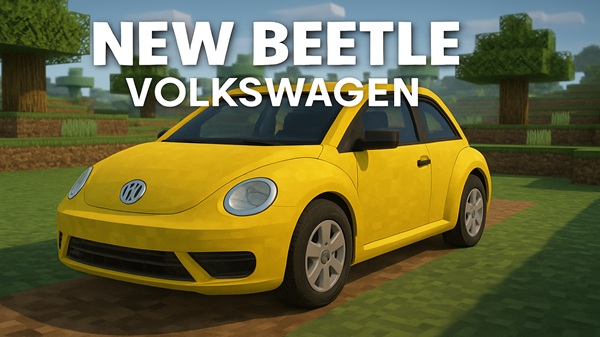
New Beetle Volkswagen Addon – Smooth Driving, Iconic Design
The New Beetle Volkswagen Addon introduces one of the most recognizable cars in history to Minecraft Bedrock Edition (MCPE). Instead of walking endless blocks or relying on boats, you can now cruise your worlds in style. With smooth driving mechanics, authentic design, and immersive details, this addon transforms a simple ride into an experience worth sharing with friends.
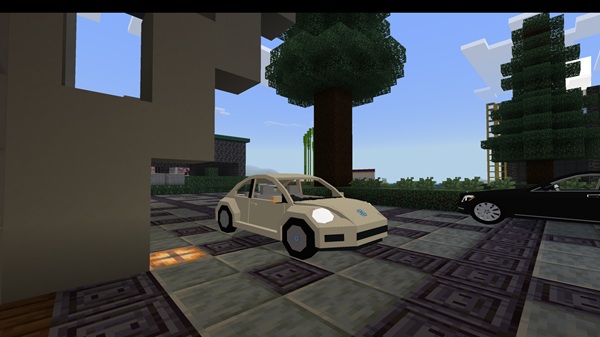
This addon is more than just a decorative vehicle. It combines design accuracy, player utility, and immersive effects, making it one of the most polished vehicle addons for MCPE.
- Rounded Beetle body, chrome trim, distinct headlights.
- Available in Yellow, Red, Blue, and Black.
- Perfect for roleplay maps, suburban builds, or creative garages.
- Responsive acceleration and braking tailored for Bedrock physics.
- Works seamlessly with touch controls, keyboards, and controllers.
- Driving feels fluid and natural across different devices.
- Realistic engine idle, acceleration, and braking sounds.
- Horn and turn signal cues for authenticity.
- Optional ambient road noise adds atmosphere.
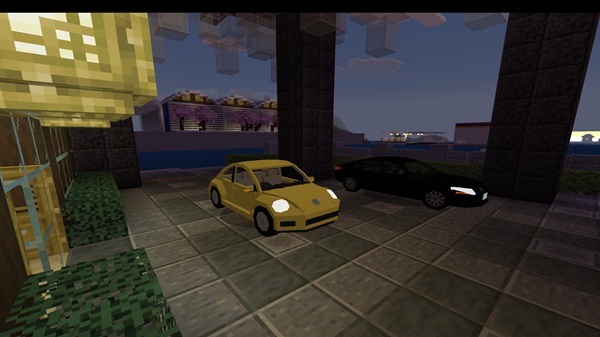
- Trunk with 9 slots for carrying resources.
- Quick-access chest behind the seats for small items.
- A practical feature for long-distance survival trips.
- Functional brake lights and turn signals.
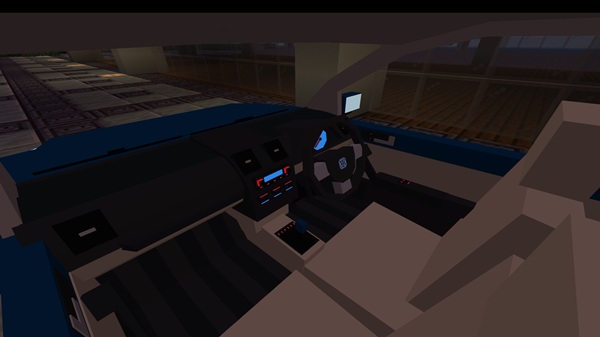
- Speedometer dashboard shows driving pace.
- Lightweight shader support enhances chrome reflections.
Using the Beetle is simple and fun. Once installed, it appears in the Creative Inventory under Vehicles, ready for you to spawn.
- Tap the car door to open it.
- Enter the driver’s seat — the dashboard lights activate.
- Use forward/reverse controls to drive and tilt or joystick to steer.
- Tap brake to stop and open the trunk for storage access.
Multiplayer-friendly, the addon allows passenger seating, making it ideal for races, city servers, or survival roleplay sessions.
This addon is built to run smoothly across Bedrock platforms, but a few notes help you get the best experience:
- Minecraft Versions: Works fully on 1.20+, partial visuals on 1.18–1.19.
- Devices: Optimized for iOS, Android (2 GB RAM+), and Windows 10/11.
- Consoles: Limited due to add-on restrictions.
- Shaders/Addons: Compatible with lightweight shaders; heavy packs may reduce light animation quality.
It’s designed to stay lightweight and mobile-friendly, so even mid-range devices handle it well.
To maximize your fun, here are some quick tips for using the Beetle in MCPE:
- Customize Colors: Swap paint jobs using in-addon dye stations.
- Redstone Tricks: Connect signals to redstone for emergency flashers.
- Fuel Simulation: Pair with a fuel addon for more realistic roleplay.
- Performance Boost: Lower render distance if driving feels laggy.
- Multiplayer Setup: Ensure everyone installs the addon to avoid errors.
These adjustments make the Beetle not only fun to drive but also highly adaptable for different play styles.
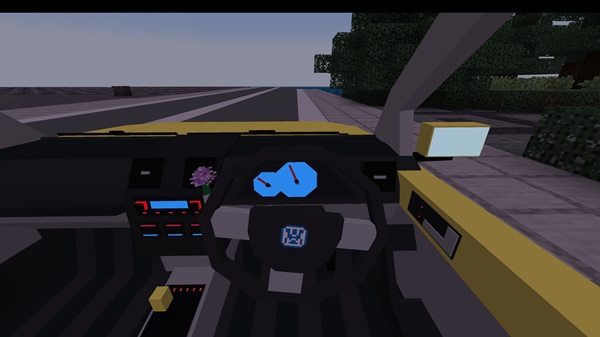
The New Beetle Volkswagen Addon isn’t just another car mod. It’s a blend of realism, nostalgia, and gameplay value that enhances your Minecraft Bedrock world. Whether you’re a roleplayer building modern cities, a survival player exploring vast terrains, or simply someone who loves collecting unique addons, this Beetle delivers.
Installtion Guide for MCPE (Bedrock Edition)
Installing the New Beetle Volkswagen Addon is quick and easy:
-
Download the
.mcaddonfile from the addon’s release page. -
Import into Minecraft:
- Mobile → tap file → Open with Minecraft.
- Windows 10/11 → Settings → Global Resources → Import.
-
Activate Packs: Enable both the Resource Pack and Behavior Pack in your world settings.
-
Start Playing: Open your world, spawn the Beetle, and enjoy the ride.











