
Nido’s Spider-Man 1.21+
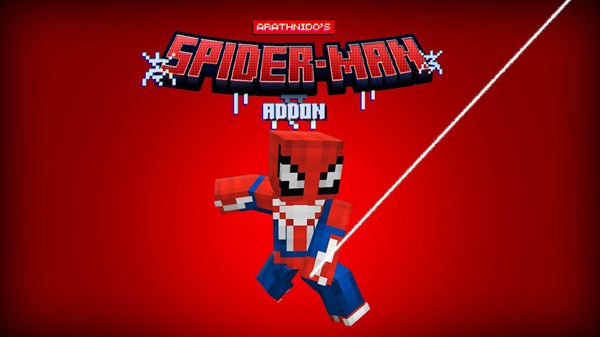
Nido’s Spider-Man Addon brings fast web-swinging, Spider-Verse suits, and dynamic mobility tools to MCPE. This guide covers features, crafting, installation, performance tips, and everything you need to get the most out of the Dynamic Spider-Verse Gear Set.
Nido’s Spider-Man Addon: Dynamic Spider-Verse Gear Set
If you want to bring the energy of the Spider-Verse straight into your Minecraft world, Nido’s Spider-Man Addon offers one of the most dynamic hero experiences available for MCPE. This version, the Dynamic Spider-Verse Gear Set, blends high-mobility gameplay, unique suits, and Spider-Tech tools into a fast, fluid, and creative addon that fits naturally into both survival and custom worlds. Whether you’re building a city map or simply want more exciting movement options, this addon gives you the feeling of becoming your own Spider-Verse hero.
Introduction: Enter the Dynamic Spider-Verse in MCPE
This addon expands your gameplay with suits, gear, and traversal mechanics designed for mobile-friendly play. Nido’s Spider-Man Addon focuses on mobility, creativity, and accessibility, giving you a smooth way to unlock Spider-Verse–inspired abilities without overwhelming complexity. The result is an addon that feels powerful, but still balanced enough for long-term survival play.
Core Features of Nido’s Spider-Man Addon
Before you start crafting or exploring structures, it helps to understand what truly defines this addon. The sections below introduce the movement system, suits, gadgets, and special abilities that make the Dynamic Spider-Verse Gear Set so enjoyable.
Dynamic Spider-Verse Suit Collection
You can unlock multiple suits inspired by Spider-Verse heroes, including Miles Morales, Spider-Gwen, Iron Spider, and Spider-Man 2099. Each suit enhances agility, jump height, or speed. Textures remain optimized for MCPE so even mobile players can enjoy smooth performance.
Advanced Web-Swinging & Mobility Mechanics
Web-swinging is the heart of the addon. Webs attach to blocks, creating a natural swing motion rather than simple gliding. Combined with wall-climbing and wall-running, you can move across cities or forests with surprising ease. Touchscreen controls are responsive, making movement enjoyable on phones and tablets.
Spider-Tech Gear Set & Gadget System
You’ll use web shooters, cartridges, scanners, and other Spider-Tech items. Cartridges need reloading, which adds a satisfying loop of crafting and resource management. Each tool helps you travel faster or gather information more effectively.
Spider-Verse-Themed Abilities & Power Enhancements
Suits provide passive boosts such as agility or resistance. Some gear enhances awareness—similar to an in-game “spider sense”—helping you navigate dangerous areas safely while keeping survival balanced.
Immersive Audio & Visual Effects
Custom animations, sound effects, and simple UI indicators make each swing, jump, or gadget use feel polished and exciting without affecting performance.
Player-Friendly Design for Mobile Users
The addon includes both standard and high-resolution textures to support a wide range of devices. Even older phones can run the addon smoothly with minor adjustments.
Crafting & Progression: Building Your Spider-Verse Lab
Progression follows a simple but rewarding structure. Each H3 below shows how you move from collecting items to crafting advanced gear.
Starting the Journey
Your first step is finding Peter’s Backpacks scattered around the world. These contain tech components, blueprints, and early crafting materials.
Essential Machines & Workstations
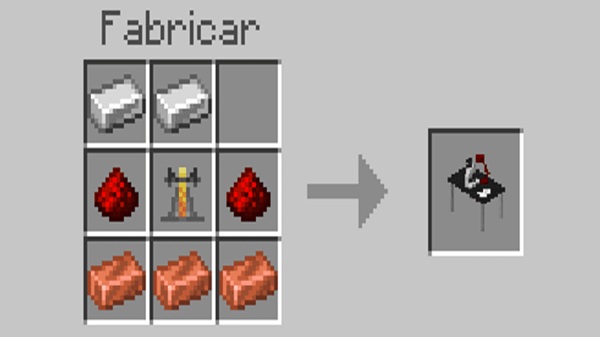
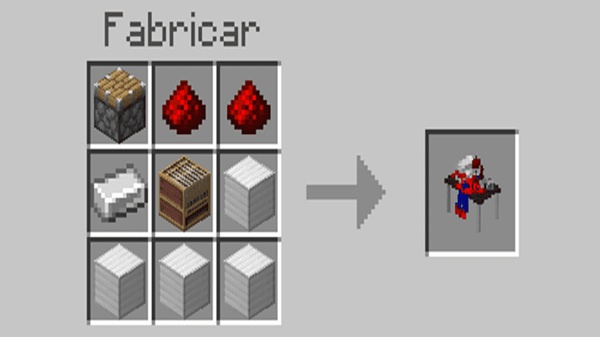
You’ll need:
-
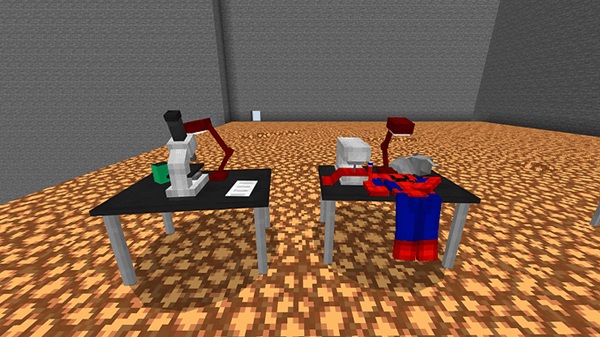
Laboratory Workbench for gadgets and upgrades
-
Costume Manufacturer for crafting suits
Both require materials from backpacks and the environment.
Gear Set Crafting Path
As you gather more components, you unlock new suits and Spider-Tech tools. Crafting feels layered but remains simple enough for beginners.
World Exploration & Spider-Verse Structures
A big part of the experience comes from discovering themed structures across your world.
New Structures & Points of Interest
Expect structures inspired by the Spider-Verse theme, alongside backpack spawn locations that reward exploration.
What Players Can Find Inside
You may discover blueprints, tech components, suit materials, and other progression items that push your journey forward.
Best Worlds & Maps for Swinging
City maps with tall buildings let you enjoy swinging the most. Vertical survival worlds and parkour maps also enhance traversal.
Compatibility & Performance Guide
Minecraft Version Support
Best on MCPE 1.20.80+ and 1.21+.
Device Recommendations
3–4GB RAM recommended; standard textures help on low-end devices.
Addon Combination Tips
Works well with building or visual addons; avoid combining with other movement-heavy addons.
Gameplay Tips for Becoming a Spider-Verse Hero
Master Swinging & Mobility
Practice on tall structures and adjust your sensitivity settings.
Suit Selection Tips
Use faster suits for open worlds and agility suits for cities.
Roleplay & Creative Ideas
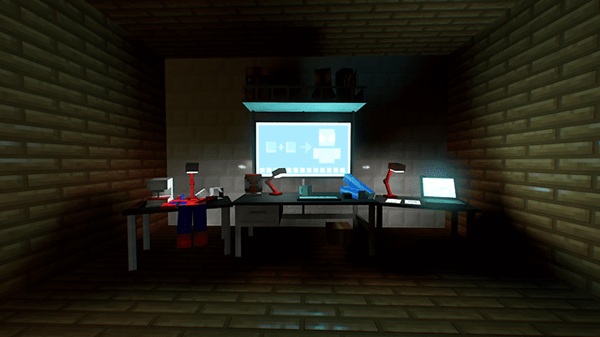
Play with friends, recreate scenes, or build your own Spider HQ.
Final Thoughts: The Ultimate Spider-Verse Experience in MCPE
Nido’s Spider-Man Addon offers smooth swinging, diverse suits, and creative exploration that fits naturally into any MCPE world. Whether you’re exploring, crafting, or roleplaying, the Dynamic Spider-Verse Gear Set gives you a complete hero experience with simple controls and rewarding progression.
How to Install the Addon on MCPE (Step-by-Step)
Downloading & Importing Files
Download the .mcaddon or .mcpack file, then open it with Minecraft to import.
Activating Required Settings
Turn on Experimental Features and activate both the Resource Pack and Behavior Pack.
Troubleshooting Tips
If you encounter issues:
-
Reapply packs
-
Check experiments
-
Lower texture settings
-
Reduce render distance











