
Numberblocks 1.21+
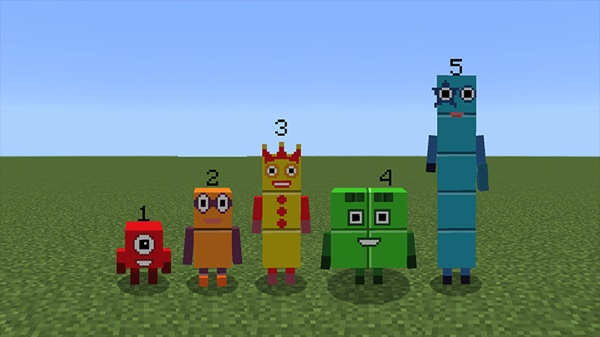
The Numberblocks Addon Ultimate Play & Learn Edition brings colorful number characters, creative morphing, and fun educational features into Minecraft Bedrock. It’s perfect for players who want a playful, interactive, and family-friendly addon that enhances both creativity and learning in MCPE worlds.
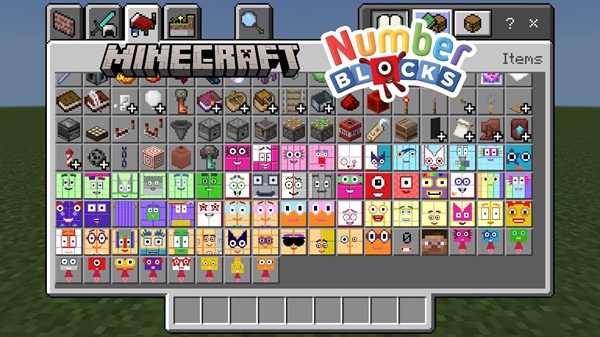
Numberblocks Addon Ultimate Play & Learn Edition
The Numberblocks Addon Ultimate Play & Learn Edition brings the joy of number-themed characters into Minecraft Bedrock in a simple and friendly way. This addon blends creativity, math concepts, and character transformations so you can explore numbers through play. Whether you're a young builder, a parent guiding your child, or someone who loves colorful skins and morphing addons, this edition offers a smooth experience across MCPE devices.
It focuses on visual learning, creative roleplay, and hands-on interaction. With over 100 Numberblocks characters, multi-form layouts, and easy morphing tools, your worlds become lively spaces for discovery.
Key Features of the Numberblocks Addon
This section introduces the core mechanics and tools that shape your experience. Each feature helps the addon feel intuitive, creative, and educational without interrupting gameplay.
Full Character Morphing System
-
Morph into Numberblocks from 0 to 100 with one tap or right-click.
-
Items never get consumed, allowing endless transformations.
-
Includes Times Tables forms for multiplication-based characters.
Multi-Form Numberblocks
Some characters can switch into extra forms, helping you visualize arrays, factors, and cubes:
-
Eight (2×4 and cube)
-
Fifteen (3×5)
-
Twenty-Four, Forty-Eight, Sixty-Four (multiple mathematical forms)
These shapes make the addon ideal for visual learners.
Interactive Numberblocks Mobs
-
Friendly, non-hostile characters that enrich your world.
-
Obtainable through spawn eggs or trading systems.
-
Great for themed builds, roleplay, and fun creative sessions.
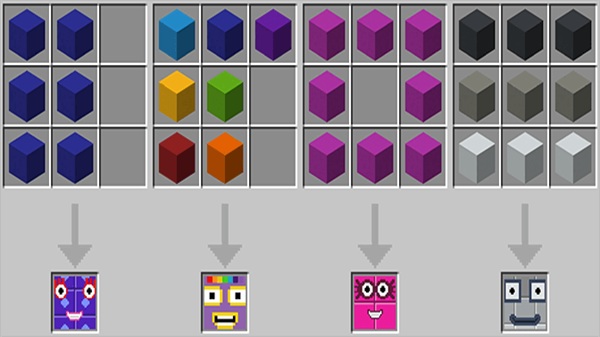
Crafting and Number Combination System
-
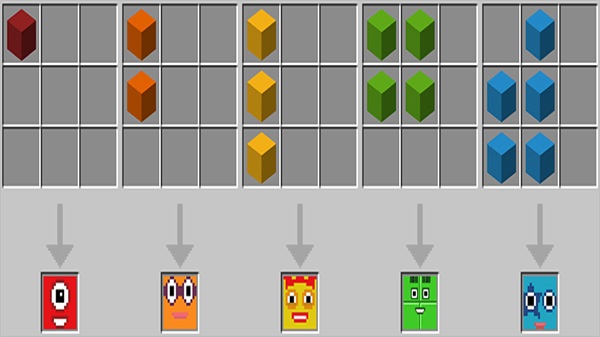
Morph items crafted using colored concrete.
-
Combine smaller Numberblocks into larger ones.
-
Split compatible characters into components.
-
Special characters like Octonaughty remain unsplittable.
Remove Morph & Accessibility Tools
-
Instantly return to your player form anytime.
-
Cleaner third-person visuals support recording and streaming.
-
Designed for easy use by children and beginners.
Optimized for Learning & Creative Play
Perfect for:
-
Kids learning math
-
Parents practicing playful teaching
-
Teachers using Minecraft as a learning tool
-
Players creating Numberlands-style maps
How the Addon Enhances Play & Learning
This addon adds depth beyond visuals. It encourages natural interaction, creative expression, and number-based discovery.
Learning Through Play
Players learn by exploring—splitting, combining, and transforming Numberblocks. It turns math into a hands-on experience rather than a lesson.
Creative Play & Building
You can build number cities, educational paths, or imaginative dioramas. Many players design characters' “homes” or recreate scenes using different forms.
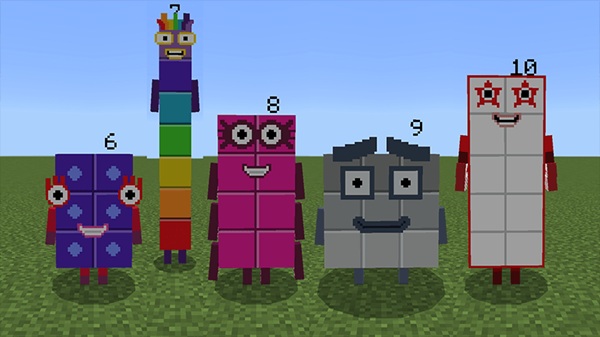
Roleplay & Content Creation
Family-friendly creators benefit from:
-
Distinct morphs
-
Clean animations
-
Easy storytelling setups
Perfect for videos, skits, or educational content.
How the Addon Works In-Game
A simple interaction system ensures players can jump in quickly.
-
Hold a morph item → tap or right-click to transform.
-
Switch between multi-forms using the same action.
-
Times Tables characters may include special behavior depending on settings.
-
Numberblocks mobs act as friendly companions in creative worlds.
Compatibility & Requirements
The addon runs smoothly across MCPE platforms.
-
Supports Bedrock 1.16+
-
Works on Android, iOS, iPadOS, Windows
-
Console compatible via Realms
-
Requires both the behavior and resource pack
-
Lightweight and suitable for most devices
Tips for Getting the Most Out of the Addon
Small adjustments can improve performance and creativity.
Performance
-
Limit mob spawns
-
Lower render distance if needed
Creative Ideas
-
Build a Numberlands-inspired map
-
Create number challenges
-
Make a math-learning adventure path
Setup Tips
-
Enable experimental settings
-
Organize morph items neatly
Frequently Asked Questions
Morph not working?
Enable packs and experimental features.
Packs not showing?
Re-import the addon.
Multiplayer?
All players need the packs unless you're using Realms.
Conclusion
The Numberblocks Addon Ultimate Play & Learn Edition is a bright, friendly, and meaningful way to enjoy Minecraft Bedrock. It encourages curiosity, creativity, and number-based exploration for players of all ages. Whether you’re teaching, building, or simply having fun, this addon adds life and learning to every world you create.
Installation Guide for MCPE
Short, simple steps to get the Numberblocks Addon running on any MCPE platform.
Windows
-
Download
.mcaddon. -
Double-click to import.
-
Enable both packs in world settings.
Android
-
Download
.mcaddon. -
Tap to open or use a file manager.
-
Activate the packs in MCPE.
iOS
-
Download via Files.
-
Open in Minecraft.
-
Enable both packs.
Realms / Console
-
Install on Windows.
-
Upload to a Realm.
-
Join on console to auto-install.











