
Old Pigman Plus 1.21+
The Old Pigman Plus Addon brings the classic Pigman back to Minecraft Bedrock with new variants, improved AI, trading systems, and expanded Nether exploration. This enhanced version reimagines the Pigman experience for modern MCPE players, offering deeper gameplay, smoother interactions, and fresh survival possibilities.
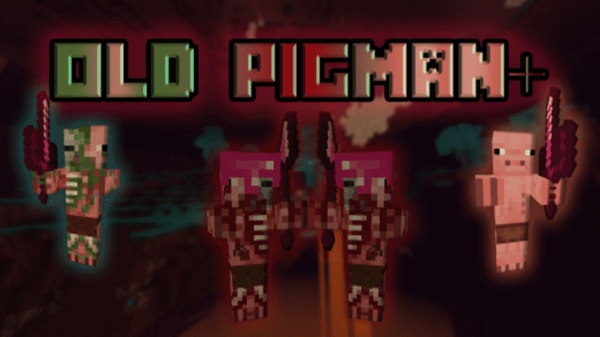
Old Pigman Plus Addon Classic Pigman Reimagined
The Old Pigman Plus Addon brings back the classic Pigman experience that longtime Minecraft players remember, but with fresh mechanics, modern behavior systems, new variants, and a deeper sense of progression. This reimagined version expands the Nether ecosystem while keeping everything balanced, polished, and accessible for both new and experienced MCPE players.
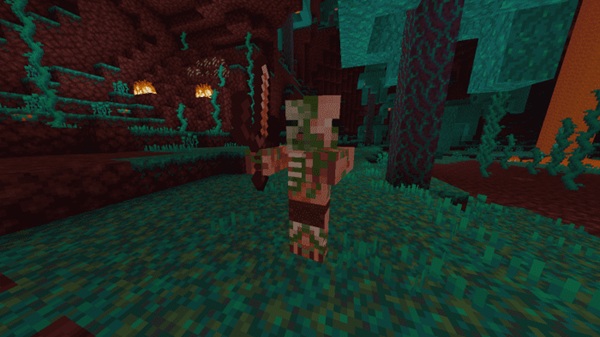
Introduction to Old Pigman Plus Addon
The Old Pigman Plus Addon reintroduces the nostalgic Pigman design while transforming it into a fully featured system with enhanced AI, trading mechanics, new professions, and custom items. Instead of simply restoring an old mob, the addon turns Pigmen into active participants in your survival world — offering support roles, exploration opportunities, and dynamic interactions.
Whether you’re exploring the Nether, building themed bases, or looking for a more immersive experience, this addon enhances gameplay in ways that feel both familiar and new.
Key Features of the Classic Pigman Reimagined Edition
This addon expands the original Pigman concept through several major systems. Below are the core features that define the experience.
Updated Classic Pigman Look
Brings back the original style with improved textures, smoother animations, and modern Bedrock performance.
Multiple Pigman Variants
You’ll find upgraded warriors, themed variants, support mobs, and Nether-based Pigmen that create a more dynamic world.
Enhanced Trading System
Pigmen now trade through new addon-specific materials, offering predictable and helpful loot for survival progression.
Healing and Taming
You can convert hostile variants into peaceful Pigmen, then assign them professions that help with crafting, farming, or defense.
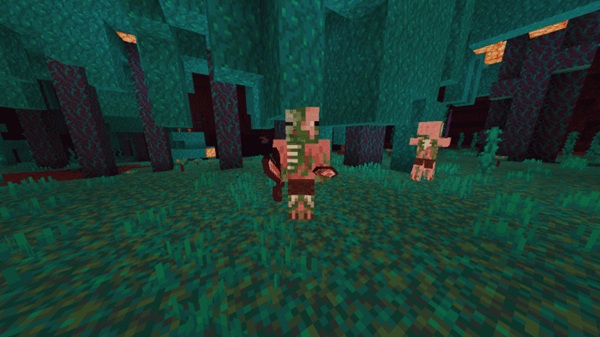
New Nether Structures and Biomes
Discover Pigman villages, themed castles, and expanded Nether zones designed to make exploration more rewarding.
New Items, Gear, and Materials
Includes new ores, armor sets, crafted weapons, and resource items that blend smoothly with vanilla gameplay.
Smarter Behavior and Group Interactions
Pigmen cooperate during encounters, react intelligently to nearby events, and support each other in ways that feel natural.
How the Addon Works In-Game
This section explains how the new Pigman systems function while you play, helping you understand what to expect when the addon is active.
Pigman Behavior and Group Dynamics
Pigmen may act defensively or neutrally depending on the situation. Some variants offer support abilities, while others patrol their territory.
Trading and Resource Progression
Trading uses special items introduced by the addon. Throws or interactions allow Pigmen to offer gear, materials, or helpful survival items.
Curing and Assigning Professions
You can heal a Zombie Pigman, tame it, and assign roles such as Armorer, Farmer, Cartographer, or Weaponsmith — each providing unique benefits.
Exploring New Biomes and Pigman Structures
Pigman settlements, fortified towers, and themed biomes create new opportunities for exploration, storytelling, and survival routes.
Compatibility and Requirements
Supported MCPE Versions
Works with recent and current versions of Minecraft Bedrock.
Device Compatibility
Playable on Android, iOS/iPadOS, Windows 10/11, Xbox, and Nintendo Switch.
Required Settings
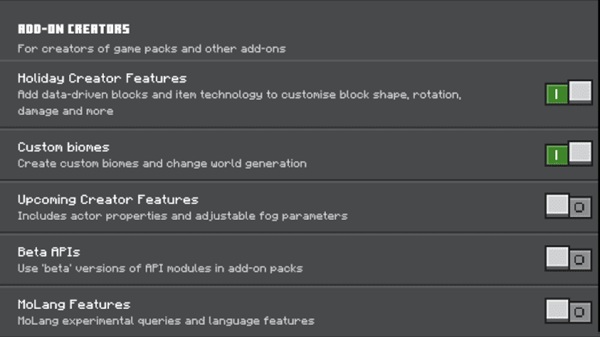
Most versions run without experimental toggles; older releases may require creator features.
Incompatibilities
Avoid combining with other Pigman overhaul addons to prevent behavioral overlap.
Tips and Best Practices for Playing the Addon
Survival Tips
-
Avoid engaging large Pigman groups.
-
Position yourself safely before trading.
Trading Tips
-
Carry consistent trading items.
-
Use quiet zones for uninterrupted trading.
Protecting Tamed Pigmen
-
Keep them in safe areas.
-
Use name tags to prevent despawning.
Optimizing Performance
-
Lower render distance on older devices.
-
Reduce the number of active mobs in busy areas.
Creative Ideas
-
Build Pigman villages or Nether settlements.
-
Create themed bases inspired by new structures.
FAQs
Does the addon replace vanilla mobs?
No, it adds new content while keeping vanilla mobs intact.
Do I need both packs active?
Yes — resource and behavior packs must be enabled together.
Does it work in multiplayer?
Yes, as long as all players have the addon installed.
Conclusion
The Old Pigman Plus Addon revitalizes a classic Minecraft mob and turns it into a full progression system with trading, professions, exploration, and new survival opportunities. Whether you enjoy nostalgic elements, improved Nether experiences, or expanded worldbuilding tools, this addon delivers rich gameplay for MCPE players of all ages.
How to install Old Pigman Plus
Installation Guide for MCPE (All Devices)
To use the Old Pigman Plus Addon, install both the behavior pack and resource pack correctly.
Android Installation
-
Download both
.mcpackfiles. -
Tap the files to import them into Minecraft.
-
Confirm the import inside the game.
iOS/iPadOS Installation
-
Download using Safari or Files.
-
Tap “Open in Minecraft.”
-
Activate both packs in your world settings.
Windows Installation
-
Double-click each
.mcpack. -
Minecraft will import them automatically.
-
Enable the packs when creating or editing a world.
Console Users (Xbox, Switch)
-
Upload the packs to a Realm using Windows.
-
Join the Realm on your console.
-
The addon downloads automatically.
Troubleshooting
-
Remove outdated addon versions.
-
Make sure your MCPE version is supported.
-
Disable other Nether-modifying addons if conflicts occur.











