
OP+ Maps 1.21+
The OP+ Maps Addon brings clearer navigation, smart markers, and precise depth indicators to Minecraft Bedrock. Explore your world with confidence, organize your routes, and unlock a smoother MCPE experience with this powerful mapping upgrade.
OP+ Maps Addon — Explore With Confidence and Precision
The OP+ Maps Addon gives Minecraft Bedrock players a clearer, smarter, and more reliable way to navigate their worlds. If you’ve ever lost your base, mined in circles underground, or explored far from home with no idea how to get back, this addon immediately fixes those problems. It turns your map into a practical, easy-to-read tool designed for MCPE players who want better awareness and more accurate information while exploring.
This article explains how the OP+ Maps Addon works, the key features you’ll use most, and why it’s becoming a favorite navigation mod in the Bedrock community.
Introduction to OP+ Maps Addon
The OP+ Maps Addon upgrades your in-game map with intuitive navigation tools, enhanced clarity, and advanced markers that help you understand your surroundings instantly. Instead of guessing where you are—or checking coordinates every few seconds—you get cleaner visuals and simple tools that guide you naturally.
These improvements are especially helpful for mobile users, younger players, and anyone who wants a smoother exploration experience without changing core gameplay. You can mark important spots, plan routes, and track your progress with far more confidence.
Explore With Confidence: Navigation & Awareness Upgrades
This section covers how OP+ Maps Addon improves visibility and orientation so you always know where you’re going.
Enhanced World Visibility and Map Understanding
The addon improves world readability by adding clearer map visuals and structured markers. You can track landmarks and terrain more easily, even on small screens.
Real-Time Environmental Awareness Tools
You’ll always know your position relative to important locations. The map updates quickly, helping you stay oriented while traveling through biomes, mountains, or cave entrances.
Smarter Navigation for Survival and Adventure
If you’ve ever wandered too far at night or in dense terrain, these tools help you stay safe. You can maintain direction and return home without panic or confusion.
Streamlined Direction Tracking for All Skill Levels
The addon reduces reliance on confusing coordinate systems. Visual indicators do the work for you, making navigation easier for beginners and casual players.
Multiplayer Exploration Made More Organized
Groups can coordinate routes, share markers, and keep track of each other. This improves co-op gameplay in survival worlds and Realms.
Confidence-Building Tools for Young and Casual Players
The addon makes exploration approachable. Players who often feel lost or overwhelmed gain tools that make travel predictable and enjoyable.
Explore With Precision: Advanced Mapping Tools
These tools give you more accuracy and control when planning builds, mining, or exploring new areas.
Multi-Color Map Markers
Use colored markers to label bases, farms, villages, mines, or projects. Color coding keeps your world organized and easy to navigate.
Accurate Depth & Resource Indicators
Depth indicators help you mine efficiently by showing where valuable resources are located. You’ll spend less time guessing and more time collecting.
High-Detail Map Enhancements
Cleaner map visuals allow you to analyze terrain, plan routes, and explore confidently. Information is displayed clearly without clutter.
Key Features of OP+ Maps Addon
-
Multi-color marker system
-
Depth and resource indicators
-
High-visibility map improvements
-
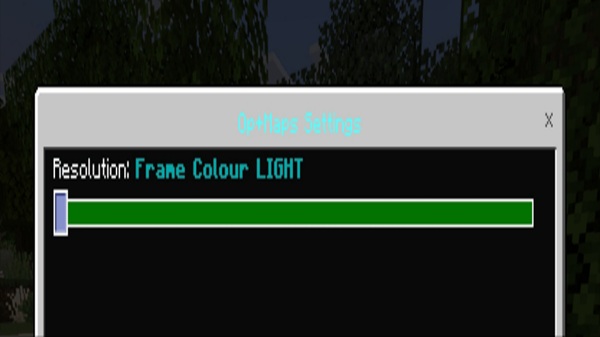
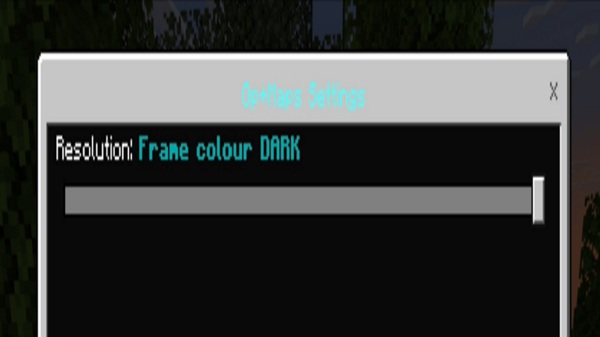
Light/dark theme compatibility
-
Simple UI designed for touch controls
-
Works without experimental settings
Together, these features create a smooth, reliable mapping system for any Bedrock world.
How OP+ Maps Addon Works In-Game
Here’s what to expect when you load the addon in your world.
Getting Started
You receive a shulker box with all tools included. If it doesn’t appear, a simple tag reset fixes the issue.
Using the Tools
-
Place markers by throwing the colored items
-
Toggle marker visibility as needed
-
Use indicators to identify depths or locations
Everything is designed to be straightforward and beginner-friendly.
Best Practices for Precision Mapping
-
Assign consistent colors for better organization
-
Scan areas before mining
-
Mark build ideas or resource zones
-
Hide markers temporarily for a cleaner view
Compatibility & Performance Information
-
Works with Minecraft Bedrock 1.21+
-
Compatible with mobile, Windows, and consoles
-
No experimental features required
-
Lightweight and optimized for performance
-
Adjustable visuals help on low-end devices
Tips to Get the Best Experience
-
Use color-coded markers consistently
-
Hide elements when you want a clean map
-
Update markers as your world expands
-
Coordinate with friends in multiplayer
-
Keep the addon updated for best performance
Why MCPE Players Love OP+ Maps Addon
Players appreciate this addon because it offers:
-
Clear navigation
-
Better mining efficiency
-
Reliable world planning
-
Smooth gameplay
-
A friendly, accessible toolset
It improves exploration without changing the game’s heart.
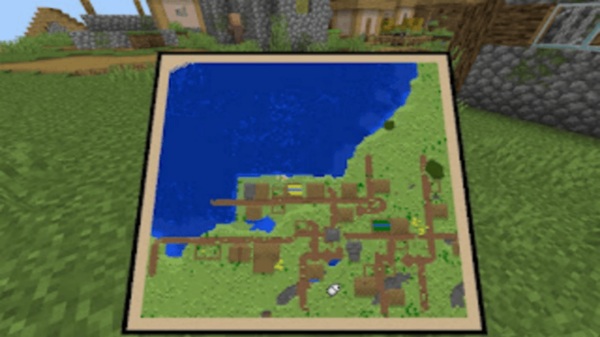
Conclusion & Download Section
The OP+ Maps Addon is a valuable upgrade for any Minecraft Bedrock world. It enhances navigation, boosts confidence, and brings precision to every adventure. Whether you’re mining, traveling, or building, this addon helps you stay organized and aware at all times.
If you want a clearer, smarter, and more enjoyable exploration experience, OP+ Maps Addon is the perfect addition to your MCPE setup.
Installation Guide for MCPE (Bedrock Edition)
-
Download the
.mcaddonfile. -
Open the file to import it into Minecraft.
-
Activate both the resource and behavior packs.
-
Enter your world and confirm the tools load correctly.
Android players may need a file manager if automatic import fails. Windows players simply double-click the file.











