
Pet Furniture 1.21+
Pet Furniture Addon adds cozy, pet-focused furniture to Minecraft Bedrock and MCPE, allowing you to design warm interiors with beds, bowls, and shelters made especially for your pets.
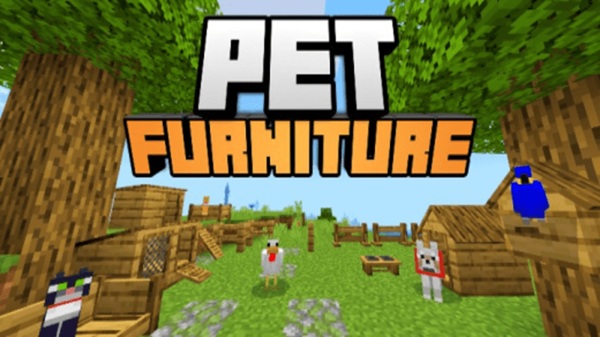
Pet Furniture Addon – Cozy Interiors Designed for Pets
Minecraft pets are more than helpers that follow you around. For many players, they are companions that share every base, adventure, and quiet moment at home. The Pet Furniture Addon is a decorative Minecraft Bedrock / MCPE addon that helps you turn simple houses into cozy, pet-friendly interiors. Instead of pets sitting randomly on floors or outside walls, you can now design spaces that feel intentional, warm, and lived in.
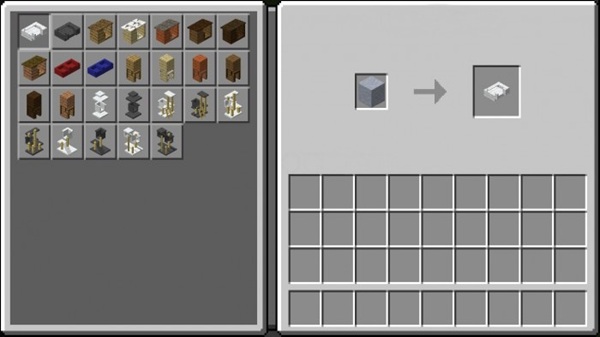
Built for Minecraft PE and Bedrock Edition, this addon focuses on atmosphere rather than mechanics. It blends naturally with vanilla gameplay, runs smoothly on mobile devices, and supports both Creative and Survival playstyles. If you enjoy interior design, roleplay, or relaxed survival worlds, the Pet Furniture Addon fits right in.
What the Pet Furniture Addon Adds
At its core, the Pet Furniture Addon introduces furniture designed specifically for pets. This section is where you clearly see how the addon supports cozy interiors without complicating gameplay or changing how pets behave.
Pet Beds for Comfortable Rest Areas
Pet beds give your animals a clear place to rest. Visually, they make pet areas feel planned instead of improvised. You can place them in bedrooms, near storage areas, or next to fireplaces to create a calm, home-like atmosphere. The design stays close to Minecraft’s default style, so beds don’t feel out of place in survival builds.
Food and Water Bowls for Pet Spaces
Food and water bowls add realism to your interiors. While decorative, they help define feeding areas and make pet corners feel complete. Many players place them in kitchens, hallways, or pet rooms to support roleplay and storytelling. These small details often make the biggest visual difference.
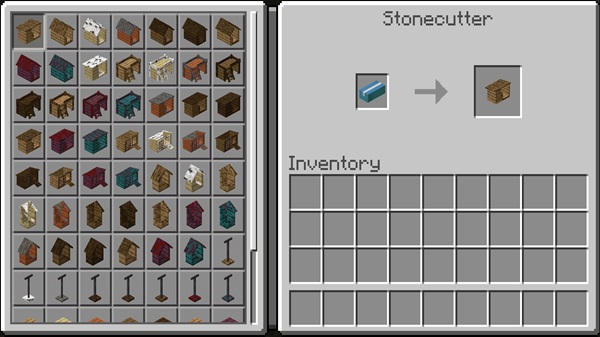
Pet Houses and Shelter Furniture
Pet houses and shelter-style furniture allow you to organize pets into specific spaces. You can use them indoors or outdoors, depending on your build. In survival worlds, they work well near farms or storage rooms. In creative builds, they’re perfect for shelters, villages, or themed homes.
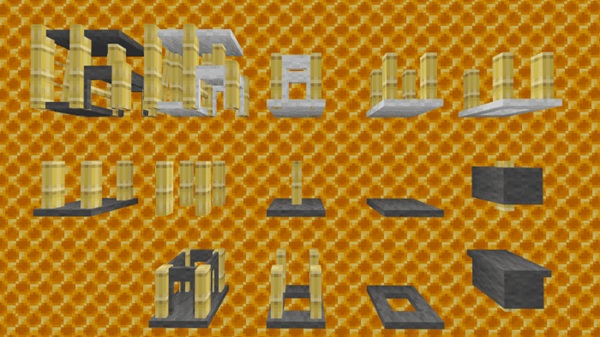
Vanilla-Style Design That Fits Any Build
All furniture follows a vanilla-inspired design philosophy. Textures match Minecraft’s natural color palette and block scale, making the addon compatible with most resource packs and shaders. This consistency is important for MCPE players who want clean visuals without visual clutter.
Decorative Focus Without Changing Gameplay
The Pet Furniture Addon does not alter pet AI or core mechanics. Pets behave the same way they do in vanilla Minecraft. This makes the addon safe for long-term worlds, family-friendly play, and casual sessions where stability matters more than complex systems.
Creative and Survival Mode Support
You can access all furniture easily in Creative Mode to test layouts or plan interiors. In Survival Mode, the addon integrates naturally and does not require commands or advanced configuration. This balance keeps gameplay accessible for all skill levels.
How It Feels to Use in Gameplay
Using the Pet Furniture Addon changes how your base feels, not how it functions. Homes feel calmer, more personal, and more complete. Pets feel like part of your living space rather than background mobs.
This addon works especially well for:
-
Relaxed survival gameplay
-
Creative interior design
-
Roleplay and storytelling worlds
Many players describe the experience as slower and more thoughtful. You decorate because you want to, not because the game forces you to.
Compatibility & Performance
The Pet Furniture Addon is optimized for Bedrock Edition and MCPE. It runs smoothly on mobile devices and does not rely on heavy scripts.
-
Compatible with Minecraft Bedrock / MCPE
-
Works on Android, iOS, Windows 10/11
-
Recommended for recent game versions
-
Optimized for mobile performance
-
Compatible with most decorative addons
To avoid issues, avoid stacking multiple furniture addons that modify the same blocks.
Best Ways to Use This Addon
This addon shines when you focus on interiors and atmosphere. Popular use cases include:
-
Pet corners inside survival houses
-
Dedicated pet rooms or bedrooms
-
Roleplay shelters or villages
-
Cozy apartments or family homes
-
Creative showcase builds
It pairs well with interior-focused maps and subtle resource packs.
Tips for a More Cozy Pet Space
Small design choices make a big difference:
-
Test layouts in Creative Mode first
-
Place pet furniture near your main living areas
-
Use warm lighting for a softer look
-
Avoid overcrowding small rooms
-
Combine with simple blocks like carpets and plants
These choices help your builds feel natural rather than staged.
Who This Addon Is Perfect For
The Pet Furniture Addon is a great fit for:
-
MCPE players who enjoy pets
-
Cozy survival builders
-
Creative decorators
-
Roleplay and casual players
-
Family-friendly Minecraft audiences
If you value atmosphere over complex mechanics, this addon was made for you.
Final Thoughts
Pet Furniture Addon – Cozy Interiors Designed for Pets is a lightweight but meaningful addition to Minecraft Bedrock Edition. It enhances immersion, supports creative expression, and makes pets feel like part of your home.
If you enjoy decorating interiors, caring for animals, and building warm, personal spaces in Minecraft, the Pet Furniture Addon is well worth adding to your MCPE world.
How to Install on MCPE (Bedrock Edition)
Installation is simple and designed for mobile players. You don’t need technical knowledge to get started.
-
Download the addon file (
.mcaddonor.mcpack) -
Open the file using Minecraft
-
Let Minecraft import the Resource Pack and Behavior Pack
-
Create a new world or edit an existing one
-
Activate both packs in the world settings
-
Enable Experimental Features if required
-
Start the world
This process works on Android, iOS, and other Bedrock platforms.











