
Piggyback 1.21+
The Piggyback Addon brings a fun and interactive player-riding feature to Minecraft Bedrock Edition. This guide covers its main features, installation steps, compatibility details, and creative ways to enjoy the addon in your MCPE worlds.
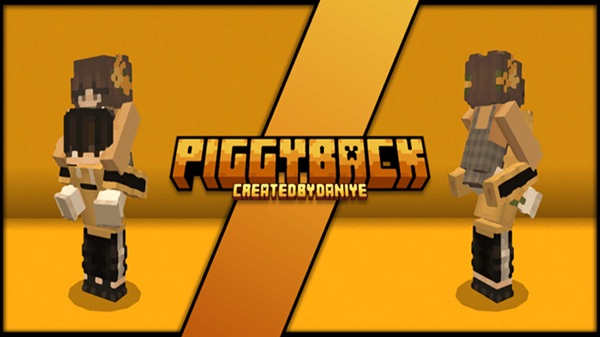
Piggyback Addon: Ultimate Player Riding Feature
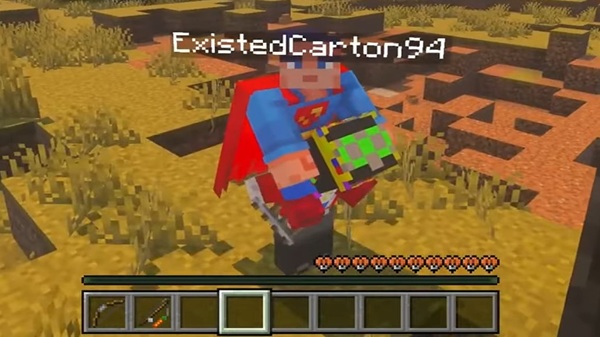
The Piggyback Addon brings a fresh layer of interaction to Minecraft Bedrock Edition by allowing players to ride on each other’s backs. This simple but powerful mechanic creates memorable moments, encourages teamwork, and adds playful energy to your worlds. Whether you enjoy survival adventures, multiplayer sessions, or lively roleplay, this addon blends naturally into your MCPE experience while staying lightweight and easy to use.
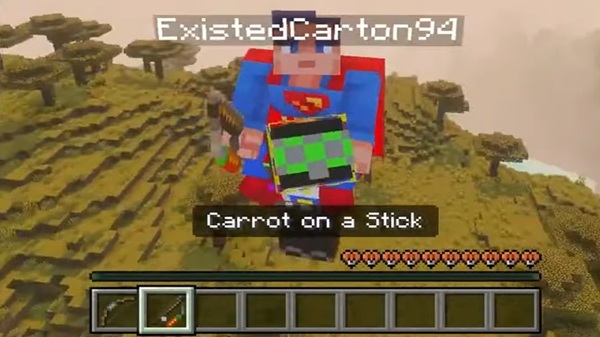
Introduction to the Piggyback Addon
This section introduces the addon and sets the tone before exploring its features in detail.
The Piggyback Addon is built for MCPE players who want to make their multiplayer worlds more social and dynamic. Instead of traveling alone, you can hop onto a friend’s back and explore together. It’s the kind of feature that feels instantly fun, yet it never disrupts the classic feel of Minecraft. Whether you're guiding a new player through their first village or sharing a silly moment during a late-night session, the addon adds a unique layer of connection that fits perfectly into Bedrock gameplay.
Main Features of the Piggyback Addon
These features define what makes the addon useful, fun, and worth installing.
Instant Player Riding Interaction
You can mount another player with one tap or click. No commands, no extra steps—just interact and ride.
Smooth and Stable Multiplayer Riding
The movement of both rider and carrier syncs cleanly across devices, giving you a steady, natural riding experience.
Safe and Controlled Dismount System
Only the rider decides when to get off. A simple jump lets you dismount instantly and safely.
Fully Cross-Platform Compatible
The addon works consistently across mobile, console, and PC. Everyone in your world can use it without setup hassle.
No Experimental Features Required
It runs in standard worlds without toggling experimental options, keeping things simple and compatible with survival mode.
Lightweight and Performance-Friendly
Because it avoids heavy scripts, the addon works smoothly even on low-end Android devices.
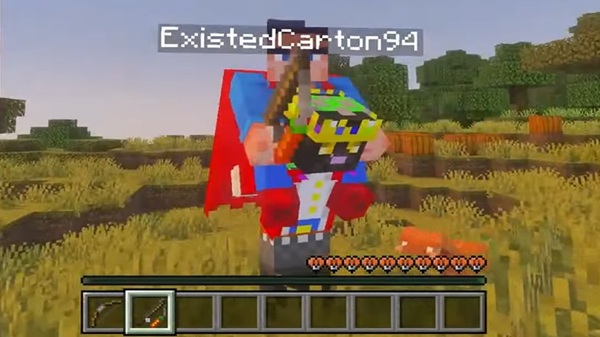
Multiplayer-Friendly Design
It enhances group play, encourages cooperation, and adds personality to shared worlds.
Works With Most Skins and Armor
The riding animation supports most skins and armor sets. Larger custom skins may show slight clipping, but nothing that breaks gameplay.
How the Player Riding Mechanic Works
Here’s how you interact with the addon depending on your device.
Controls for Mobile (Android/iOS)
-
Look at another player
-
Tap Ride
-
Jump to dismount
Controls for Windows 10/11
-
Right-click to mount
-
Press Space to dismount
Controller Controls
-
Press your Interact button
-
Jump to dismount
Multiplayer Behavior
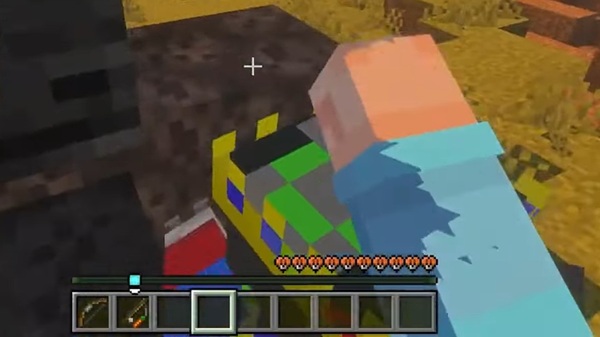
The rider controls the dismount, while the carrier continues moving freely. This keeps interactions friendly and predictable.
Compatibility Information
This section ensures your device and game version work smoothly with the addon.
Supported MCPE Versions
Compatible with Minecraft Bedrock 1.21+.
Supported Devices
Runs well on mobile, PC, and consoles (via Realms).
Performance Notes
You can expect:
-
Smooth FPS
-
Low memory usage
-
Stable behavior even on older devices
Player.json Compatibility Warning
Because the addon edits player.json, it may conflict with other player-based addons. Test combinations carefully.
Tips, Creative Uses & Gameplay Ideas
Here are ways to make the most of the Piggyback Addon in your world.
Fun Uses
-
Explore biomes together
-
Carry friends across rivers
-
Create fun moments while adventuring
Roleplay Scenarios
Perfect for escort missions, companions, or story-driven moments.
Mini-Game Concepts
Try piggyback races, co-op parkour, or team relays.
Content Creation Ideas
Great for TikTok clips, short skits, and light-hearted multiplayer videos.
Troubleshooting & FAQ
This section helps solve common setup issues.
Ride Button Not Showing?
Check that both packs are activated and restart the game.
Conflicts with Other Addons?
Remove addons that also edit player.json.
Multiplayer Not Working?
Ensure every player has the addon installed.
Installation Errors?
Re-import the file or remove older duplicates.
Conclusion
The Piggyback Addon adds charm, convenience, and creativity to your MCPE worlds. Whether you’re exploring with friends or building story-driven adventures, this player-riding mechanic brings your multiplayer experience to life. It’s simple to install, stable across devices, and designed to enhance the way you connect and play together in Minecraft.
Installation Guide for MCPE / Bedrock Edition
These steps help you install the Piggyback Addon smoothly on any device.
Downloading the .mcaddon File
Save the .mcaddon file to your device and confirm it matches your MCPE version.
Installing on Mobile (Android/iOS)
-
Download the file
-
Open your file manager
-
Tap the file
-
Minecraft will import it automatically
Installing on Windows 10/11
-
Double-click the file
-
Allow Minecraft to open
-
Wait for the import confirmation
Adding to Existing or New Worlds
-
Go to world settings
-
Activate the Behavior and Resource Packs
-
Load or create your world
For best results in Realms, every player should install the addon locally.











