
Player Graves 1.21+
The Player Graves Addon for Minecraft Bedrock (MCPE) automatically saves your inventory when you die, creating a personal grave so you can recover every item safely. Enjoy a smoother, stress-free survival experience, explore farther, and keep your adventure alive without fear of losing your loot.
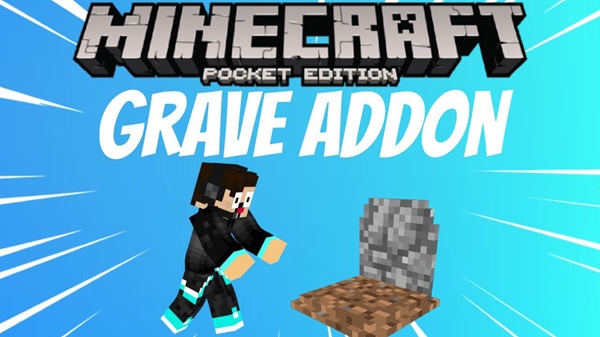
Player Graves Addon – Secure Your Loot, Continue the Adventure
In Minecraft Bedrock Edition (MCPE), every survival player knows the heartbreak of losing their best tools or armor after one unlucky fall or mob ambush. The sense of progress can vanish in seconds — and so does the motivation to keep going.
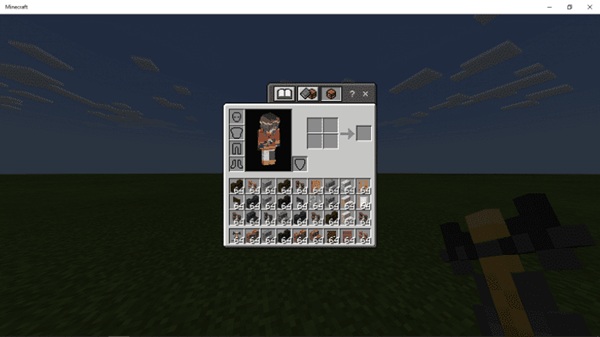
The Player Graves Addon solves that pain in a simple, elegant way. It automatically saves your items in a personal grave when you die, giving you the freedom to explore without fear. Your loot stays exactly where you left it, waiting for your return.
With this addon, you can focus on adventure and creativity instead of worrying about lost inventories.
What Is the Player Graves Addon?
If you’ve ever wished for a safer way to protect your items in survival mode, this addon is for you.
The Player Graves Addon automatically creates a grave marker at your death spot. Inside, all your inventory — armor, gear, tools, and blocks — is stored securely until you come back. It’s a quality-of-life addon that keeps gameplay fair and balanced while offering peace of mind to every MCPE player.
Whether you’re mining deep underground or exploring the Nether, the addon ensures your efforts never go to waste.
Main Features and Benefits
Before installing, let’s explore what makes the Player Graves Addon such a game-changer for Minecraft Bedrock players.
Automatic Graves for Secure Item Storage
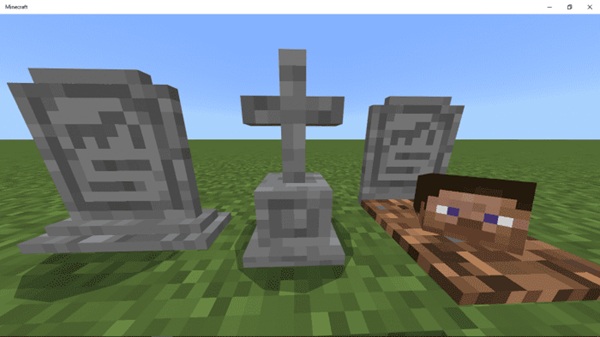
Each time you die, a gravestone instantly spawns at your exact location. All your items are safely stored inside — no more messy item drops or disappearing gear.
Grave Key System for Easy Tracking
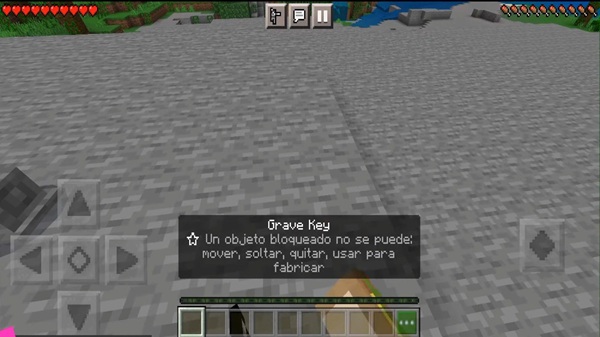
You’ll receive a Grave Key after respawning. This item shows your name and coordinates, helping you navigate back to your grave. The key even displays distance feedback in-game so you always know if you’re moving closer or farther away.
Instant Teleportation Option
Craft your Grave Key into an Instant Grave Key to teleport directly to your grave. It’s perfect when your death spot is thousands of blocks away or in a dangerous biome.
Multiplayer and Realm Support
Every grave is private — only the player who created it can access their items. This makes it ideal for multiplayer worlds, ensuring fairness and preventing item theft.
Cross-Dimensional Compatibility
From the Overworld to the Nether or the End, your grave always appears right where you died. The addon works seamlessly across all dimensions in Bedrock Edition.
Lightweight and Reliable
Optimized for both mobile and console, the addon runs smoothly even on lower-end devices. It keeps performance steady without adding lag or heavy processing.
Quality-of-Life Highlights
-
Encourages exploration and adventure without item loss
-
Maintains survival balance — you still need to retrieve your loot
-
Works perfectly for both new and experienced players
- Reduces frustration while keeping the thrill of survival intact
How It Works In-Game
Understanding how the Player Graves Addon functions helps you use it to its full potential.
-
Death Trigger: When your health reaches zero, a grave automatically spawns at your location.
-
Receive Your Grave Key: The key displays your name and death coordinates.
-
Track Your Grave: Hold or use the key to get distance feedback in chat.
-
Recover Items: Break or open the grave to instantly retrieve your inventory.
-
Use Instant Teleportation (Optional): Upgrade your key for direct teleportation.
-
Clean Up: Type
/scriptevent grave:cleanto remove old graves when needed.
The entire process feels natural, fitting perfectly into Minecraft’s gameplay flow.
Compatibility and Performance
Before installing, make sure your game and device are ready.
-
Game Versions: Works with MCPE / Bedrock 1.19 – 1.21+
-
Platforms: Android, iOS, Windows 10/11, Xbox, PlayStation, Switch
-
Performance: Runs efficiently with minimal lag, even on mobile
-
Addon Support: Compatible with most other resource and behavior packs
-
Updates: Frequently improved for stability and compatibility
Tips and Best Practices
To get the best experience with Player Graves Addon, follow these quick tips:
-
Keep the gamerule
doentitydropsenabled — graves depend on it. -
Avoid lava deaths; extreme heat can destroy items before the grave spawns.
-
Use
/scriptevent grave:cleanto remove unused graves. -
Combine it with minimap or waypoint addons for easier navigation.
-
Always use the latest version for full feature support.
These simple habits ensure smooth, reliable gameplay across any MCPE world.
Why Players Love It
The Player Graves Addon strikes a perfect balance between challenge and comfort. It rewards smart survival play while reducing unnecessary frustration.
Players appreciate how it:
-
Preserves hard-earned loot without breaking immersion
-
Keeps multiplayer sessions fair and organized
-
Encourages exploration by removing the fear of total loss
-
Fits naturally into Minecraft’s existing mechanics
It’s not just a mod — it’s a confidence boost that makes every survival journey more enjoyable.
Conclusion – Continue Your Adventure Confidently
The Player Graves Addon transforms Minecraft Bedrock survival into a smoother, more enjoyable experience. It protects what you’ve built, supports your exploration, and encourages you to keep moving forward after every setback.
So when you fall in battle or lose your footing, you’ll know your loot is safe and your story isn’t over.
Secure your items. Protect your progress. Continue your adventure.
How to Install the Player Graves Addon (MCPE / Bedrock)
Installing this addon is simple and beginner-friendly.
For Mobile (Android / iOS)
-
Download the
.mcaddonfile from a trusted source. -
Tap the file — Minecraft will launch and begin importing.
-
In your world settings, enable both the Behavior Pack and Resource Pack.
For Windows 10 / 11
-
Download the addon and double-click to import.
-
Open your world or create a new one.
-
Activate both packs under world settings and click Play.
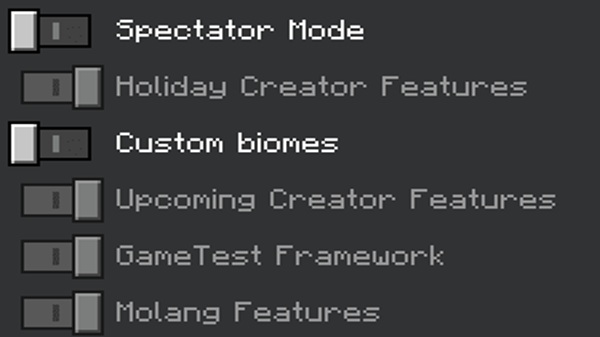
No experimental features are needed — achievements remain fully functional.











