
Player Knockback+ 1.21+
Take your MCPE PvP to the next level with the Player Knockback+ Addon. This Bedrock combat addon refines knockback, adds a clean CPS counter and health display, and stays smooth even on mobile devices. Learn how it works, how to install it, and how to use it to win more fights in your Minecraft worlds.
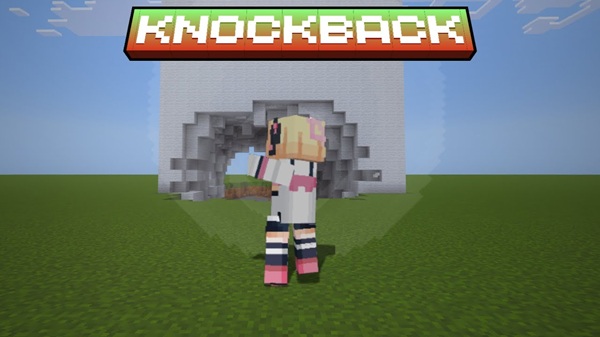
Player Knockback+ Addon – Enhanced Impact for MCPE PvP
If you’ve ever felt that combat in Minecraft Bedrock Edition is a bit “floaty” or random, the Player Knockback+ Addon is made for you. This MCPE PvP addon refines knockback, adds clear combat info, and keeps everything light enough to run smoothly on mobile. In this guide, I’ll walk you through what it does, how it feels in-game, and how to install and use it without any hassle.
What Is Player Knockback+ Addon?
Before you decide to add another pack to your MCPE world, it helps to know exactly what it’s changing. Player Knockback+ Addon focuses on one thing: making PvP hits feel clearer, fairer, and more skill-based, especially on mobile and tablet.
Core Concept
-
A combat-focused addon for Minecraft Bedrock / MCPE.
-
Tweaks player knockback so hits feel more responsive and predictable.
-
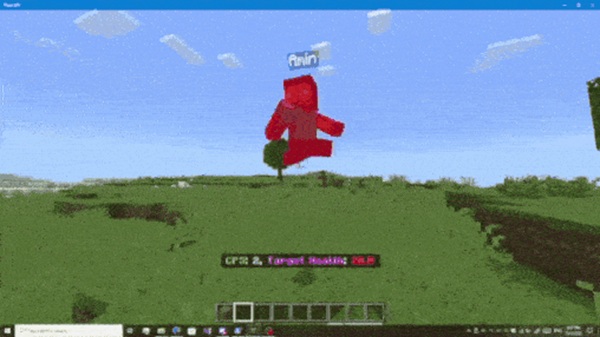
Adds CPS (Clicks Per Second) and opponent health displays to give you live combat data.
-
Designed for PvP arenas, mini-games, Realms, and private multiplayer worlds.
Who It’s For
-
MCPE players who enjoy duels, FFA, SkyWars, BedWars and other PvP maps.
-
Realm owners who want fair, readable combat for their community.
-
Players on mobile or low-end devices who still want a smooth PvP experience.
Key Features of Player Knockback+ Addon
This addon doesn’t try to change everything about Minecraft combat. Instead, it focuses on a few high-impact features that make your fights feel better right away. Each feature is designed to help you see, understand, and control what happens when you trade hits.
Enhanced Knockback for Cleaner Combos
-
Reworks knockback values so reactions to hits are more consistent.
-
Makes spacing, strafing, and combos feel more intentional instead of random.
-
Helps you read your opponent’s movement and stay in control of the fight.
CPS Display for Attack Rhythm
-
Shows your Clicks Per Second or taps per second while you’re attacking.
-
Helps you find a comfortable, stable rhythm, not just spam.
-
Simple example: if you usually sit at 4–5 CPS, you can practice pushing up to 6–7 without losing control.
Opponent Health Indicator
-
Displays the current health of the player you hit.
-
Lets you instantly see if they’re low enough to push or if you should back off.
-
Reduces guesswork in fast MCPE PvP matches where hearts disappear quickly.
Lightweight and Mobile-Friendly
-
Script-based, with no heavy visual effects or extra entities.
-
Works well on low-end Android phones, older tablets, and budget devices.
-
Keeps FPS stable so knockback behavior stays reliable even in crowded arenas.
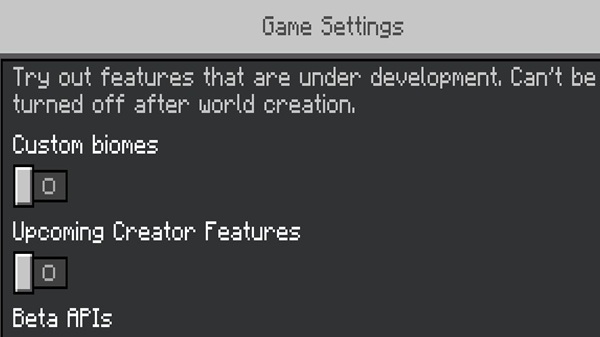
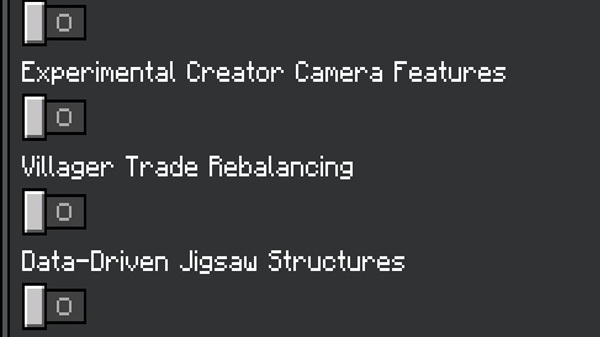
No Experimental Toggles Required
-
You don’t have to enable any experimental features.
-
Just import the pack, activate it, and start playing.
-
Safer for long-term survival worlds and Realms where stability matters.
How Enhanced Knockback Improves MCPE PvP
Good PvP isn’t just about clicking faster. It’s about reading your opponent, controlling space, and understanding how far each hit will send someone. Player Knockback+ Addon helps you do exactly that by smoothing out Bedrock’s default knockback behavior.
From Random to Readable
-
Default knockback in MCPE can feel inconsistent, especially with latency.
-
This addon makes hit reactions follow a more reliable pattern, so you quickly learn what to expect.
Better Control and Spacing
-
Easier to chain hits without your opponent randomly flying too far or barely moving.
-
Lets you practice proper movement resets, strafing, and positioning.
Fairer Fights in Multiplayer
-
When knockback is predictable, fights feel less “lucky” and more skill-based.
-
This is especially important in Realms and community servers, where many different players join.
Compatibility & Requirements
You don’t need a high-end gaming setup to enjoy Player Knockback+ Addon. It’s built to run well on typical MCPE setups while staying compatible with current Bedrock updates.
Supported Versions and Devices
-
Works with Minecraft Bedrock / MCPE 1.20+, including newer 1.21 builds.
-
Supports:
-
Android phones and tablets
-
iPhone and iPad
-
Windows Bedrock Edition
-
Performance Recommendations
-
Minimum: Around 2 GB of RAM.
-
Recommended: 4 GB or more for smoother multiplayer sessions.
-
Close background apps if your device struggles during big fights.
Addon Conflicts to Avoid
-
Avoid stacking multiple combat or knockback addons.
-
If two packs modify knockback, you may get odd or inconsistent results.
-
Keep Player Knockback+ Addon at the top of your behavior pack list if you use several packs.
Best Use Cases for Player Knockback+ Addon
You’ll feel the difference most in modes where timing and spacing really matter. Think about the moments where one extra hit decides the match—that’s where this addon shines.
Duels, Arenas, and Mini-Games
-
1v1 duels and custom arenas.
-
Free-for-all maps where many players fight in the same zone.
-
Popular PvP styles like Sky-based battles, bed-defense modes, and knockback arenas.
Realms and Multiplayer Worlds
-
Great for friends’ worlds where combat is common.
-
Helps level the playing field so good timing and movement stand out.
Practice and Skill Training
-
Use it in a private world to practice aim, strafing, and hit timing.
-
The CPS and health displays turn every fight into feedback you can learn from.
Tips to Get the Most Out of Player Knockback+ Addon
Turning on the addon is only half the story. With a few simple habits, you can quickly feel yourself improving in MCPE PvP.
Watch Your CPS, Not Just Your Speed
-
Aim for consistent CPS instead of random spikes.
-
For example, staying at 6–7 CPS steadily often beats spamming between 3 and 10.
Adjust Your Sensitivity
-
Small changes in touch or mouse sensitivity can give you better tracking and strafing.
-
Test different settings in a flat test world before jumping into serious matches.
Keep Your Game Smooth
-
Lower render distance if your FPS drops in busy arenas.
-
Disable heavy texture packs that you don’t really need during PvP.
Troubleshooting & Common Fixes
If something feels off, it’s usually a small setting or pack conflict. Here’s how to fix the most frequent issues with Player Knockback+ Addon.
Knockback Feels the Same
-
Check that the Behavior Pack is enabled for that specific world.
-
Move Player Knockback+ Addon above other behavior packs in the list.
No CPS or Health Display
-
Make sure the Resource Pack part of the addon is active.
-
In settings, ensure the HUD is visible and not hidden.
Addon Doesn’t Show After Import
-
Confirm the file ends in
.mcaddon, not.zip. -
If needed, rename the file and remove the extra
.zipextension. -
Restart the game and check again.
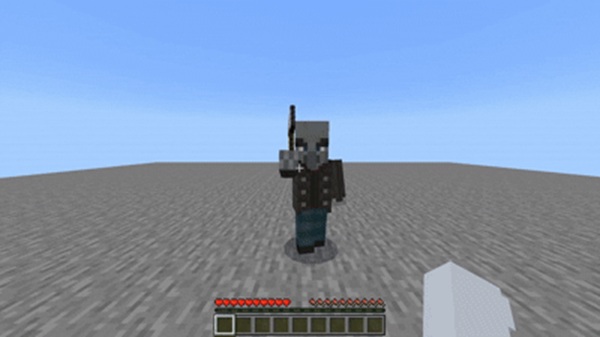
Final Thoughts
The Player Knockback+ Addon gives your MCPE PvP a focused upgrade: clearer knockback, live combat info, and smooth performance on mobile. It doesn’t try to reinvent Minecraft combat—it just makes it feel more responsive and fair, especially when every heart and every hit matters.
If you want your fights to feel more controlled, more readable, and more rewarding, this addon is a strong addition to your Bedrock setup. Turn it on, jump into a duel, and you’ll feel the enhanced impact from your very first combo.
Installation Guide (Mobile, Tablet, and Windows)
Setting up Player Knockback+ Addon in MCPE is straightforward. You only need the .mcaddon file and a few taps or clicks. Follow the steps below to avoid common headaches.
Get the .mcaddon File
-
Download the Player Knockback+ Addon file in
.mcaddonformat. -
Make sure the download finishes completely before opening it.
Import Into Minecraft
On Android / iOS / Tablet
-
Tap the
.mcaddonfile. -
Choose Minecraft if your device asks which app to use.
-
The game should open and show “Import started”, then “Import completed”.
On Windows (Bedrock Edition)
-
Double-click the
.mcaddonfile. -
If needed, right-click → “Open with” → Minecraft.
Activate Behavior and Resource Packs
-
Open MCPE and go to Play → create or edit a world.
-
In Behavior Packs, move Player Knockback+ Addon to Active.
-
If there’s a Resource Pack included, activate it in Resource Packs too.
-
Load into the world.
Check That It Works
-
Hit another player or mob and look for:
-
Stronger, smoother knockback
-
CPS display
-
Health indicator
-
-
If you see these, the addon is active and working correctly.











