
Pokemon Adventures – Eevee 1.21+
Pokemon Adventures – Eevee Addon brings Eevee and its evolutions into Minecraft Bedrock and MCPE, offering immersive gameplay, meaningful progression, and balanced features for survival, creative, and roleplay worlds.
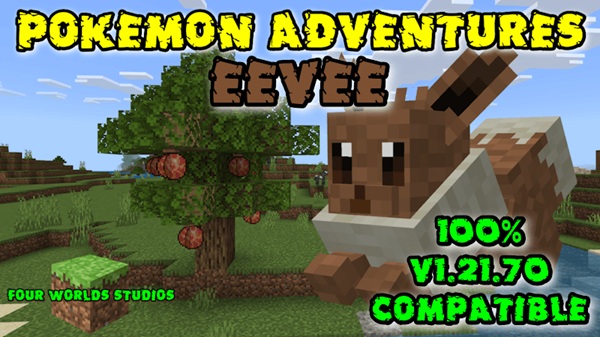
Pokemon Adventures – Eevee Addon with Evolutions & Immersion
The Pokemon Adventures – Eevee Addon is designed for Minecraft Bedrock and MCPE players who want more than a simple creature add-on. It introduces Eevee as a meaningful part of your world, complete with evolution paths, progression choices, and immersive behavior that blends smoothly into vanilla gameplay.
If you enjoy survival worlds with long-term goals, creative storytelling, or Pokémon-inspired mechanics without complexity, this addon fits naturally into your Minecraft experience.
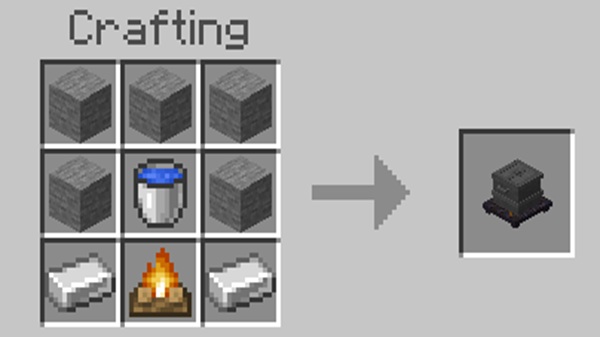
Core Features at a Glance
Before diving into the details, it helps to understand what the Pokemon Adventures – Eevee Addon brings to your world at a high level. These core features define the addon’s purpose and gameplay direction.
-
Adds Eevee as a custom mob in Minecraft Bedrock
-
Includes multiple Eeveelutions with distinct traits
-
Focuses on progression, not shortcuts
-
Balanced for survival gameplay
-
Compatible with MCPE, consoles, and Bedrock platforms
-
Optimized for mobile performance
Each feature supports immersion rather than replacing existing Minecraft systems.
Eevee & Evolution System Explained
The evolution system is the heart of the Pokemon Adventures – Eevee Addon. This section explains how Eevee fits into your world, how evolutions work, and why player choice matters.
How to Find or Obtain Eevee in MCPE
Eevee appears in a way that respects Minecraft’s natural flow. In survival worlds, it may spawn under specific conditions, while Creative Mode provides direct access through spawn eggs. This approach keeps gameplay flexible without forcing commands or complicated setup.
If you’re testing ideas or building a themed world, Creative Mode makes experimentation easy. Survival players, on the other hand, experience Eevee as part of their journey.
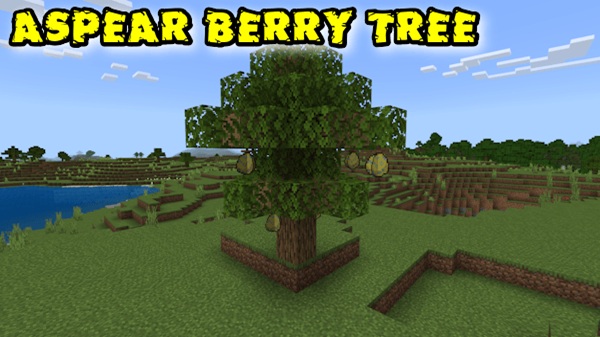
Evolution Mechanics and Requirements
Eevee evolves through clear in-game actions rather than technical commands. Think of evolution as a reward for interaction and decision-making, not a menu option.
For MCPE players, this means:
-
Simple mechanics
-
Clear progression steps
-
No technical knowledge required
You play, explore, and evolve naturally.
Available Eeveelutions
The addon includes classic Eevee evolutions such as:
-
Vaporeon
-
Jolteon
-
Flareon
Each evolution feels distinct, not just visually but in how it behaves and fits into gameplay. These differences give meaning to your choices instead of turning evolutions into cosmetic swaps.
Progression and Player Choice
Evolution paths introduce real decisions. Once Eevee evolves, that choice shapes your experience. This design encourages replayability, especially for players who enjoy starting new worlds or experimenting with different play styles.
If you’ve ever restarted a survival world just to try a new approach, this system was built with you in mind.
Evolution Balance in Survival Mode
Balance matters in long-term worlds. Eevee and its evolutions enhance gameplay without overpowering survival mechanics. They support exploration and progression rather than replacing tools, armor, or vanilla mobs.
This balance keeps the addon enjoyable even after many hours of play.
Creative Mode Testing & Experimentation
Creative Mode acts as a safe testing space. Builders, roleplayers, and content creators can explore evolutions freely before committing in survival.
This is especially useful when planning:
-
Pokémon-themed maps
-
Roleplay stories
-
Custom progression systems
Immersive Gameplay Experience
Immersion is about how naturally content fits into the game. The Pokemon Adventures – Eevee Addon focuses on behavior, pacing, and interaction rather than flashy effects.
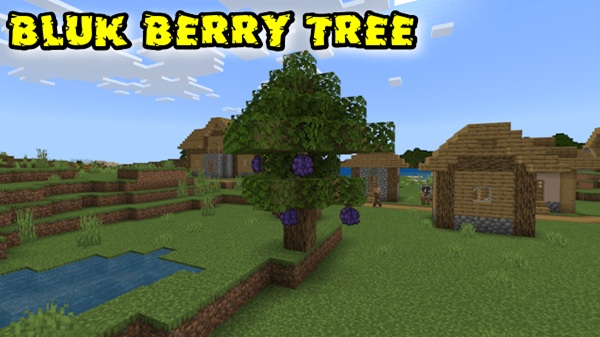
Eevee moves, reacts, and exists as if it belongs in Minecraft. Evolutions feel earned, not forced. This makes your world feel cohesive rather than modded.
Survival, Creative & Roleplay Use
This addon adapts well to different play styles, which is why it appeals to a wide MCPE audience.
-
Survival Mode: Progression-focused gameplay with meaningful goals
-
Creative Mode: Building, testing, and design freedom
-
Roleplay Worlds: Trainer journeys, custom stories, and themed adventures
Whether you play alone or design worlds for others, the addon adjusts to your approach.
Compatibility & Performance Notes
Compatibility is essential for MCPE players, especially on mobile devices.
-
Minecraft Version: Bedrock 1.19+
-
Platforms:
-
Android
-
iOS
-
Windows 10 / 11
-
Xbox
-
PlayStation
-
For best performance, avoid stacking many entity-heavy addons together, especially on lower-end devices.
Tips for the Best Experience
Small adjustments can improve stability and enjoyment.
-
Back up your world before installing
-
Test features in Creative Mode first
-
Limit other mob-based addons
-
Adjust world settings if needed
-
Play survival for the full progression experience
These habits help keep your world stable and immersive.
Disclaimer & Player Notes
The Pokemon Adventures – Eevee Addon is a fan-made project created for entertainment and creative gameplay.
It is not affiliated with Nintendo, Game Freak, or The Pokémon Company.
All Pokémon-inspired elements are adapted creatively for Minecraft Bedrock Edition.
Final Thoughts: Why This Addon Stands Out
The Pokemon Adventures – Eevee Addon succeeds because it focuses on progression, immersion, and player choice rather than shortcuts or spectacle. Evolutions feel meaningful, gameplay stays balanced, and the addon fits naturally into MCPE worlds.
If you’re looking for a Pokémon-inspired addon that respects Minecraft’s design while adding depth and replay value, this one earns its place in your world.
Installation Guide for MCPE / Bedrock
Installing the Pokemon Adventures – Eevee Addon is straightforward on Bedrock platforms.
-
Import the addon file (
.mcaddonor.mcpack) -
Create a new world
-
Enable the Behavior Pack and Resource Pack
-
Turn on Experimental Gameplay if required
-
Enter the world and start playing
Using a fresh world helps prevent conflicts and ensures smooth behavior.











