
Portable Portal 1.21+
The Portable Portal Addon adds a natural fast-travel system to Minecraft Bedrock Edition, letting you move easily between bases, farms, and builds without breaking immersion or survival balance.
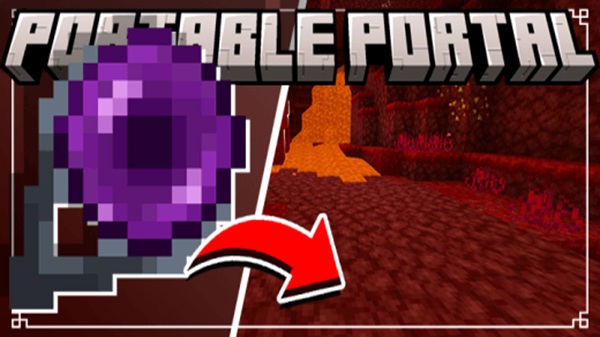
Portable Portal Addon – Fast Travel That Feels Natural
Long-distance travel is a natural part of Minecraft Bedrock Edition, but on mobile devices, it often turns into repetitive walking that breaks momentum. If you’ve ever spent half your play session just returning from a mining trip or moving between distant bases, you’re not alone. The Portable Portal Addon was created to solve this exact problem—by introducing fast travel that feels balanced, immersive, and truly natural for MCPE gameplay.
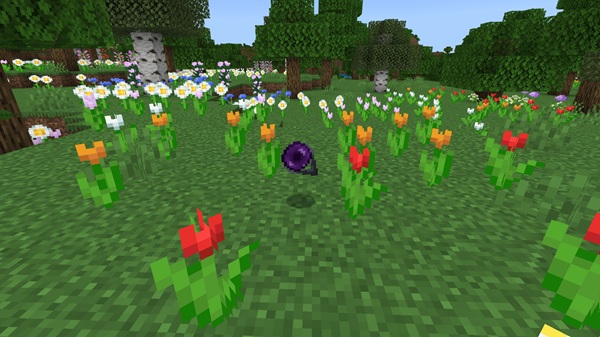
Instead of using commands or complicated mechanics, the Portable Portal Addon blends smoothly into survival and creative worlds. It helps you move efficiently across your world while preserving the core Minecraft experience you enjoy.
What Is the Portable Portal Addon?
At its core, the Portable Portal Addon is a Bedrock Edition addon that allows you to create and use portable teleportation portals. These portals let you instantly travel between important locations such as your main base, farms, villages, or exploration sites.
This section sets the foundation for understanding how the addon fits into normal gameplay before diving into its mechanics.
The addon is designed specifically for MCPE and Bedrock players, with a focus on:
-
Simple interaction
-
Survival-friendly design
-
Smooth performance on mobile devices
It doesn’t replace exploration or progression. Instead, it supports them by reducing unnecessary backtracking.
Why Fast Travel Matters in MCPE
Fast travel becomes increasingly important as Bedrock worlds grow larger, especially on mobile platforms where playtime is often limited. This section explains why portable portals solve a real gameplay issue rather than adding an unnecessary shortcut.
On MCPE, players often:
-
Play in short sessions
-
Manage multiple bases or farms
-
Travel long distances for resources
Portable portals help you stay productive and focused, allowing you to spend more time building, exploring, and planning instead of walking. The result is smoother gameplay that respects your time without removing challenge.
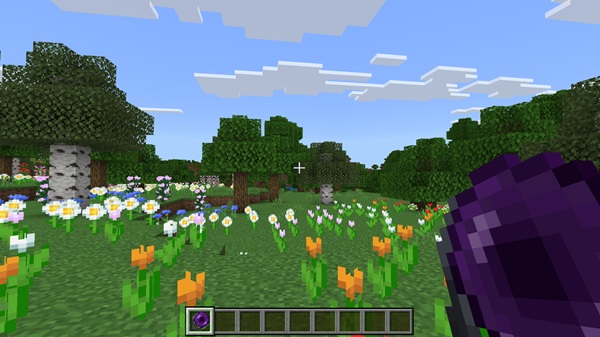
Main Features at a Glance
Before exploring the details, it helps to see what the Portable Portal Addon offers at a high level.
Key features include:
-
Portable portal items or blocks
-
Simple placement and intuitive use
-
Instant travel between linked portals
-
Compatibility with Survival and Creative Mode
-
Multiplayer-friendly behavior
-
Optimized performance for MCPE
These features emphasize usability and stability, making the addon accessible to both new and experienced Bedrock players.
How the Addon Works In-Game
This is the most important part of the article, because it shows how the Portable Portal Addon feels during real gameplay—not just how it works on paper.
Obtaining the Portable Portal
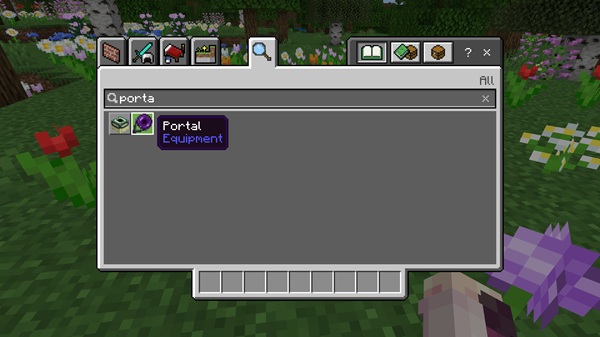
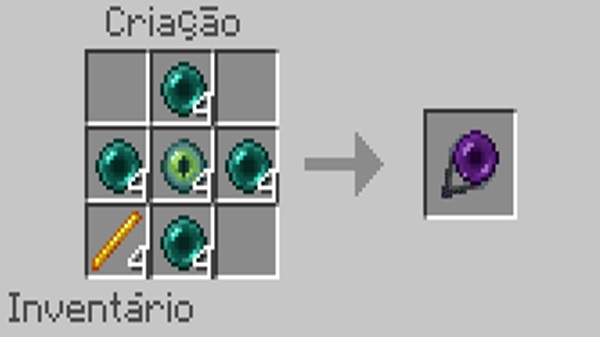
You can obtain the portal through normal survival gameplay, such as crafting, or directly from the creative inventory. This approach keeps portals tied to progression rather than feeling like an instant unlock.
Placing a Portal in the World
Placing a portal feels familiar. You simply choose a location—your base, a farm, or a mining outpost—and place it like any other block. This makes portals easy to integrate into existing builds.
Linking and Using Portals
Once portals are placed, they link automatically or through simple interactions, depending on the addon setup. Entering a portal instantly moves you to its linked destination without delays or extra steps.
What Traveling Through a Portal Feels Like
Traveling through a portal is smooth and immediate. There are no long animations or interruptions, which helps preserve immersion and keeps gameplay flowing naturally.
Using Portals During Everyday Gameplay
Portals quickly become part of your routine:
-
Returning home after mining
-
Moving between farms and storage areas
-
Traveling between distant builds
Instead of avoiding far-away projects, you’re encouraged to expand your world.
Survival Balance and Gameplay Fairness
The Portable Portal Addon respects survival balance. It rewards planning and smart placement rather than removing effort entirely. You still explore—you just travel smarter.
Multiplayer and Shared World Behavior
In multiplayer worlds, portals help groups stay connected. Shared hubs, base networks, and cooperative builds become easier to manage, improving teamwork and organization.
Survival Gameplay Experience
In survival mode, the Portable Portal Addon acts as a long-term quality-of-life improvement. This section highlights how it supports progression rather than replacing it.
The addon is especially useful for:
-
Multiple bases
-
Long mining routes
-
Villager trading halls
-
Remote farms
By reducing frustration and wasted time, it keeps survival gameplay enjoyable and rewarding.
Creative & Multiplayer Use Cases
Creative players benefit from fast movement between large builds or test areas. For map makers, portals can act as transitions between themed zones or hubs.
In multiplayer settings, portals support:
-
Shared bases
-
Team projects
-
Cooperative exploration
Worlds feel more connected and intentional, rather than scattered.
Compatibility & Performance
Before installing, it’s important to know how the addon performs.
-
Supported platforms: Android, iOS, Windows 10/11 (Bedrock Edition)
-
Recommended versions: Minecraft Bedrock 1.19+
-
Performance: Lightweight and optimized for mobile devices
When used correctly, the addon runs smoothly with minimal impact on performance.
Tips for Best Results
To get the most out of the Portable Portal Addon:
-
Test portals in Creative Mode first
-
Avoid placing portals too close together
-
Back up your world before updates
-
Set clear portal rules in multiplayer worlds
These steps help maintain stability and prevent issues.
Who This Addon Is Best For
The Portable Portal Addon is ideal for:
-
Survival players with large worlds
-
Builders managing multiple locations
-
Explorers traveling far from home
-
MCPE players who value convenience and immersion
It’s designed for long-term use, not temporary shortcuts.
Final Thoughts
The Portable Portal Addon – Fast Travel That Feels Natural delivers a thoughtful solution to one of MCPE’s most common frustrations. By blending fast travel with balance and immersion, it enhances Minecraft Bedrock gameplay without changing what makes the game enjoyable.
If you’re looking to keep your world connected, efficient, and enjoyable on mobile, the Portable Portal
How to Install on MCPE (Bedrock Edition)
Installing the Portable Portal Addon is straightforward:
-
Download the addon file (.mcaddon or .mcpack)
-
Open the file with Minecraft
-
Import the addon into the game
-
Enable the Behavior Pack (and Resource Pack if included)
-
Turn on Experimental Features if required
-
Start your world
The process is beginner-friendly and works across supported Bedrock platforms.











