
Project Walker 1.21+
The Project Walker Addon transforms your Minecraft Bedrock world into an immersive, ruined landscape filled with exploration, survival challenges, and unique structures. This expansion enhances MCPE with deeper gameplay, atmospheric environments, and a fresh sense of adventure tailored for mobile players.
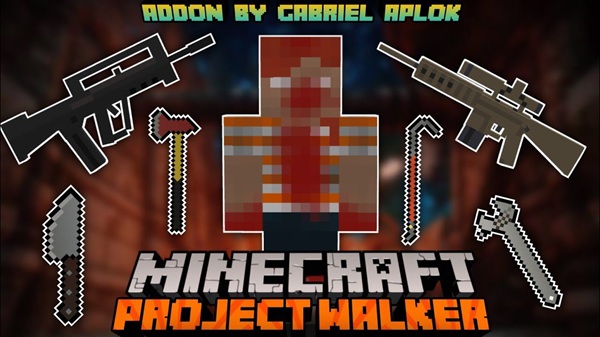
Project Walker Addon – Ultimate Ruined World Expansion
If you love survival worlds that feel alive with mystery, atmosphere, and discovery, the Project Walker Addon offers one of the most memorable transformations you can bring to Minecraft Bedrock Edition. This expansion turns your MCPE world into a rugged, abandoned landscape filled with new structures, fresh exploration paths, and deeper survival mechanics—all while staying smooth and accessible on mobile devices.
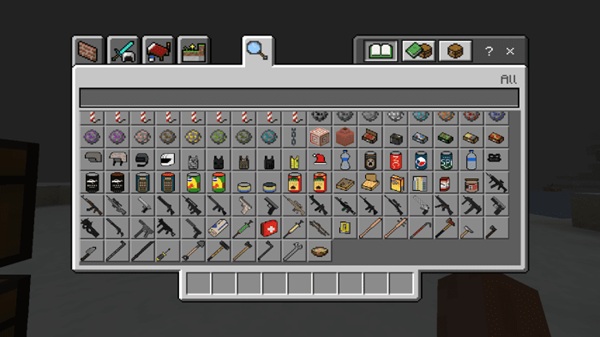
With the right balance of challenge and exploration, this addon gives you a fresh way to play Minecraft without losing the game’s classic freedom.
What Is Project Walker Addon?
Before diving into the details, it helps to understand what makes this addon different and why so many MCPE players enjoy its survival-focused experience.
The Project Walker Addon is a world-expanding survival pack designed for Minecraft Bedrock/MCPE. Instead of the usual peaceful terrain, it introduces worn environments, abandoned buildings, and new survival behaviors that reshape the way you explore and gather resources. You’ll rely more on movement, searching for supplies, and choosing smart locations for your base.
This addon appeals to players who enjoy exploration, strategy, and immersive world-building. It upgrades the feel of MCPE without overcomplicating gameplay.
World Overhaul: Exploring the Ruined MCPE Landscape
This is where the expansion truly shines. The world feels hand-crafted to tell a story, encourage exploration, and give every location a purpose.
The Atmosphere of a Transformed World
The moment you load a world with Project Walker Addon, you can feel the shift. Lighting feels different. Landscapes appear worn down. Subtle ambience helps set the tone of an abandoned world waiting for you to rediscover it. These atmospheric touches make even short sessions feel more immersive.
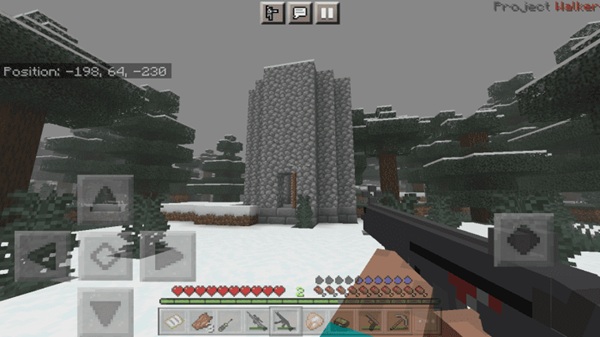
Ruined Structures and Abandoned Locations
Across the terrain, you’ll find structures such as:
-
Small dwellings
-
Camps and tents
-
Medical outposts
-
Larger bases
-
Storage buildings
-
Weathered ruins
Each structure provides loot opportunities and guides the natural flow of exploration.
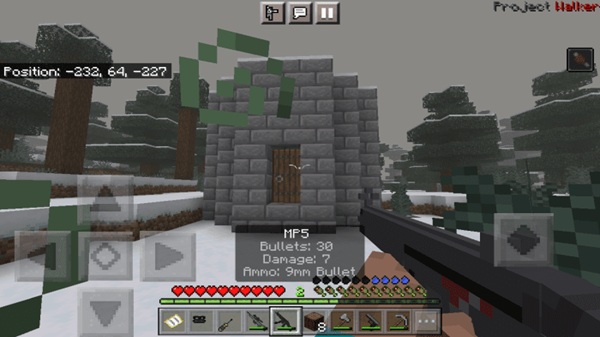
Environmental Storytelling Elements
The world hints at its history through:
-
Overgrown vegetation
-
Partially collapsed buildings
-
Empty settlements
-
Blended transitions between natural and ruined areas
These visual cues help create a sense of narrative without needing dialogue or quests.
Expanded Exploration Opportunities
Instead of wandering randomly, you’ll follow trails of structures and points of interest. Many locations contain hidden loot or unique layouts that reward curiosity and careful observation.
Biome Enhancements and Terrain Variation
The addon adds subtle ruin-themed modifications to familiar biomes, giving them fresh identity without making them unrecognizable. Terrain shapes and environment details blend well with the survival theme.
Resource Distribution in the Ruined World
Loot is found mostly in structures, storage zones, and scattered containers, encouraging you to travel instead of staying in one place. This design keeps gameplay active and strategic.
Safe Zones, Danger Zones, and Exploration Risk
Some areas offer stable resources for beginners. Others contain higher-value loot but require more preparation. This creates a natural difficulty curve as you explore.
How the Ruined World Enhances MCPE Gameplay
By reshaping terrain and exploration, the Project Walker Addon brings more replay value, stronger progression, and a deeper feeling of adventure to your survival worlds.
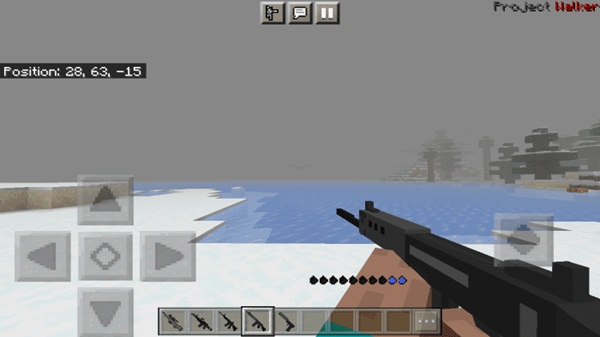
Core Survival Systems & Gameplay Mechanics
To support the world overhaul, the addon introduces new survival layers—but keeps them simple enough for all players.
You’ll manage hydration, gather supplies, and use new crafting options to stay prepared. Conditions like injuries or resource shortages add variety to your decision-making, while exploration-focused gathering gives you more reasons to move across the world.
These mechanics push you to think ahead, but they never feel overwhelming.
Features of the Ultimate Ruined World Expansion
This section highlights what makes the addon feel complete and polished.
Key features include:
-
A redesigned, lore-friendly world
-
Varied structures and discovery points
-
Improved atmosphere through visuals and sounds
-
Adjusted survival systems that support exploration
-
Performance-friendly design for MCPE devices
Together, these features create a stronger sense of immersion without sacrificing accessibility.
Device Compatibility & MCPE Version Support
The addon is optimized for smooth performance across MCPE platforms.
-
Best played on MCPE/Bedrock 1.20+
-
Works well on Android, iOS, and Windows
-
Recommended settings:
-
Render Distance: 8–12
-
Simulation Distance: 6–8
-
These settings keep gameplay stable without reducing immersion.
Structures, Locations & Points of Interest
Every structure you find adds to your story and shapes how you survive.
Expect a mix of:
-
Homes
-
Camps
-
Supply sites
-
Medical structures
-
Bases and fortified areas
Loot variety keeps each discovery exciting, whether you’re looking for tools, food, or building materials.
Tips for Surviving the Ruined World
If you're starting fresh, these simple tips will help you stay ahead.
-
Gather food and water early.
-
Explore structures near your spawn for fast resources.
-
Build bases in open areas with good visibility.
-
Save valuable items for tougher phases of progression.
-
Learn your surroundings before moving into high-risk zones.
Why Project Walker Addon Is Worth Trying
If you enjoy exploration-heavy survival, the Project Walker Addon is one of the best ways to refresh your MCPE experience. It offers a redesigned world with deeper gameplay, immersive environments, and new reasons to explore every corner of your map. Whether you play casually or love long-term survival, this addon gives you a world full of stories waiting to unfold.
How to Install Project Walker Addon on MCPE
Installation is simple and works across mobile, console, and Windows Bedrock.
Quick Installation
-
Download the
.mcaddonor.mcpackfile. -
Open it with Minecraft.
-
Create or edit a world.
-
Enable required experimental toggles.
-
Activate both behavior and resource packs.
Manual Installation
Place files directly into:
-
resource_packs -
behavior_packs
Always confirm packs are active before generating your world.
Troubleshooting
-
Check toggles if loot doesn’t appear.
-
Restart Minecraft after installing.
-
Ensure both packs are applied to your world settings.











