
Quick Craft 2.0 1.21+
Enhance your Minecraft Bedrock worlds with the Quick Craft 2.0 Addon, a powerful instant-build structure pack featuring 164 ready-made builds for fast, creative, and efficient worldbuilding. Perfect for survival players, creative builders, and Realm owners who want high-quality structures placed instantly with structure blocks.
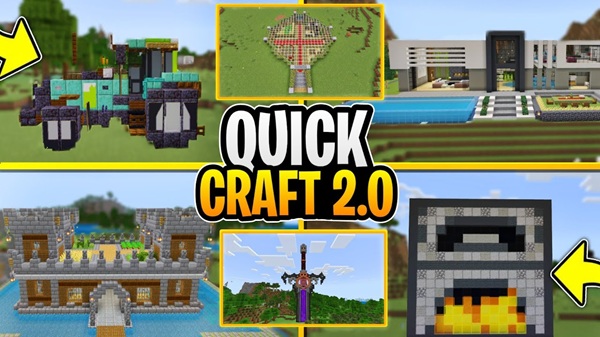
Quick Craft 2.0 Addon – Instant Build Structure Pack
The Quick Craft 2.0 Addon gives you a faster, easier way to build in Minecraft Bedrock Edition. Instead of spending hours creating bases or decorating landscapes block by block, this addon lets you load full structures instantly using Minecraft’s built-in structure blocks. With 164 ready-made builds, it’s a powerful tool for players who enjoy worldbuilding but don’t want construction to slow down their creativity.
Overview of the Quick Craft 2.0 Addon – Instant Build Structure Pack
The Quick Craft 2.0 Addon focuses on speed, convenience, and creativity, giving you a smoother building experience across all MCPE platforms. Whether you're designing a themed town or simply want a clean starter base, the addon offers intuitive tools that fit every playstyle.
This section introduces how the addon helps different MCPE players and prepares you for the feature breakdown below.
Ideal for:
-
Creative builders who enjoy placing structures as building blocks
-
Survival players setting up farms, bases, and villages
-
Mobile users who prefer quicker builds due to touchscreen controls
-
Realm owners who want polished areas ready in minutes
Because the addon relies on vanilla structure blocks, it remains stable and compatible on Android, iOS, Windows 10/11, and most console versions of Bedrock Edition.
Core Features of Quick Craft 2.0 Addon
The features below show why the Quick Craft 2.0 Addon is so valuable for everyday MCPE players. Each one helps you build faster without losing the freedom to customize your world.
Instant Structure Placement
This feature explains how you can load full builds instantly, making construction effortless.
One-Tap Building for MCPE
Select a structure, press Load, and it appears instantly.
Designed for Touchscreen Efficiency
Perfect for mobile players who want smoother, simpler controls.
Fast Setup for Survival and Creative Worlds
Starter bases, farms, storage rooms—just load and play.
Massive Structure Library (164 Builds)
Here you’ll see how much variety the addon gives you when shaping your world.
Houses, Bases, and Player Shelters
Modern homes, medieval houses, cottages, cabins, and underground bases.
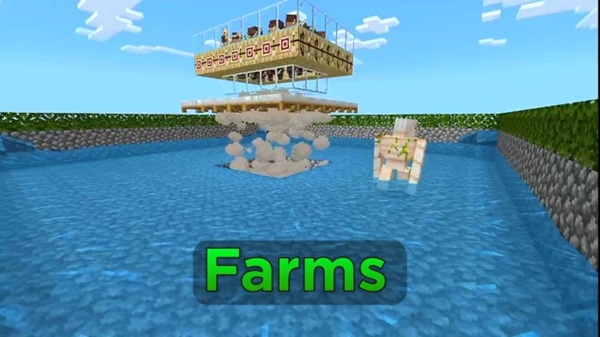
Farms and Functional Utility Builds
Trading halls, iron farms, sugar cane farms, and mob grinders.
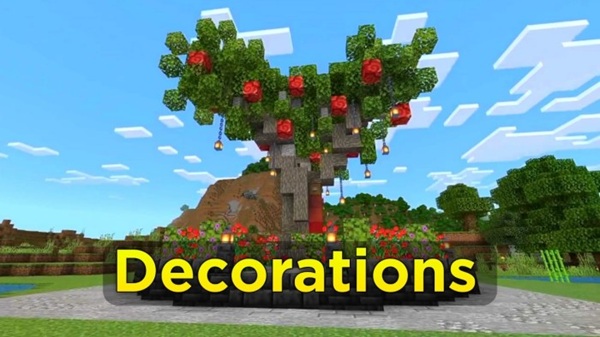
Decorative and Landscaping Structures
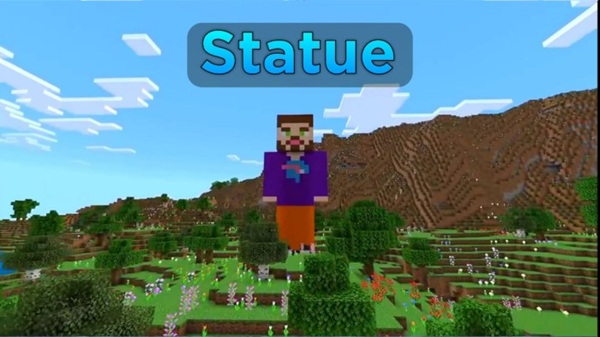
Trees, statues, fountains, monuments, and landscape elements.
Vehicles, Ships, and Themed Creations
Pirate ships, aircraft, boats, and custom vehicles.
Fantasy Builds and Special Designs
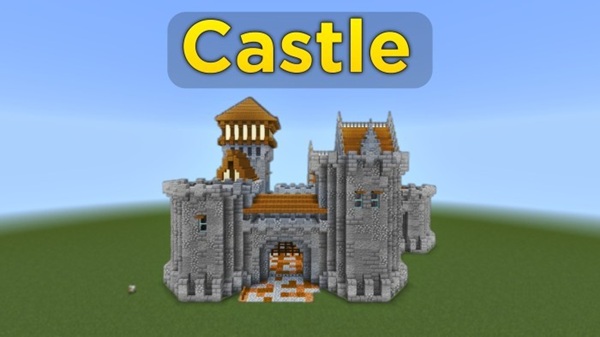
Castles, towers, sculptures, and fantasy-themed structures.
Vanilla-Friendly Structure Block System
This section highlights why the addon is stable, safe, and future-friendly.
No Experimental Features Required
No toggles or risky settings needed.
Works Natively With Bedrock Edition
Feels like part of the base game.
Stable Performance Across Devices
Reliable even on lower-end phones or tablets.
Directional and Height-Based Placement
Understanding structure orientation helps you place builds exactly where you want.
Facing-Based Structure Orientation
Structures load in the direction you're facing.
Understanding Positive and Negative Offsets
Offsets tell you whether to place the structure block higher or lower.
Ensuring Accurate Structure Alignment
Avoid floating or buried builds through careful positioning.
Structure Removal Capability
This helpful feature gives you full control of your world layout.
Reversing Placement Mistakes
Reload or replace misplaced structures.
Keeping Worlds Clean and Organized
Prevent clutter from build errors.
More Control for Creative and Survival Players
Experiment freely with no long-term consequences.
How to Use the Addon In-Game
Learning the basics takes just a few minutes.
This guide helps you master commands, lists, and placement.
-
Get a structure block:
-
View structure lists using:
/function @a list1to/function @a list5 -
Choose a structure and check its offset value
-
Prepare the ground (dig or build up as needed)
-
Place your structure block, choose Load, type the name, and confirm
Try starting in a flat test world to learn how offsets behave.
Best Ways to Use the Instant Build Structure Pack
Below are practical ideas for getting the most out of the Quick Craft 2.0 Addon.
Survival Worlds
-
Create starter bases instantly
-
Add farms and trading areas
-
Expand villages quickly
Creative Builds
-
Build cities or towns
-
Use structures as templates
-
Speed up map creation
Realms & Multiplayer Servers
-
Build spawn zones
-
Set up shops and community areas
-
Create themed roleplay spaces
Tips for Cleaner, Smoother Structure Placement
For best results:
-
Back up your world first
-
Clear or flatten land
-
Avoid placing too many large builds at once on weak devices
-
Test offsets with smaller structures
Compatibility & Performance Notes
The Quick Craft 2.0 Addon supports MCPE versions 1.20, 1.21, and newer.
It works on Android, iOS, and Windows, and usually integrates cleanly with other addons since it doesn’t modify core mechanics. Performance is stable, with occasional lag only when loading very large structures.
Frequently Asked Questions (FAQ)
Does it work in Survival?
Yes. Structure blocks function in both modes.
Need experimental features?
No.
Can you remove structures?
Yes—reload or manually clear them.
Does it work offline?
Yes, once installed.
Conclusion
The Quick Craft 2.0 Addon gives you freedom to build faster, experiment easily, and design beautiful MCPE worlds with minimal effort. Its structure library, simple controls, and beginner-friendly workflow make it a great fit for both casual players and dedicated creators. Whether you’re starting your first survival base or building a massive creative world, this addon helps you bring your ideas to life instantly.
Installation Guide for MCPE (All Platforms)
Here’s how to install the Quick Craft 2.0 Addon, no matter what device you use.
Android
-
Download the
.mcaddonfile -
Open it from your file manager
-
Minecraft auto-imports the pack
-
Activate it in world settings
iOS/iPadOS
-
Download the file
-
Tap Open in Minecraft
-
Enable the behavior pack
Windows 10/11
-
Download the
.mcaddon -
Double-click to import
-
(Optional) Manually place it in
behavior_packs/ -
Activate it in your world
Consoles (Xbox, PlayStation, Switch)
Console support varies, but once imported, simply enable the pack through world settings.











