
Realistic Torch 1.21+
The Realistic Torch Addon brings dynamic handheld lighting to MCPE, letting light follow you wherever you go. Explore caves, build at night, and enjoy a smoother, more immersive Bedrock experience with this lightweight, performance-friendly addon.
Realistic Torch Addon – Light That Follows You
The Realistic Torch Addon brings dynamic lighting to Minecraft Bedrock Edition in a simple, natural way. Instead of stopping to place torches every few steps, you can now explore with a soft glow that moves with you. The moment you hold a torch or any supported light source, your surroundings brighten instantly. This small improvement completely changes how you explore caves, travel at night, and build in dark spaces.
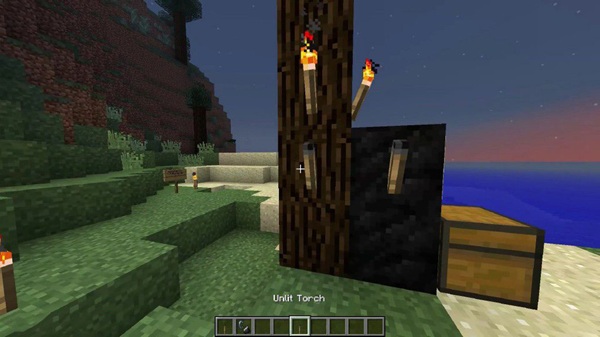
This addon feels like a comfort tool for MCPE players—especially if you play on mobile and often deal with limited visibility. Whether you’re diving into a mineshaft or finishing a build after sunset, this moving light source helps your world feel more immersive and more enjoyable.
Core Features of the Realistic Torch Addon
This section expands on what makes the Realistic Torch Addon so practical. Each feature is designed to make your gameplay smoother, especially on touch-screen devices.
Dynamic Handheld Lighting
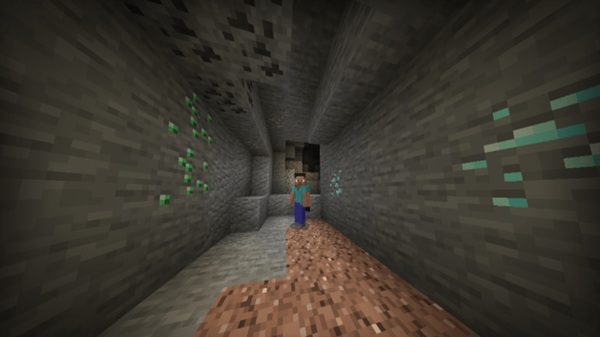
When you equip a torch, lantern, or similar block, the area around you lights up immediately. The light follows your movement and camera angle, giving you clear visibility while walking, mining, or climbing through caves.
Real-Time Dropped Torch Lighting
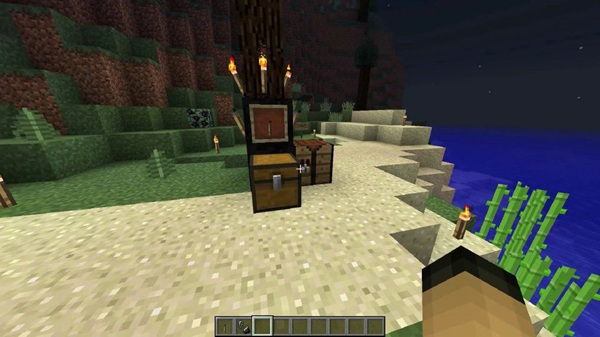
Dropped torches stay illuminated on the ground. You can use this to mark tunnels, highlight ore rooms, or create temporary lighting without modifying your environment.
Multi-Source Light Support
The addon supports several MCPE light items, including:
-
Torches & Soul Torches
-
Lanterns
-
Glowstone
-
Sea Lanterns
-
Magma Blocks
Each one creates its own brightness effect, giving you flexible lighting options.
Optimized for Mobile Performance
The addon uses lightweight lighting behavior designed for mobile and tablet players. It avoids heavy rendering techniques, keeping gameplay smooth even on older devices.
Immersive Exploration & Atmosphere
Dynamic light adds warmth and depth to nighttime exploration. Caves feel more alive, forests feel more mysterious, and your base looks better when lit naturally as you move around.
No Torch Spam Required
You no longer need to place torches every few blocks. This reduces visual clutter and makes exploration faster and more fluid.
Works Easily With MCPE Controls
Touch-screen players don’t need complicated controls. Simply hold the item, and the lighting activates automatically—no extra steps needed.
Vanilla-Friendly Gameplay
Mob spawning behavior stays the same. The addon enhances visibility without removing the survival challenge you’re used to.
How the Addon Works In-Game
Here’s a closer look at how the Realistic Torch Addon functions while you play.
Holding Light Sources
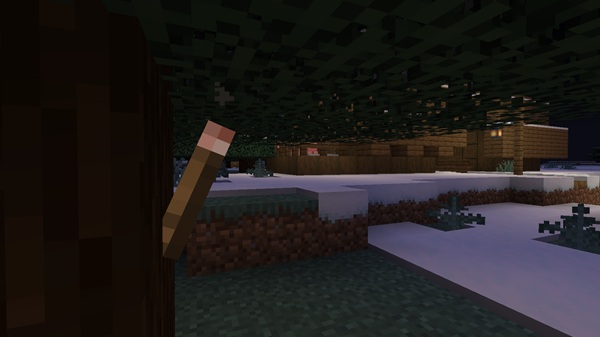
When you hold a torch or lantern, the addon triggers a glow around your character. This lighting moves with you, helping you see details and spot hazards instantly.
Dropped Light Mechanics
Dropped torches keep glowing. This is useful if you want to mark your route, signal a point of interest, or light up an area while keeping your hands free.
Gameplay Benefits
-
Better visibility in caves
-
Faster exploration without stopping
-
Saves resources by reducing torch placement
-
Cleaner building without leftover torches
Experimental Settings
Toggle on:
-
Beta APIs
-
Additional Modding Features
Compatibility Information
Before installing the Realistic Torch Addon, check your game version and device.
Supported MCPE Versions
-
Works best on 1.20+
-
Fully compatible with newer updates
Device Compatibility
Supports:
Android, iOS, Windows, Xbox, PlayStation, and Nintendo Switch.
Addon Conflicts
May conflict with:
-
Dynamic lighting addons
-
Some shaders that alter light behavior
Tips for the Best Experience
These suggestions help you use the addon more effectively.
Recommended Settings
-
Render distance: 8–12 chunks
-
Brightness: 50–75%
-
Reduce particles on low-end devices
Survival Tips
-
Drop torches to mark cave branches
-
Carry a lantern for steady nighttime exploration
Building Tips
-
Use handheld light for interior design
-
Build at night to see lighting changes clearly
Texture & Shader Pairing
Lightweight textures work best with dynamic light effects.
Troubleshooting
Here’s how to fix common issues.
-
No light: Ensure both packs are active and experimental settings are on.
-
Lag: Lower render distance or disable heavy resource packs.
-
Import issues: Re-open the file directly with Minecraft.
Final Thoughts — A Brighter MCPE Experience
The Realistic Torch Addon adds clarity, atmosphere, and comfort to your world. Whether you love exploring caves, building detailed interiors, or simply enjoying smoother gameplay on mobile, this addon gives you a portable light source that transforms your experience. It’s easy to use, lightweight, and one of the best quality-of-life upgrades for Minecraft Bedrock players.
Installation Guide for MCPE (Bedrock Edition)
Before using the addon, make sure you’ve imported and activated both packs.
Android
-
Download the
.mcaddonfile. -
Tap to import.
-
Enable Resource Pack + Behavior Pack in your world.
iOS / iPadOS
-
Download to Files.
-
Tap to open in Minecraft.
-
Activate both packs.
Windows 10/11
-
Download the file.
-
Double-click to install.
-
Apply packs in world settings.
Console Method
Import a world that already has the addon enabled.











