
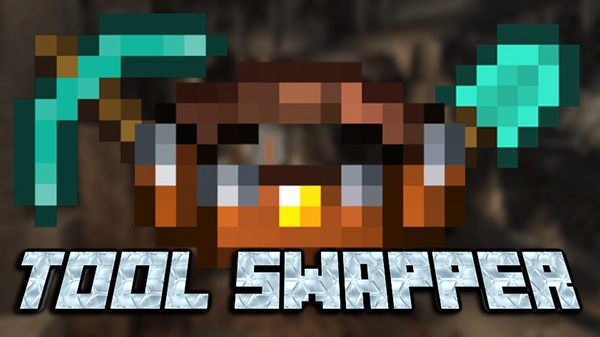
Red Tool Swapper 1.21+
The Red Tool Swapper Addon is a Minecraft Bedrock (MCPE) quality-of-life addon that automatically switches to the correct tool while mining or building. Designed for mobile players, it improves gameplay flow, reduces hotbar management, and makes survival feel smoother and more comfortable without changing vanilla balance.
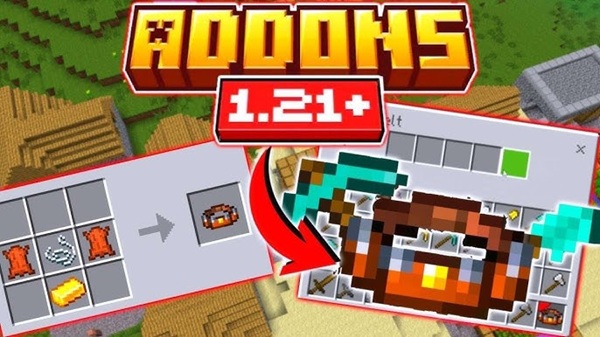
Red Tool Swapper Addon – Automatic Switching, Better Play
If you play Minecraft on mobile, you already know how often tool switching interrupts your flow. Tapping through the hotbar every few seconds may seem small, but during long mining or building sessions, it adds up quickly. The Red Tool Swapper Addon was created to solve this exact problem in a simple, survival-friendly way.
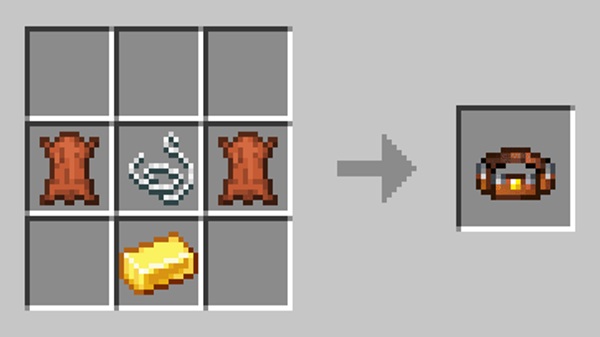
Instead of forcing you to manage tools manually, the Red Tool Swapper Addon automatically selects the right tool for the block you are interacting with. The result is smoother gameplay, better focus, and a more enjoyable MCPE experience—without changing Minecraft’s balance or rules.
Why Automatic Switching Improves Play
Automatic switching is not about making Minecraft easier; it’s about making it feel better to play. This is especially true on MCPE, where touch controls demand more precision and effort than mouse or keyboard.
Before looking at features, it helps to understand why this small change has such a big impact on everyday gameplay.
Less Hotbar Friction on MCPE
On mobile, switching tools usually means repeated taps and visual checking. The Red Tool Swapper Addon removes this friction, letting you mine or build without breaking your rhythm.
Better Focus During Long Sessions
When you stop thinking about tools, you naturally focus more on exploration, resource gathering, and planning your next move. The game feels calmer and more immersive.
What Is Red Tool Swapper Addon?
At its core, the Red Tool Swapper Addon is a quality-of-life addon for Minecraft Bedrock Edition that improves how tools are handled in survival gameplay. It works quietly in the background and only steps in when needed.
To understand its role clearly, let’s break down what it does—and what it doesn’t do.
A Vanilla-Friendly MCPE Addon
The addon does not add overpowered items or shortcuts. It simply uses the tools you already own and selects them more intelligently.
Designed for Mobile and Bedrock Players
Everything about the Red Tool Swapper Addon is built with MCPE and Bedrock behavior in mind, from performance to control limitations.
Core Features That Improve Gameplay
This section is the heart of the Red Tool Swapper Addon. Each feature is designed to support smoother gameplay without adding complexity.
Automatic Tool Switching by Block Type
When you interact with a block, the addon detects its type and equips the most suitable tool automatically.
Common examples include:
-
Stone or ores → Pickaxe
-
Dirt, sand, or gravel → Shovel
-
Logs and wooden blocks → Axe
This happens instantly and feels natural during normal play.
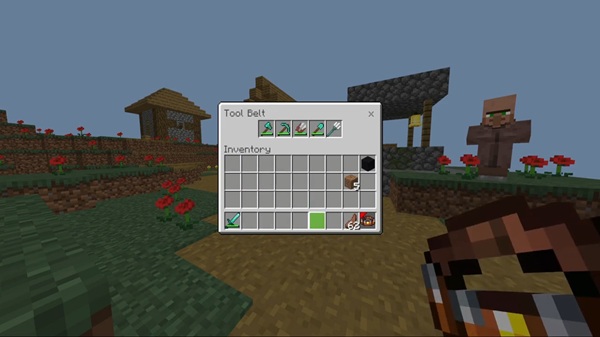
Optional Tool Belt System
One version of the addon includes a tool belt that acts as a dedicated space for your tools.
Key benefits:
-
Frees hotbar slots for blocks and utilities
-
Keeps tools organized in one place
-
Supports long survival sessions
The tool belt respects inventory limits and fits cleanly into survival progression.
No-Belt Version for Traditional Inventory Use
If you prefer a simpler setup, the no-belt version uses standard inventory slots.
This version:
-
Requires no resource pack
-
Keeps inventory behavior familiar
-
Delivers the same automatic switching logic
Enchantment & Tool Compatibility
Your enchanted tools remain fully functional. Effects like Efficiency, Fortune, Silk Touch, and Unbreaking continue to work exactly as expected.
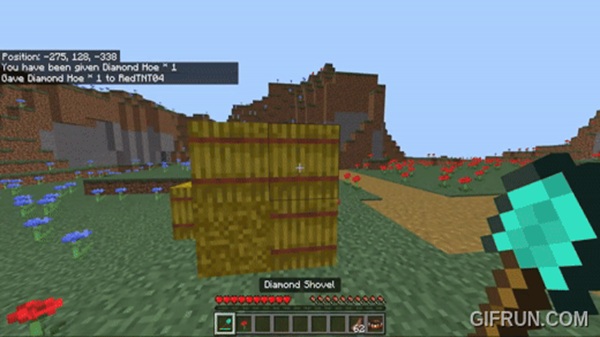
The addon also supports most custom tools from other Bedrock addons, as long as they follow standard tool behavior.
Mobile-Friendly and Lightweight Design
The Red Tool Swapper Addon is optimized for MCPE performance:
-
Minimal memory usage
-
No noticeable lag
-
Stable on low-end devices
It runs silently and does not interrupt gameplay with menus or alerts.
Seamless Gameplay Without Interruptions
There are no pop-ups, toggles, or manual actions required. Tool switching feels invisible, which reinforces the promise of “better play.”
How Automatic Switching Works In-Game
Understanding how the system works helps build trust in the addon. The process is simple and efficient.
Behind-the-Scenes Logic
When you interact with a block:
-
The block type is detected
-
Your available tools are checked
-
The best matching tool is selected
-
The tool swaps instantly
All of this happens in the background, without pausing or slowing your game.
Tool Belt vs No-Belt Version
Choosing between versions depends on how you like to manage your inventory. Both options deliver the same core benefit.
Tool Belt Version
-
Dedicated storage for tools
-
Requires a resource pack
-
Best for organized survival gameplay
No-Belt Version
-
Uses normal inventory slots
-
Faster setup
-
Ideal for minimalist players
Functionally, both versions perform the same.
Compatibility & Performance
Before adding any addon, compatibility matters—especially on mobile.
Supported Platforms and Versions
-
Minecraft Bedrock 1.19 and newer
-
Android and iOS
-
Windows Bedrock Edition
Multiplayer and Addon Safety
The addon is multiplayer-safe and only affects players who have it enabled. It also works well alongside most texture packs and other quality-of-life addons.
Tips for Better Play with This Addon
Small setup choices can improve your experience even more.
Practical Player Tips
-
Keep one main tool per tier
-
Store enchanted tools in the belt or inventory
-
Use freed hotbar slots for building blocks
-
Avoid stacking multiple tool-swapping addons
Who This Addon Is Best For
The Red Tool Swapper Addon is a strong fit for players who value comfort and flow.
Ideal Player Profiles
-
MCPE survival players
-
Builders and miners with long sessions
-
Mobile users seeking smoother controls
-
Players who prefer vanilla-style improvements
Final Summary
The Red Tool Swapper Addon – Automatic Switching, Better Play delivers a subtle but powerful improvement to Minecraft Bedrock Edition. By removing constant tool switching, it helps the game feel smoother, calmer, and more enjoyable—especially on MCPE.
How to Install on MCPE (Bedrock Edition)
Installing the Red Tool Swapper Addon is straightforward, even if you are new to addons.
Basic Installation Steps
-
Import the addon files into Minecraft
-
Activate the Behavior Pack
-
Activate the Resource Pack if using the tool belt
-
Apply the packs to a world
-
Start playing and test tool switching
The process works the same on Android and iOS.











