
Red Vein Miner 1.21+
The Red Vein Miner Addon upgrades your MCPE mining experience by instantly breaking full ore veins with one action. It’s fast, balanced, and perfect for players who want smoother progression and easier resource gathering in Minecraft Bedrock Edition.

Red Vein Miner Addon Fast Ore Mining Upgrade
The Red Vein Miner Addon is a survival-friendly upgrade for Minecraft Bedrock Edition that helps you mine faster, gather more efficiently, and cut down the repetitive grind of breaking ore blocks one at a time. If you’ve ever wished you could clear an entire ore vein with a single swing—without breaking the feel of vanilla gameplay—this addon brings exactly that experience to MCPE.
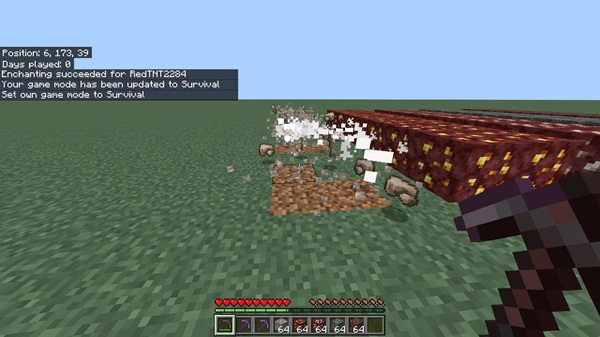
Whether you’re progressing through a new world, exploring massive caves, or stocking up for a big build, Red Vein Miner Addon makes resource gathering smoother, smarter, and far more enjoyable.
Overview of the Red Vein Miner Addon
This section explains what the addon is and why so many MCPE players rely on it. You’ll see how the Red Vein Miner Addon streamlines survival mining while staying balanced and easy to use.
The addon speeds up ore gathering by instantly breaking full connected veins, all while respecting normal pickaxe rules, durability, and enchantments. It’s designed for players who want a clean quality-of-life boost—no cheats, no overpowered shortcuts, just a more efficient mining flow. You can drop it into almost any world or modpack and it fits right in.
Key Features of the Fast Ore Mining Upgrade
Below is a closer look at what makes the Red Vein Miner Addon such a practical tool for MCPE players. Each feature is built to feel familiar while saving you time underground.
Instant Full-Vein Ore Breaking
-
Breaks every connected ore block—horizontal, vertical, or diagonal.
-
Perfect for dense veins like coal, copper, redstone, and deepslate ores.
-
Cuts mining sessions down significantly, especially early game.
Sneak-to-Activate Control
-
You must crouch to trigger vein mining.
-
Prevents accidental large breaks during normal mining.
-
Gives you tight control over when the feature activates.
Full Enchantment Support
-
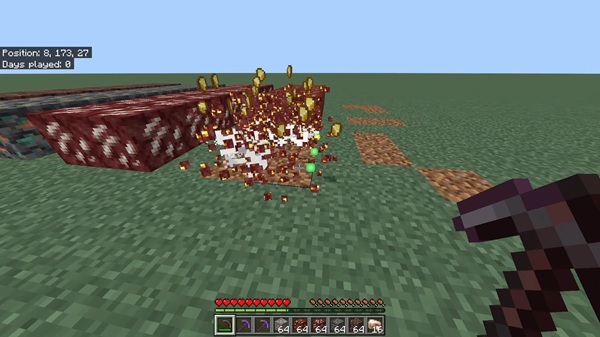
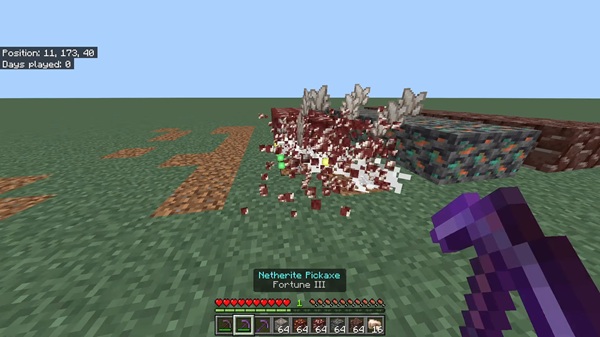
Fortune: Multiplies drops across the entire vein.
-
Silk Touch: Collects ore blocks instead of raw materials.
-
Efficiency & Unbreaking: Improve speed and durability usage.
These effects behave exactly like vanilla—just applied to multiple blocks.
Compatible With All Major Ore Types
Works on:
-
Overworld ores
-
Deepslate variants
-
Nether ores
-
Ancient debris
Great for progression-focused players collecting diamonds, gold, copper, or netherite.
Supports Custom Ores & Custom Pickaxes
If your world includes modded materials, the Red Vein Miner Addon can detect them. This makes it ideal for addon creators, modpack builders, and players who enjoy resource-expanding upgrades.
Mobile-Optimized Performance
-
Lightweight scripting for smooth FPS.
-
Stable on Android, iOS, tablets, and low-spec hardware.
Balanced for Survival
-
Respects pickaxe tiers (iron for diamonds, etc.).
-
Uses standard durability.
-
Only affects ores, keeping mining grounded and fair.
How the Addon Works In-Game
Before diving into installation, here’s what to expect during gameplay. These simple steps let you use the addon naturally during any mining session.
-
Crouch near an ore block.
-
Break it with the correct pickaxe for that ore type.
-
All connected ore blocks break instantly and drop items.
The Red Vein Miner Addon follows vanilla rules:
-
Fortune increases drops.
-
Silk Touch collects ore blocks.
-
Durability is reduced normally.
This makes the addon feel intuitive whether you’re strip-mining, branch mining, or exploring deep caves.
Required Experimental Settings
Some versions of the Red Vein Miner Addon need experimental toggles to run correctly. Enable these in your world:
-
Holiday Creator Features
-
GameTest Framework
-
Additional Modding Capabilities
This ensures reliable ore detection and mining behavior.
MCPE Version & Device Compatibility
The addon supports:
-
MCPE / Bedrock 1.16+
-
Android, iOS, and Windows
-
Consoles via Realm sync
It also works well with texture packs, behavior packs, shaders, and custom modpacks.
Tips for Getting the Best Mining Results
Use these strategies to get the most out of the Red Vein Miner Addon:
Maximize Fortune Drops
Great for diamond and redstone farming.
Use Silk Touch for Storage
Collect ore blocks for decoration or future smelting.
Carry Multiple Pickaxes
Especially useful in large cave systems.
Sneak Only When Needed
Avoid triggering vein mining unintentionally.
Explore Huge Caves
Bigger biomes mean bigger ore clusters—and faster progression.
Troubleshooting & Common Fixes
If something isn’t working, try these quick checks:
-
Packs not loading → re-enable behavior and resource packs.
-
Vein mining not triggering → crouch and use the right pickaxe.
-
Import failed → re-download or use a different file manager.
-
Missing textures → adjust pack order.
-
Realm not updating → world owner must activate the addon first.
Why This Addon Enhances MCPE Gameplay
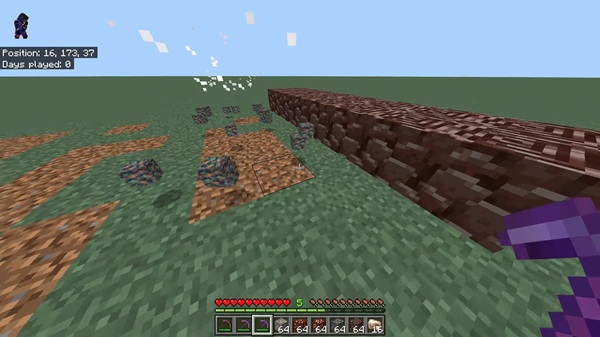
The Red Vein Miner Addon reduces repetitive tasks and helps you focus on the fun parts of Minecraft—exploration, building, and progression. It respects vanilla mechanics while removing unnecessary grind, making it valuable for both new and experienced players.
Conclusion
The Red Vein Miner Addon Fast Ore Mining Upgrade is an efficient, balanced, and easy-to-use enhancement for MCPE. It improves mining speed, supports enchantments, runs smoothly on mobile devices, and integrates naturally into survival worlds. If you want faster progression without sacrificing the classic Minecraft experience, this addon is an excellent choice.
Installation Guide for MCPE / Bedrock Edition
Before enabling the addon, download the .mcaddon file. Then follow the steps below depending on your device.
Windows (PC)
-
Double-click the file to import it.
-
Open Minecraft and wait for the import message.
-
Enable both packs in world settings.
Android
-
Download the file.
-
Open it using your file manager.
-
Import and activate the packs.
iOS / iPadOS
-
Save the file to your Files app.
-
Tap Open in Minecraft.
-
Enable the packs after import.
Manual ZIP Installation
Use this method if you prefer manual control:
-
Move behavior files into
behavior_packs -
Move resource files into
resource_packs -
Located inside your
com.mojangfolder











