
Revive Me 1.21+
Discover how the Revive Me Addon transforms Minecraft Bedrock survival with its co-op revival system, customizable settings, and player-friendly knockdown features. Whether you play solo, with friends, or on servers, this addon adds new depth, teamwork, and excitement to your MCPE world.
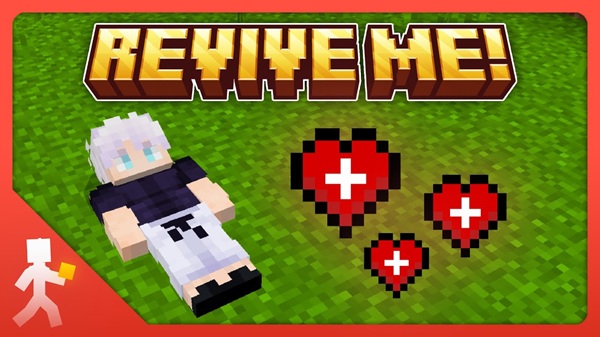
Revive Me Addon – Premier Co-Op Recovery System
The Revive Me Addon brings a smoother, more cooperative survival experience to Minecraft Bedrock Edition by replacing instant death with a flexible revival system. Instead of losing progress from a single mistake, you get a fair chance to recover, regroup, and continue the adventure with your friends. This addon blends teamwork and progression into a simple, player-friendly mechanic that feels natural inside MCPE.
Perfect for multiplayer worlds, long-term survival maps, and family-friendly gameplay, the Revive Me Addon fits easily into any Bedrock setup thanks to its lightweight behavior system and broad compatibility.
Core Concept: Co-Op Survival Reinvented
This section introduces how the Revive Me Addon reshapes traditional survival and why its co-op design works so well.
Minecraft’s default death system can interrupt your flow, especially during coordinated adventures. With this addon, lethal damage triggers a knockdown state instead of an immediate respawn. This gives your teammates a moment to step in and revive you, strengthening communication and creating memorable shared moments. Whether you’re exploring caves or tackling big objectives, the revival mechanic keeps your group connected and engaged.
Main Gameplay Features
Below are the feature pillars that make the Revive Me Addon a true co-op upgrade for MCPE.
Knockdown Survival System
When your health reaches zero, you fall into a temporary knockdown phase. You can’t move or interact, but you remain fully present in the world with a clear UI indicator showing your status. This creates urgency without harsh punishment.
Co-Op Revival Mechanic
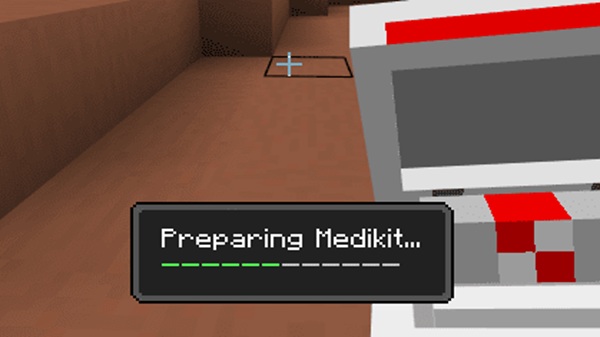
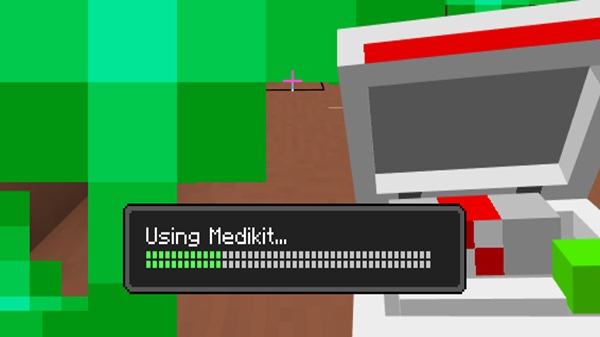
Reviving a player is simple: crouch beside them for a few seconds. A visible progress gauge helps everyone stay coordinated. This small mechanic encourages players to explore together and act as a team.
Self-Recovery Options
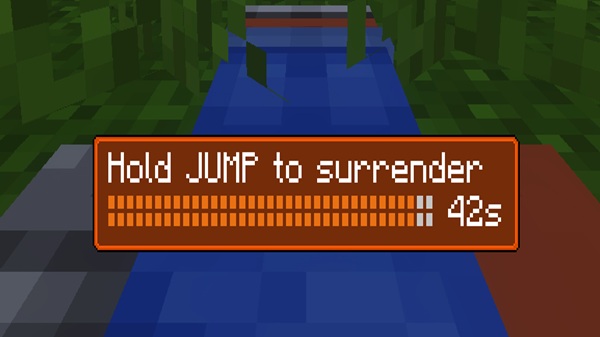
If you’re alone or in a tough situation, you can still recover by using a Totem of Undying. You may also choose to surrender and respawn immediately, giving you control over how you continue your session.
Loot Protection Chest System
When you fall, a personal loot chest appears at your location. It stores your items safely, reducing frustration and protecting valuable gear. With the coordinates command, you can return to your chest quickly and resume your journey.
Player Notification Enhancements
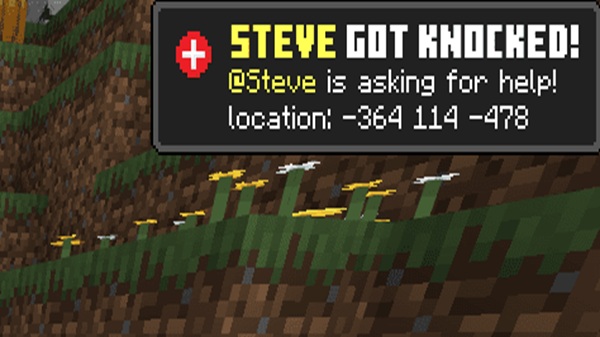
Your teammates are instantly informed when you’re knocked down. These alerts improve awareness and help the group respond faster.
Fully Customizable Gameplay Settings
You can adjust revive time, knockdown duration, surrender timing, loot chest behavior, and more. These settings allow you to tailor the experience to casual, standard, or challenge-oriented survival.
How the Addon Works In-Game
Here’s a clear look at how the Revive Me Addon supports your survival loop.
-
You take lethal damage.
-
You enter a knockdown state instead of respawning.
-
A notification alerts your group.
-
A teammate revives you, or you use a self-recovery option.
-
A named chest holds your loot if enabled.
This system keeps gameplay fluid and makes difficult biomes—like the Nether or deep caves—far more approachable without reducing the challenge entirely.
Compatibility & Performance
The Revive Me Addon is designed to work smoothly across a wide range of MCPE devices.
Supported Platforms
-
Android
-
iOS
-
Windows 10/11
-
Xbox
-
Nintendo Switch (via supported import methods)
Version Support
Works best on recent Bedrock versions, especially updates in the 1.21 range.
Performance Notes
-
Lightweight file size
-
Minimal FPS impact
-
Stable for SMP servers and Realms
-
Compatible with most vanilla-style addons, textures, and HUD packs
Best Use Cases for MCPE Players
This addon fits naturally into several popular playstyles.
-
Co-Op Survival Worlds: Great for teams who explore together.
-
SMP Servers: Keeps players engaged longer.
-
Hardcore Challenges: Makes tough worlds more forgiving without removing tension.
-
Roleplay Maps: Supports narrative and teamwork moments.
-
Family Play: Ideal for mixed-skill groups.
Tips, Strategies & Recommended Settings
Use these suggestions to get the most out of the Revive Me Addon.
Exploration Tips
-
Travel in pairs or groups.
-
Carry Totems for backup.
-
Assign roles like scout or reviver.
Server Host Tips
-
Lower revive time for relaxed worlds.
-
Increase it for challenge-oriented players.
-
Enable loot chests for community-focused servers.
General Tips
-
Use coordinates to track loot chests.
-
Tune settings until the world feels balanced.
-
Communicate knockdowns clearly during play.
Conclusion: Why This Addon Is a Premier Co-Op Upgrade
The Revive Me Addon offers a balanced, cooperative survival system that transforms the way you experience Minecraft Bedrock Edition. Its knockdown-and-revival flow encourages teamwork, supports long-term progression, and reduces the frustration of random setbacks. Whether you play casually with friends or run a dedicated SMP world, this addon brings out the best in co-op survival and keeps everyone invested in the adventure.
Installation Guide (MCPE / Bedrock)
These steps ensure the Revive Me Addon installs correctly on all supported devices.
Requirements
-
Minecraft Bedrock Edition
-
Enough storage space
-
Experimental features enabled:
-
Holiday Creator Features
-
Additional Modding Capabilities
-
GameTest Framework
-
Installation Steps
-
Download the
.mcaddonfile. -
Open it on your device.
-
Let Minecraft import it automatically.
-
Activate both packs in your world settings.
-
Turn on required Experiments.
-
Launch the world and test the addon.
Realms Installation
Install locally, then upload your world or apply the pack directly in Realm settings.











