
Roll and Stamina 1.21+
The Roll and Stamina Addon introduces smoother, faster, and more skill-based movement to MCPE. With rolling, stamina management, elevated jumps, and dynamic mobility tools, this addon transforms the way you explore your world while keeping gameplay simple and intuitive.
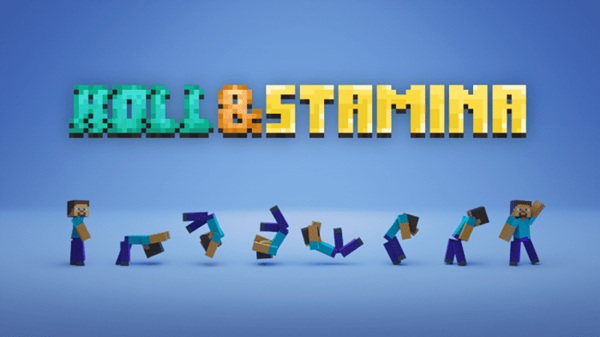
Roll and Stamina Addon DynamicFlow Player Mobility
The Roll and Stamina Addon introduces a faster, smoother, and more skill-based way to move through Minecraft Bedrock Edition. With DynamicFlow Player Mobility, you gain rolling, stamina management, elevated jumps, edge climbing, and optional mobility tools that feel natural on mobile, console, and PC. This addon improves traversal without complicating gameplay, making every step, jump, and climb feel more fluid.
Introduction to DynamicFlow Player Mobility
This section sets the stage for how the Roll and Stamina Addon reshapes the way you explore MCPE and why DynamicFlow matters.
The Roll and Stamina Addon adds new movement abilities designed for players who want more control, agility, and flow in their world. Whether you're climbing cliffs, sprinting across biomes, or building parkour challenges, DynamicFlow helps you move with purpose. It keeps Minecraft simple, but gives you room to express your movement style.
Perfect for:
-
Parkour creators and challenge runners
-
Survival players seeking smoother traversal
-
Mobile users who prefer responsive controls
-
Explorers who love momentum-driven movement
Core Features of the Roll and Stamina Addon
The features below form the foundation of DynamicFlow Player Mobility, making your movement faster, smoother, and more strategic.
Dynamic Rolling System
The rolling mechanic lets you perform directional dodges with quick inputs. You can roll forward, backward, or sideways depending on your movement. This system uses simple sneak-based controls and plays smooth animations that enhance your sense of momentum.
Stamina Mechanics
A clean stamina bar below your XP bar tracks how much energy you have left.
-
Rolling, sprinting, and jumping drain stamina
-
Standing still or walking slowly regenerates it
-
Speed effects reduce stamina use
-
Slowness effects increase it
Running out of stamina slows your movement temporarily, encouraging thoughtful pacing.
Elevated Jumping & Mobility Chains
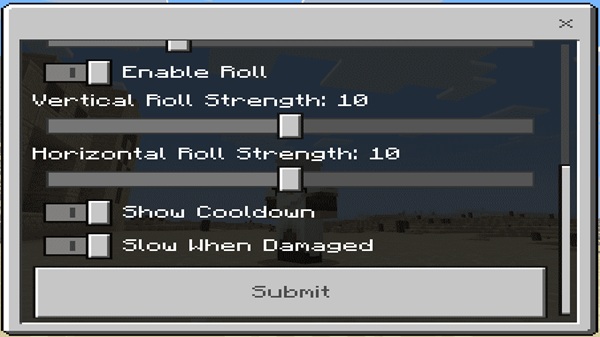
Roll jumps allow you to reach up to 3 blocks high, opening parkour paths and shortcuts. You can chain rolls, jumps, and climbs together to move more efficiently and keep a consistent rhythm through any terrain.
Edge Climbing & Vertical Traversal
Hold the jump button near a ledge to climb up smoothly. This simple addition makes exploring cliffs, caves, and buildings much easier. Vertical movement feels more intuitive and removes the need for extra blocks.
Optional Advanced Mobility Tools
Depending on your version, you may gain:
-
Grappling Hooks for creative swinging and pulling
-
Useful enchantments (like Multishot) to improve hook behavior
-
Elevator Pads for fast vertical travel
These tools expand your movement options without breaking the balance.
UI Enhancements
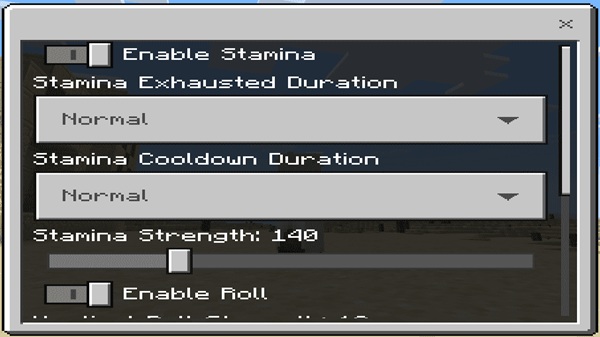
DynamicFlow adds a stamina bar and roll cooldown meter that blend into the Bedrock interface. The minimalistic HUD keeps your screen clean while giving you essential mobility feedback.
How DynamicFlow Transforms MCPE Movement
These improvements change the feel of Minecraft, offering smoother traversal and more expressive movement.
With the Roll and Stamina Addon, exploring becomes more enjoyable. You can climb steep terrain, chain jumps across gaps, and use rolls to maneuver tight spaces. Parkour maps become more satisfying, while survival worlds gain a new sense of momentum. Content creators also get more visually appealing movement for videos and showcases.
Compatibility & Technical Details
DynamicFlow works across the majority of modern Bedrock platforms, but a few notes can help ensure a smooth experience.
Compatible with MCPE 1.19–1.21+. Works well on Android, iOS, Windows, console controllers, and touchscreen layouts. Avoid combining with UI-heavy packs or player model replacements, as they may overwrite the stamina interface. Some servers may not support scripting features.
Movement Tips for Players
Master the Roll and Stamina Addon faster with a few simple habits.
Beginner Tips
-
Sprint in short bursts
-
Practice basic rolls
-
Monitor your stamina bar
Intermediate Tips
-
Chain rolls and jumps
-
Pause occasionally to recharge
-
Use directional angles when rolling
Advanced Techniques
-
Perfect your roll-jump timing
-
Combine grapples with rolls for advanced traversal
-
Use edge climbing to save time and effort
Best Settings for Smooth Play
-
Disable toggle sneak
-
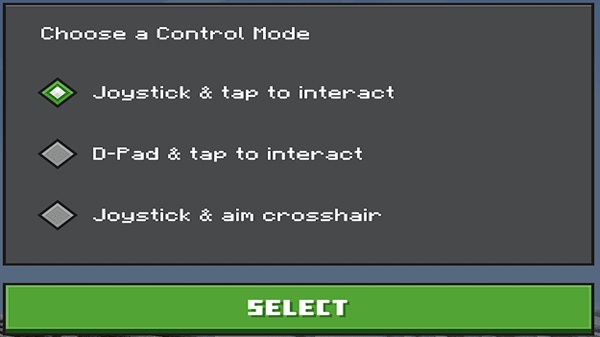
Adjust control size
-
Keep HUD elements visible
Recommended Addons to Pair With DynamicFlow
Improve your experience by combining the Roll and Stamina Addon with:
-
Parkour or mobility-based maps
-
Exploration or adventure-focused addons
-
Simple UI packs that don’t replace health/stamina bars
-
Dungeon and vertical exploration content
Final Thoughts
The Roll and Stamina Addon brings DynamicFlow movement to Minecraft Bedrock, giving you cleaner jumps, better stamina control, smoother climbing, and a stronger sense of momentum. Whether you’re exploring, building, or creating content, this addon elevates your mobility without complicating the core gameplay you already love.
Installation Guide for MCPE
Below are the essentials you need before activating DynamicFlow Player Mobility in your world.
Download Requirements
-
Behavior Pack
-
Resource Pack
-
UI Queue Script (required)
-
Optional configuration addon for custom settings
Platform Installation Steps
Mobile: Tap the .mcpack file to import instantly.
Windows: Place packs into the behavior_packs and resource_packs folders.
Console: Import via Realms or approved file methods.
Required Experimental Settings
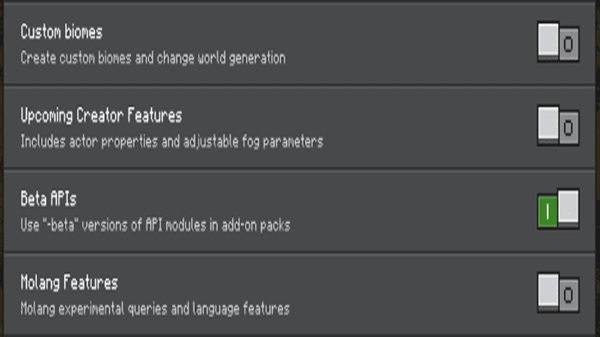
Make sure Beta APIs is enabled for the addon to run correctly.
Activating the Addon in a World
-
Apply Behavior Pack
-
Apply Resource Pack
-
Confirm dependencies
-
Load the world and check for stamina + roll HUD icons











