
Rope & Ropes 1.21+
Discover the Rope & Ropes Addon for MCPE, designed to make climbing smoother and your builds more creative. Explore cliffs, treehouses, and adventure maps with functional, extendable ropes that enhance both survival gameplay and creative projects.
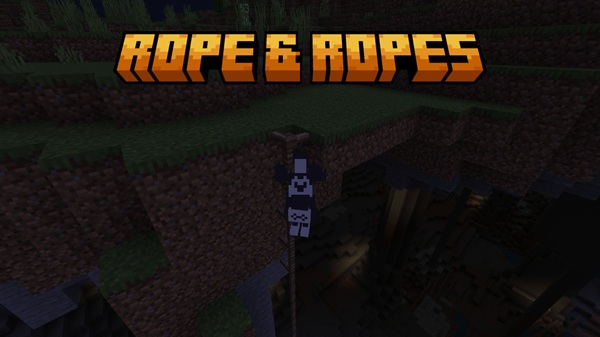
Rope & Ropes Addon – Smooth Climbing & Creative Freedom
Minecraft players often face challenges when building vertical structures or exploring deep caves. Ladders feel clunky, scaffolding is bulky, and navigating cliffs can be risky. That’s where the Rope & Ropes Addon comes in. Designed for Minecraft Bedrock Edition (MCPE), this addon introduces climbable ropes that are easy to craft, extend, and integrate into both survival and creative worlds. With it, you can combine smooth movement with creative freedom, transforming how you interact with vertical space in your Minecraft adventures.
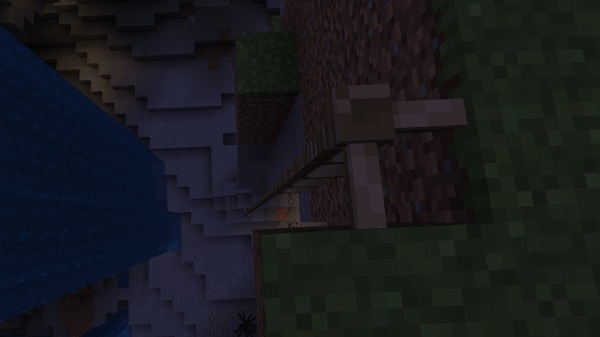
Introduction – Unlock Vertical Mobility in MCPE
Vertical movement is essential in Minecraft, whether you’re descending into a ravine, scaling a cliff, or building a multi-story treehouse. Standard ladders and scaffolding often restrict creativity and slow down exploration.
The Rope & Ropes Addon offers a practical solution: ropes that behave naturally, climb smoothly, and extend dynamically. By adding this addon, you gain a versatile tool that enhances survival gameplay, builds more immersive structures, and gives you more freedom to design multi-level environments without cumbersome workarounds.
Key Features – What Makes This Addon Stand Out
The Rope & Ropes Addon is more than just a climbing tool; it’s a creative and functional addition to MCPE. Below are the key features that make it indispensable.
From climbing mechanics to aesthetic flexibility, the addon improves both functionality and style. These features allow players to explore, build, and decorate with efficiency and creativity.
Smooth Climbing Mechanics
-
Rope blocks function like ladders but with a smaller, more natural hitbox.
-
Walk into a rope to climb; crouch to descend safely.
-
Mobile and PC-friendly for a smooth movement experience.
Dynamic Rope Extension
-
Extend ropes downward automatically by interacting with an existing rope.
-
Ideal for cliffs, ravines, treehouses, and vertical adventure maps.
-
Eliminates repetitive stacking for multi-level builds.
Survival-Friendly Crafting
-
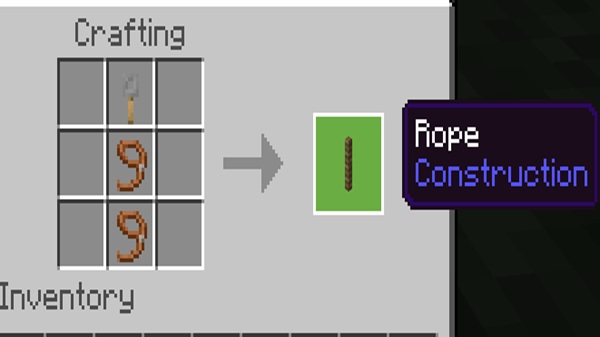
Crafted using 3 strings vertically, sometimes with sticks or bamboo.
-
Early-game accessible for survival players.
-
Adds practicality without unbalancing gameplay.
Aesthetic Integration
-
Blends naturally with medieval, jungle, rustic, or RPG-themed builds.
-
Decorative options: rope bridges, hanging lanterns, docks, or environmental storytelling.
-
Enhances visual appeal while remaining functional.
Multiplayer & Realms Compatibility
-
Works in shared worlds, LAN, and Realms.
-
Other players can climb or interact with ropes seamlessly.
-
Lightweight design prevents conflicts with other mods.
Customization & Visual Appeal
-
Some versions include rope variations (textures, thickness, styles).
-
Works with texture packs and shaders to improve immersion.
-
Combines functionality with expressive creative potential.
How It Works In-Game
Understanding rope mechanics in-game is simple and intuitive. The addon is designed to feel like a natural extension of Minecraft’s climbing tools while adding more flexibility.
Placing Ropes
-
Attach ropes under ceilings, branches, or solid blocks.
-
Ropes extend automatically for vertical distances.
Climbing & Descending
-
Walk into the rope to ascend; crouch to descend.
-
Natural movement improves both survival and creative navigation.
Extending and Removing Ropes
-
Tap a rope block with another rope to extend downward.
-
Breaking the top rope removes the full column, keeping builds clean.
Creative & Survival Applications
The addon shines across multiple gameplay styles, from survival expeditions to creative construction projects. Here’s how you can make the most of it.
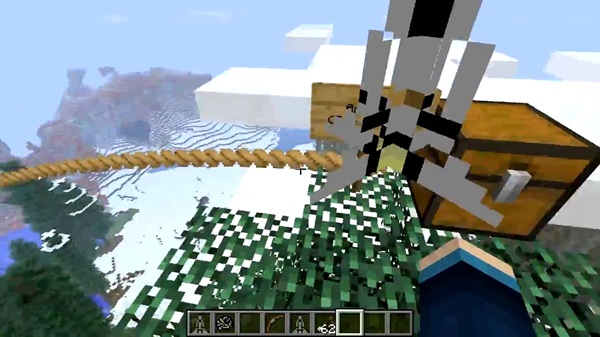
Adventure & Exploration
-
Descend cliffs, ravines, or deep caves safely.
-
Navigate vertical worlds efficiently.
Builders & Map Creators
-
Build treehouses, rope bridges, jungle platforms, and RPG dungeons.
-
Integrate ropes into adventure maps for immersive gameplay.
Decorative Uses
-
Hang lanterns, tie ropes along docks, or create environmental storytelling elements.
-
Adds immersive detail without extra blocks.
Tips for Efficiency
-
Use crouch/sneak to place ropes precisely.
-
Combine with other addons, texture packs, or shaders to enhance visuals.
Compatibility & Device Support
The Rope & Ropes Addon is designed to run smoothly on all MCPE-compatible devices and versions.
-
Compatible with MCPE 1.21+ (subversions included).
-
Works on Android, iOS, Windows 10/11, and Console via Realms.
-
Lightweight, minimizing conflicts with other mods and addons.
Pro Tips & Tricks
These tips help you maximize the addon’s potential, both functionally and aesthetically.
-
Crouch for Precision: Place ropes safely in tight spots.
-
Combine With Aesthetics: Rope bridges, hanging objects, and lanterns for immersive designs.
-
Plan Vertical Movement: Ropes don’t act as fall protection; plan your climbs carefully.
-
Creative Uses: Rope-based parkour maps or storytelling elements in builds.
Conclusion – Elevate Your Minecraft Experience
The Rope & Ropes Addon transforms vertical movement in MCPE, combining smooth climbing mechanics with creative freedom. Whether exploring survival worlds, building intricate structures, or designing adventure maps, this addon enhances mobility, functionality, and visual appeal.
Download the addon today and start climbing, building, and creating in ways that feel natural, fun, and limitless.
Installation Guide for MCPE
Installing the Rope & Ropes Addon is straightforward. Follow these steps to enjoy smooth climbing and creative design without complications.
Download Files
-
Obtain the .mcaddon or .mcpack file from a safe source.
Import into Minecraft
-
Android/iOS: Tap the file and select “Open with Minecraft.”
-
Windows 10/11: Double-click to import the addon automatically.
Activate Resource & Behavior Packs
-
Open your world settings. Activate both the Resource Pack and Behavior Pack.
-
Achievement warnings are normal and do not affect functionality.
Enable Experimental Gameplay
-
Enable the following under Experiments:
-
Holiday Creator Features
-
Custom Biomes
-
Beta APIs
-
-
Ensures ropes function properly in MCPE.
Compatibility: Works with MCPE 1.21+, on Android, iOS, Windows 10/11, and Console via Realms.











