
S60RU Auto 1.21+
Discover the S60RU Auto Addon for Minecraft Bedrock Edition (MCPE) — a four-seat retro vehicle with a 27-slot trunk that makes multiplayer adventures, exploration, and resource transport smoother and more fun than ever.
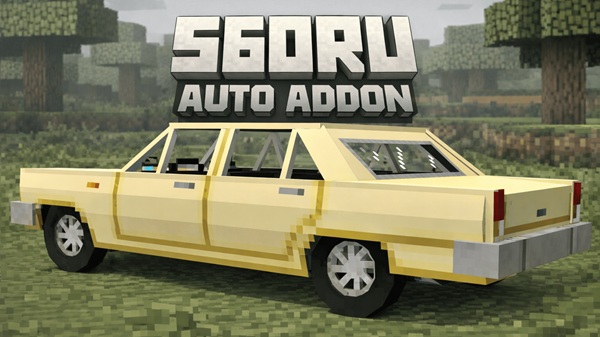
S60RU Auto Addon – Four Seats, 27-Slot Trunk for Fun
Minecraft Bedrock Edition (MCPE) is full of opportunities for creativity, exploration, and multiplayer adventures. The S60RU Auto Addon brings a new level of fun and practicality by introducing a four-seat vehicle with a 27-slot trunk, combining utility and retro style in one addon. Whether you’re traveling across biomes, transporting resources, or building city-themed maps, this addon offers a smooth, immersive driving experience designed specifically for MCPE players.
Introduction
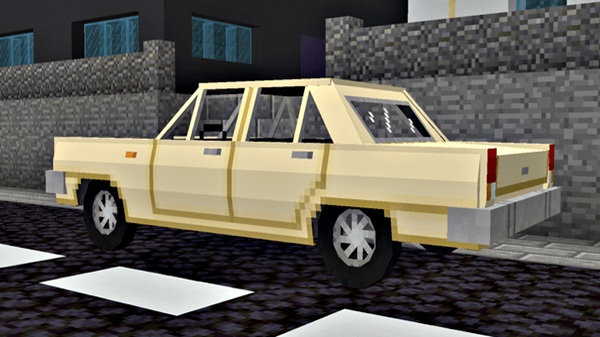
The S60RU Auto Addon is a mobile-friendly vehicle mod designed to enhance MCPE gameplay for both casual and experienced players. With its Soviet-era retro design, multiplayer seating, and expandable storage, it merges visual appeal with practical utility. Players can now explore worlds more efficiently, collaborate in Realms or LAN sessions, and integrate vehicles into creative builds without disrupting the game’s balance.
This addon is perfect if you want to add mobility, teamwork, and storage to your survival adventures, while keeping your gameplay light and fun.
Key Features
The S60RU Auto Addon stands out by offering both practical features and immersive experiences. Its design combines multiplayer functionality, retro aesthetics, and resource management into one seamless package, giving players a versatile tool for exploration and creativity.
Four-Seat Multiplayer Design
-
Accommodates up to four players for shared journeys.
-
Encourages teamwork during survival trips or mining expeditions.
-
Ideal for LAN worlds, Realms, or collaborative adventures.
27-Slot Trunk for Portable Storage
-
Acts as a mobile chest, reducing inventory clutter.
-
Perfect for storing ores, tools, and food during long trips.
-
Accessible both inside and outside the vehicle, allowing smooth item management.
Retro Soviet-Inspired Design
-
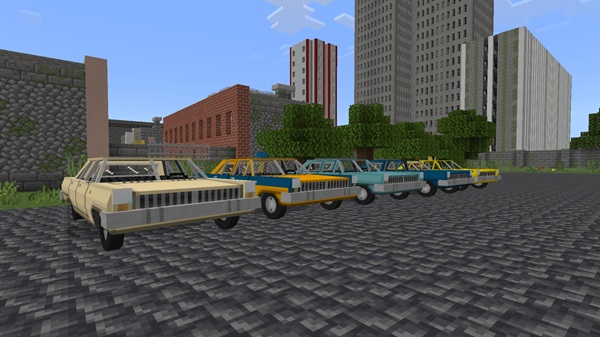
Features a blocky 1960s D-class sedan look for nostalgia.
-
Enhances creative builds and survival worlds visually.
-
Compatible with most Minecraft textures and shaders, maintaining visual consistency.
Realistic Engine Sounds & Animations
-
Engine sounds provide immersive driving feedback.
-
Smooth animations ensure fluid gameplay even on mid-range mobile devices.
-
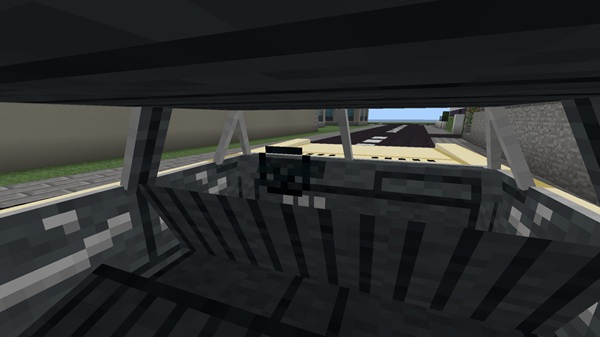
Supports first-person and third-person views, catering to different gameplay styles.
Repairable Durability System
-
Vehicle wears with use, promoting strategic gameplay.
-
Repair using iron, copper, gold, netherite, or redstone.
-
Encourages players to collect resources and maintain their vehicle, adding depth to survival mode.
Smooth Driving Mechanics
-
Intuitive controls for forward/backward movement and steering.
-
Optimized for minimal lag on mobile and Bedrock platforms.
-
Makes both solo exploration and multiplayer trips enjoyable and responsive.
How It Works In-Game
Understanding how the S60RU Auto Addon operates ensures you get the most out of its features. From spawning the vehicle to managing passengers and storage, these steps guide you through practical usage.
Spawning the Vehicle
-
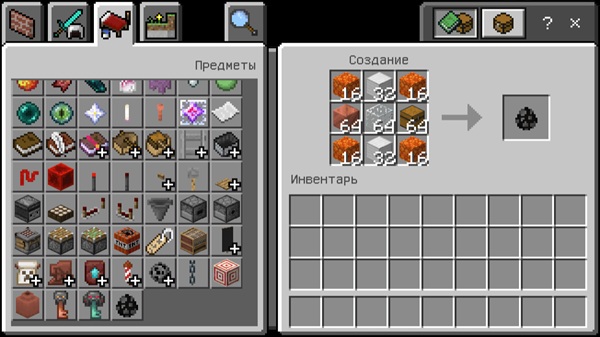
Use the
/summoncommand or the spawn egg in creative mode. -
Tap or right-click to enter the driver’s seat instantly.
Driving & Navigation
-
Move forward/back and steer using standard controls.
-
Switch between first-person and third-person perspectives for different experiences.
Passenger Interaction
-
Up to three additional players can ride as passengers.
-
Passengers move seamlessly with the vehicle, enhancing team play.
Using the Trunk
-
Right-click to access the 27-slot storage.
-
Store and retrieve items efficiently during exploration or mining trips.
Repair & Maintenance
-
Repair with common materials to restore durability.
-
Keep iron nuggets, copper, redstone, or netherite on hand during long journeys.
Compatibility & Performance
-
MCPE Versions Supported: 1.20, 1.21+
-
Device Compatibility: Android, iOS, Windows 10/11 (Bedrock Edition)
-
Performance: Optimized for smooth gameplay, minimal lag, and Realms-friendly
-
Important Notes: Avoid conflicts with other vehicle addons; always ensure complete resource pack installation.
Tips & Tricks for Players
-
Trunk Efficiency: Combine the trunk with shulker boxes for maximum storage.
-
Multiplayer Driving: Assign a driver and switch camera views for fun or precision.
-
Creative Integration: Include the car in city maps or roleplay builds.
-
Survival Strategy: Keep repair materials handy and plan routes to avoid getting stranded.
Why Players Love It
Players enjoy the S60RU Auto Addon because it:
-
Combines fun, utility, and multiplayer engagement.
-
Enhances exploration, teamwork, and immersion.
-
Brings retro aesthetics without performance issues.
-
Adds hours of gameplay value without being intrusive or complicated.
Conclusion
The S60RU Auto Addon is a must-have for MCPE players seeking mobility, teamwork, and storage solutions. Its four-seat design, 27-slot trunk, and retro visuals make it perfect for survival, creative builds, and collaborative adventures.
Install it today and transform your Minecraft experience, making every trip, expedition, or city drive more enjoyable and engaging.
Installation Guide
Getting the addon running is straightforward and ensures a smooth experience.
Step 1: Download
-
Obtain the
.mcaddonfile from trusted sources compatible with MCPE.
Step 2: Import
-
Open the file in Minecraft PE. It will automatically import behavior and resource packs.
Step 3: Enable Packs
-
Go to Settings → Behavior Packs and activate the addon.
-
Ensure the resource pack is enabled.
Step 4: Enable Experimental Features
-
Toggle on Holiday Creator Features and Custom Biomes if needed.
Step 5: Test in Creative Mode
-
Spawn the vehicle and try driving, seating, and storage before entering survival worlds.











