
SchnurriTV 1.21+
Explore the SchnurriTV Addon for Minecraft Bedrock and add a smart interactive friend to your world. Customize their look, give gifts, and enjoy creative gameplay with a companion who reacts to you.
SchnurriTV Addon – A Smart Friend Who Reacts to You
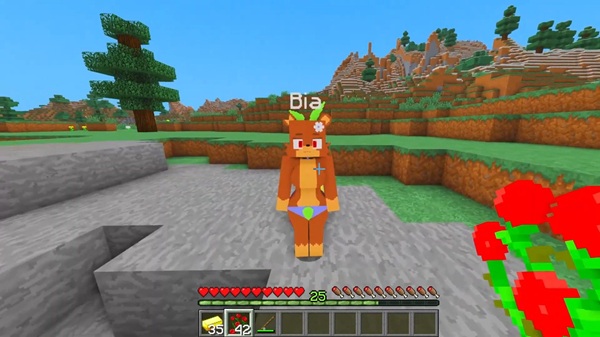
The SchnurriTV Addon introduces a new kind of companion into Minecraft Bedrock (MCPE). Instead of a pet, a villager, or a standard mob, you get a character who reacts to your actions, follows you through the world, and becomes part of your creative gameplay. This addon focuses on interaction, customization, emotions, and immersive roleplay—ideal for players who enjoy building, storytelling, and exploring without fighting.
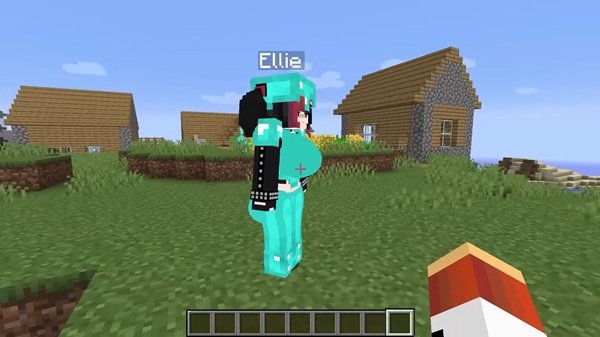
What Makes the SchnurriTV Addon Unique?
The SchnurriTV Addon stands out because it doesn’t simply add another mob. It adds a lively companion with reactions, personal preferences, and expressive behavior. This turns Minecraft into a more social experience, especially for players who like building worlds that feel alive and filled with personality.
Players who build houses, themed cities, cafés, apartments, or story-based maps will notice how much more meaningful these spaces feel with a responsive character walking through them. Even something as simple as giving a gift becomes part of your world-building.
Key Features of Your New Minecraft Friend
Just like meeting someone new in your world, you’ll discover what she likes, how she reacts, and how she behaves. The features below make the SchnurriTV Addon more than just a cosmetic addition.
Smart Emotional Reactions
Your companion reacts to your choices and gifts:
-
Flowers show basic appreciation.
-
Diamonds affect her mood strongly and build loyalty.
-
Reactions change depending on how often you interact.
This simple system turns items into meaningful actions and makes the companion feel present.
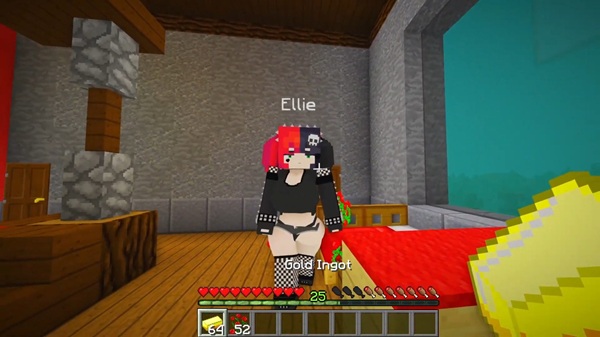
Interactive Customization Menu
A quick interaction menu makes it easy to personalize:
-
Change appearance and character style.
-
Trigger actions like dancing or emoting.
-
Adjust behavior without commands or mods.
Touch players on mobile devices will especially appreciate how smooth it feels.
Companion Support for Exploration
While she isn’t built for combat, she follows you through:
-
Creative builds
-
Large structures or custom maps
-
Towns, houses, and themed worlds
Her presence helps Minecraft feel less empty, especially for solo players.
Creative Play Activities
If you enjoy building stories or scenes, she fits perfectly:
-
Performs dances or emotive animations
-
Reacts to surroundings, not just players
-
Adds personality to machinimas, roleplay videos, and creative screenshots
Works Best in Creative Mode
The addon is optimized for imagination, not survival:
-
Spawn instantly using the dedicated egg
-
Access all actions and customization
-
Focus on roleplay, building, and storytelling
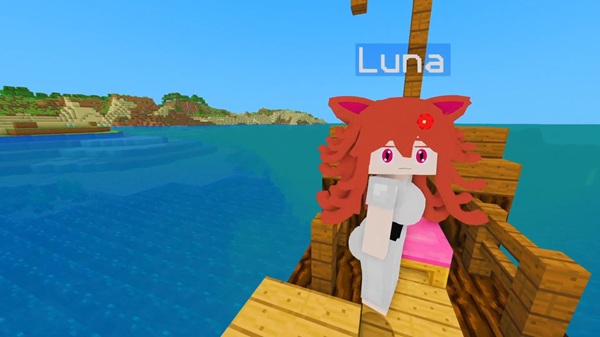
How to Spawn & Interact in MCPE
To begin using the SchnurriTV Addon, you only need a few steps inside your world. Once you’re in Creative Mode:
-
Open your inventory and search for the Jenny spawn egg.
-
Place it anywhere to summon your companion.
-
Approach her to open the interaction menu.
Use the menu to:
-
Customize appearance
-
Give gifts
-
Trigger activities or actions
Tip: Diamonds help build stronger reactions. If you want a symbolic “friendship boost,” this is the best gift.
Tips for the Best Experience
To bring your companion to life in a believable way, try:
-
Giving diamonds for stronger positive reactions
-
Building a shared home, café, or town environment
-
Using themed maps for storytelling and screenshots
-
Keeping Minecraft updated to prevent texture problems
Players who enjoy making short videos or machinimas will find an expressive character especially useful for creative content.
Why Players Love This Addon
The SchnurriTV Addon creates something many players didn’t realize they wanted: companionship in a silent world. Having someone walk beside you, react to your actions, and be part of your creative story changes how Minecraft feels. Instead of building for yourself, you build for a shared experience.
This addon encourages creativity, storytelling, and world-building that feels emotional rather than mechanical. For many MCPE players, that transforms the game from a sandbox into a space filled with connection.
Final Thoughts
If you enjoy exploring, building, or turning your Minecraft world into a place with meaning, the SchnurriTV Addon offers a new kind of gameplay. With customization, reactions, and expressive behavior, your experience becomes more personal, more social, and more alive.
Whether you’re creating stories, designing dream bases, or just looking for company while you build, this companion brings a fresh way to enjoy Minecraft Bedrock Edition.
Installation Guide for Minecraft Bedrock (MCPE)
Before spawning your companion, you must install the SchnurriTV Addon correctly. Don’t skip any step below—especially Experimental Features.
Step-by-Step Setup
-
Download the addon as a .mcaddon or .mcpack file.
-
Open the file to import it into the game automatically.
-
Go to Settings → Global Resources and activate it.
-
Edit or create a world and enable Experimental Features.
-
Go to Add-Ons → Behavior Packs + Resource Packs, and activate both.
-
Load your world, find the spawn egg, and enjoy.
Supported Devices & Versions
This addon supports:
-
Android & iOS (mobile)
-
Windows Bedrock
-
Xbox & PlayStation
Recommended versions:
-
MCPE 1.20–1.21+
Ensure you have enough storage for the resource and behavior files.











