
Security Camera 1.21+
The Security Camera Addon helps MCPE players improve total base awareness by adding functional camera views and a simple tablet control system. Designed for Minecraft Bedrock, it supports smarter base planning, better visibility, and organized gameplay without changing core mechanics.
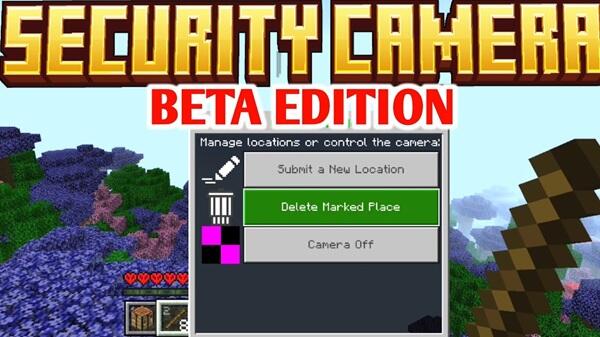
Security Camera Addon for Total Base Awareness
In Minecraft Bedrock Edition, base awareness is about knowing what is happening around your base before you act. On MCPE, where screen size is smaller and visibility is limited, awareness becomes a practical advantage rather than a luxury. Players who understand their surroundings make better decisions and avoid unnecessary risks.
The Security Camera Addon supports this mindset. Instead of adding automation or shortcuts, it focuses on visibility and planning. When you can check entrances, shared rooms, or important areas before moving, your base feels more controlled and intentional—especially in long-term survival or multiplayer worlds.
Overview of the Security Camera Addon
At its core, the Security Camera Addon adds functional camera systems to Minecraft Bedrock without changing how the game fundamentally works. Cameras are placed manually, and views are accessed through an in-game tablet, keeping everything immersive and balanced.
This addon works naturally across survival, creative, and multiplayer gameplay. Rather than replacing exploration, it adds a visual support layer that helps you stay informed. For MCPE players managing larger bases or shared worlds, this added awareness quickly becomes part of everyday gameplay.
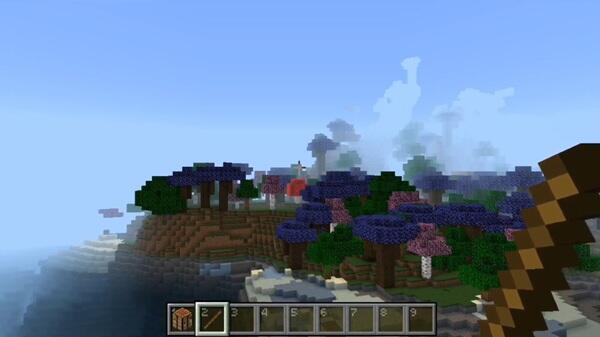
Camera Features That Improve Base Awareness
The strength of the Security Camera Addon lies in how its camera features directly support awareness instead of complexity. Each feature serves a clear purpose, helping you understand your base layout and activity more easily.
Controllable Cameras for Wide-Area Visibility
Controllable cameras allow you to rotate your view while observing a location. These are ideal for large spaces such as farms, courtyards, or open halls. Instead of committing to movement, you can scan an area first and decide your next step with confidence.
Still Cameras for Fixed Observation Points
Still cameras provide a fixed viewpoint focused on one location. They work best for entrances, corridors, staircases, or storage rooms where consistency matters more than coverage. Their simplicity also makes them a good option for mobile performance.
Live Camera Views That Reflect Real-Time Activity
All camera feeds update in real time. If something changes in the world, the camera view reflects it immediately. This allows you to observe activity as it happens and plan ahead instead of reacting after moving into an area.
Camera Naming and Organization for Large Bases
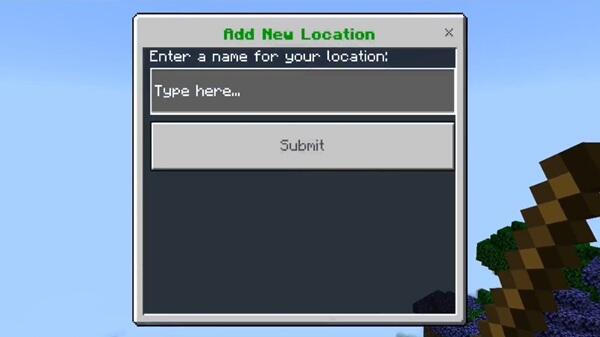
Each camera can be named when placed. This small feature becomes essential in larger bases or multiplayer worlds. Clear names help you switch between camera feeds quickly without confusion, especially when managing multiple locations.
Public and Private Camera Visibility Options
Cameras can be set as public or private. Public cameras support shared awareness in multiplayer bases, while private cameras remain personal. This balance allows cooperation without interfering with how others play.
Awareness Without Breaking Gameplay Balance
While viewing cameras, your character remains stationary and cannot interact with the world. This keeps the experience fair and ensures the Security Camera Addon enhances awareness without replacing exploration or challenge.
Tablet-Based Camera Control System
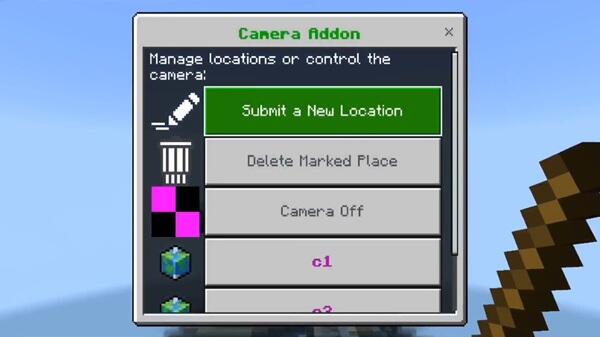
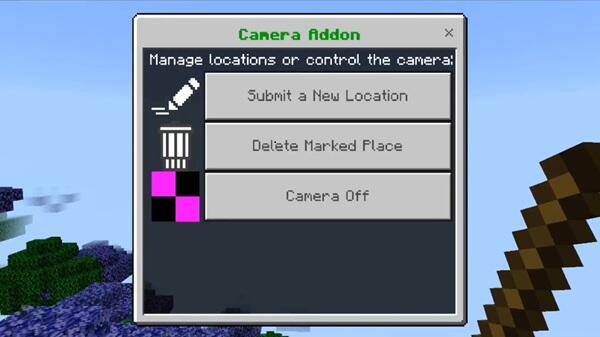
To keep everything accessible, the addon uses a tablet as the central control tool. From this single item, you can view camera lists, switch between feeds, and exit camera views easily.
The tablet interface is designed with touch controls in mind, making it comfortable to use on MCPE. By keeping camera management simple, the addon avoids unnecessary menus and stays player-friendly.
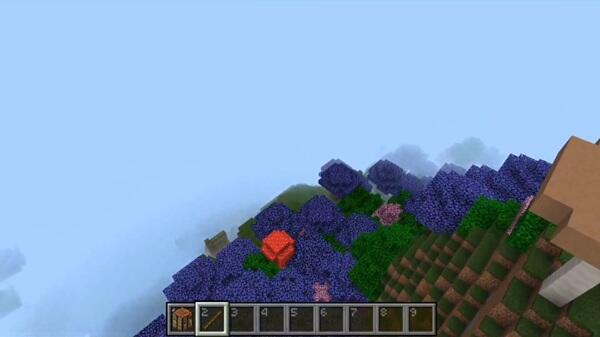
How the Addon Works During Gameplay
During normal gameplay, cameras are placed intentionally as part of your base design. You decide when and where to use them, making the system flexible rather than intrusive.
Most players use cameras before entering key areas, managing shared spaces, or checking important rooms. This makes the Security Camera Addon feel like a planning tool that supports your playstyle instead of interrupting it.
Practical Use Cases in MCPE Worlds
The Security Camera Addon fits naturally into many MCPE scenarios, including:
-
Checking base entrances before entering
-
Monitoring storage, crafting, or villager areas
-
Coordinating shared bases in multiplayer or Realms
-
Supporting modern builds, roleplay setups, and adventure maps
Its versatility makes it suitable for both casual sessions and long-term worlds.
Compatibility and Performance on Mobile Devices
The addon is compatible with Minecraft Bedrock 1.20+ and works across Android, iOS, Windows, and consoles. Performance remains stable on mobile devices when cameras are placed thoughtfully.
For smoother gameplay, avoid clustering many cameras in one area and use still cameras where possible.
Tips for Achieving Better Base Awareness
To get the most from the Security Camera Addon:
-
Place cameras higher for wider coverage
-
Focus on key movement areas instead of every room
-
Use clear and consistent camera names
-
Spread cameras across your base
-
Test placement in Creative mode first
These small habits improve awareness without adding complexity.
Who Will Benefit Most From This Addon
This addon is especially useful for:
-
Survival players with established bases
-
Multiplayer and Realm players
-
Builders creating functional or modern designs
-
Roleplay and adventure map creators
Players who enjoy planning and organization will benefit the most.
Final Thoughts on Total Base Awareness
The Security Camera Addon improves Minecraft Bedrock gameplay by strengthening visibility and planning without overcomplicating the experience. It supports smarter base design, confident movement, and better coordination in shared worlds.
For MCPE players who value awareness and control, this addon offers a balanced and practical way to manage their base more effectively.
Photos
Installation and Setup on Minecraft Bedrock Edition
Setting up the Security Camera Addon follows standard Bedrock steps:
-
Import the
.mcaddonor.mcpackfile -
Enable both the Behavior Pack and Resource Pack
-
Create a new world for best stability
-
Enable experimental features if required
Always back up important worlds before installing new addons.
Your comment











