
Simple Harvest Golem 1.21+
The Simple Harvest Golem Addon brings magic and automation to your MCPE farms. This tiny golem harvests crops, replants seeds, and adds golden particle effects, making farming effortless and fun for mobile, console, and PC players alike. Learn how to install it and optimize your farmland for a thriving, hands-free experience.
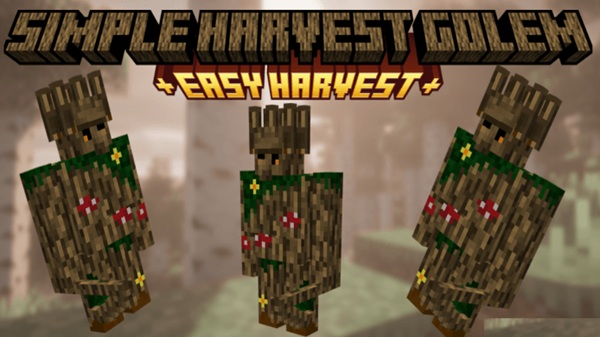
Simple Harvest Golem Addon – Tiny Golem, Big Farm Magic
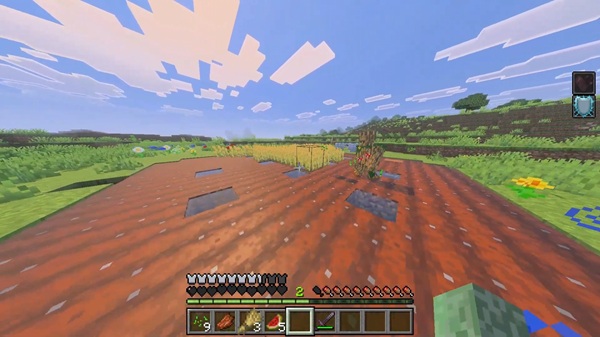
Farming in Minecraft Bedrock Edition (MCPE) can be both relaxing and rewarding, but manually harvesting crops every day quickly becomes tedious. The Simple Harvest Golem Addon changes all of that. With this addon, a tiny, magical golem patrols your farmland, harvesting and replanting crops while adding a playful sparkle to your world. Perfect for mobile players, casual farmers, and seasoned Bedrock gamers, this addon transforms farming into a seamless, hands-free experience.
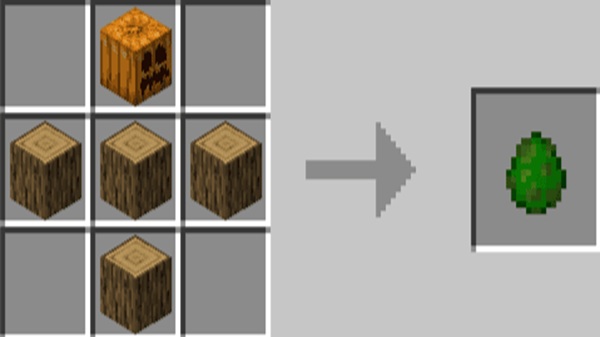
Main Features of the Addon
The Simple Harvest Golem Addon introduces features that make farm management simple and engaging. By automating mundane tasks, it enhances both productivity and fun.
-
Smart Crop Harvesting: Only fully grown crops are harvested, including wheat, carrots, potatoes, and beets. Immature plants remain untouched, ensuring efficient growth cycles.
-
Auto-Replanting: After harvesting, the golem automatically replants seeds, maintaining a continuous supply of crops without player intervention.
-
Golden Particle Effects: Each harvest is accompanied by subtle golden sparkles, adding a touch of magic and visual satisfaction.
-
Mobile-Friendly & Lightweight: Optimized AI ensures smooth performance across Android, iOS, Windows, and console devices.
-
Easy Activation: Simply tap the golem or use a redstone pulse to begin harvesting—no advanced redstone knowledge required.
This combination of automation and charm allows your farms to run efficiently while keeping your gameplay immersive.
How It Works In-Game
Understanding how the Simple Harvest Golem Addon operates is key to maximizing its potential. Here’s a breakdown of how this tiny helper brings your farmland to life.
Placing & Activating the Golem
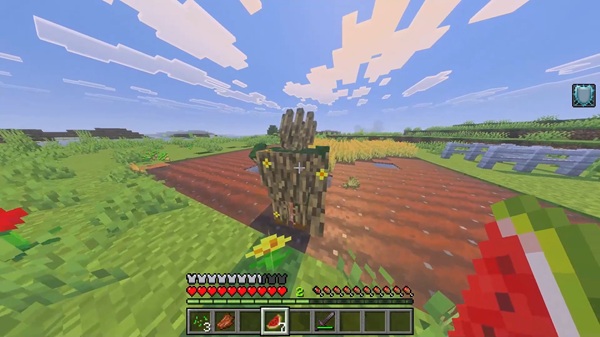
To start, place the golem on tilled soil within your farm. Activation is simple: either tap the golem directly or use a redstone pulse. Once activated, golden particles indicate the golem is working, giving your farm a lively, magical atmosphere.
Patrol & Harvest Cycle
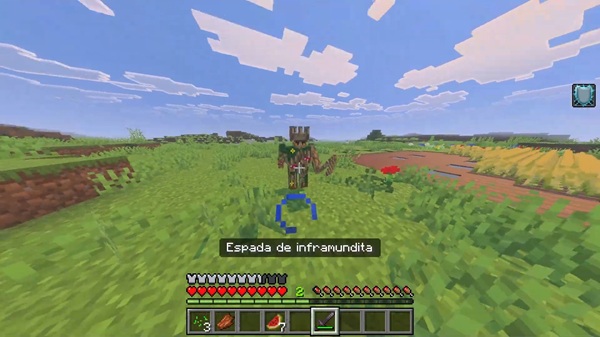
The golem systematically patrols your farmland, moving row by row to ensure all crops are checked. Within its detection radius, it identifies fully grown crops and harvests them efficiently, preventing missed harvests and reducing your workload.
Auto-Harvesting Mechanics
Only mature crops are collected, so young plants remain undisturbed. Harvested items drop on the ground or into nearby collection systems. This ensures farmland integrity while providing a steady supply of food and materials for survival or trading.
Item Collection & Storage Integration
Crops can be collected manually or automatically using hoppers, chests, or minecart systems. This allows players to create fully automated farms that feed villagers or supply storage chests without constant supervision.
Continuous Operation & Daily Cycle
The golem works continuously, day and night, maintaining crop production around the clock. It performs well in single-player worlds, LAN sessions, and Realms, provided all players have the addon installed.
Compatibility & Performance
The Simple Harvest Golem Addon is optimized for performance across platforms:
-
Minecraft Versions: Works with MCPE/Bedrock 1.21+.
-
Supported Devices: Android, iOS, Windows 10/11, Xbox, Switch, PlayStation.
-
Multiplayer: Functional in Realms and LAN worlds if all players have the addon installed.
-
Performance Tips: Limit multiple golems on older devices, optimize farm layout, and adjust render distance for smoother gameplay.
This ensures a seamless experience whether you’re farming solo or collaborating with friends.
Tips, Tricks & Best Practices
To get the most from the Simple Harvest Golem Addon, consider these strategies:
-
Farm Layout Optimization: Linear rows or blocks help golems patrol efficiently.
-
Deploy Multiple Golems: Use two or three golems on large farms to ensure full coverage.
-
Storage Integration: Incorporate hoppers or chests for automatic crop collection.
-
Add-On Compatibility: Works well with other MCPE farming or crop expansion mods.
-
Mobile Optimization: Reduce particle effects if older devices experience lag.
These tips balance efficiency with the fun, immersive experience that makes the addon special.
Player Benefits & Experience
The Simple Harvest Golem Addon transforms your MCPE farming routine:
-
Time-Saving: Automates repetitive harvesting tasks.
-
Fun & Engaging: Adds personality to farms with magical visuals.
-
Immersive Gameplay: Creates a lively farm environment.
-
Accessibility: Suitable for beginners, casual players, and younger audiences.
-
Flexible: Works in single-player and multiplayer worlds.
This combination of practicality and charm makes your farms more productive and enjoyable.
Conclusion
The Simple Harvest Golem Addon is a practical, magical, and fun tool for any MCPE player looking to simplify farming while keeping it engaging. By combining automation, visual charm, and mobile-friendly performance, it elevates the farming experience. Download it today and watch your mundane crops transform into a thriving, magical farm tended by your tiny golem helper!
Installation Guide for MCPE
Installing the Simple Harvest Golem Addon is straightforward, compatible with all Bedrock devices.
-
Download the Addon Files: Obtain both the Behavior Pack (BP) and Resource Pack (RP).
-
Import the Files:
-
Android/iOS: Tap the
.mcaddonfile to import. -
Windows/Console: Double-click the file or place it in the correct Minecraft folder.
-
-
Activate Packs in Your World: Enable both Resource and Behavior Packs in the World Settings.
-
Enable Experimental Features: Required toggles include:
-
Holiday Creator Features
-
GameTest Framework
-
-
Start the World: Place your golem and watch your farm thrive automatically.
This step-by-step guide ensures even new MCPE players can enjoy the addon without confusion.











