
Sit on Stairs 1.21+
The Sit on Stairs Addon adds natural seated interactions to Minecraft Bedrock, making your builds feel alive and immersive. Transform simple stair blocks into functional seating and bring warmth, personality, and atmosphere to your MCPE world.
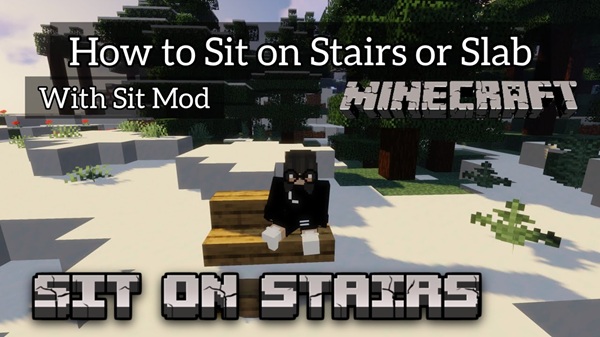
Sit on Stairs Addon – Make Your World Feel Alive
The Sit on Stairs Addon introduces one simple but transformative feature to Minecraft Bedrock Edition: it lets you sit naturally on stairs and enjoy your surroundings. For many MCPE players, this small interaction adds warmth, immersion, and life to their builds. Whether you love cozy interiors, RP towns, or multiplayer social spaces, this addon helps your world feel more inviting and expressive.
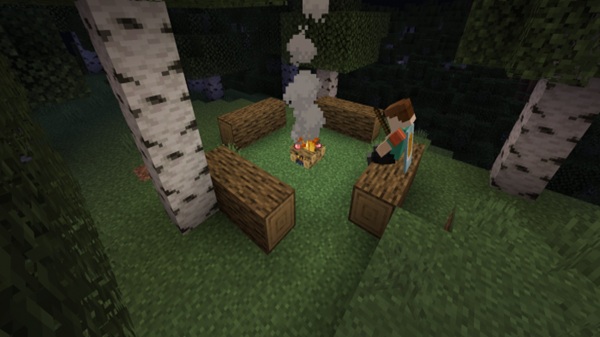
Core Features & What Makes It Special
This section explains what sets the Sit on Stairs Addon apart and why players value it so highly in Bedrock Edition. These features define how the addon upgrades the game’s creative, visual, and social experience.
Simple, One-Step Sitting Interaction
You can sit instantly on any stair block using normal in-game controls, without items, commands, or setup.
Works Across All Stair Types
Wood, stone, brick, quartz, copper, and other stair variants are fully supported.
Smooth & Natural Sitting Animation
The animation feels grounded and realistic, adding life to static spaces.
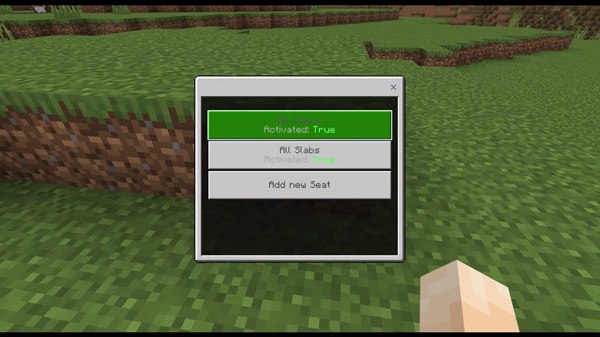
Optional Support for More Blocks
Some players enable seating on slabs, logs, custom blocks, and decorative elements.
Multiplayer-Friendly Design
Perfect for shared worlds, survival servers, and social maps.
Optimized for MCPE Performance
Runs smoothly, even on older mobile hardware.
How Sitting Changes the Feel of Your World
The Sit on Stairs Addon does more than add a new action—it improves the emotional feel of your world. Sitting creates moments of calm between adventure, allowing your creative spaces to serve a purpose beyond decoration.
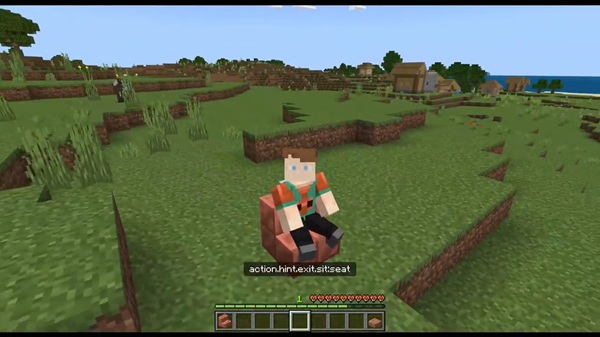
Sitting Improves Immersion by:
-
Making player homes feel lived-in
-
Giving interiors practical function
-
Encouraging players to gather socially
-
Improving mood and visual storytelling
-
Helping screenshots look more cinematic
Atmosphere matters—and this addon enhances it instantly.
How It Works In-Game
This section explains the interaction process so you know exactly what to expect when using the Sit on Stairs Addon for the first time.
How to Sit
-
Face a stair block
-
Tap, right-click, or press interact
-
Your character sits automatically
How to Stand Up
-
Jump
-
Or use the sneak / crouch action
Control Types Supported
-
Touchscreen
-
Controller
-
Keyboard & mouse
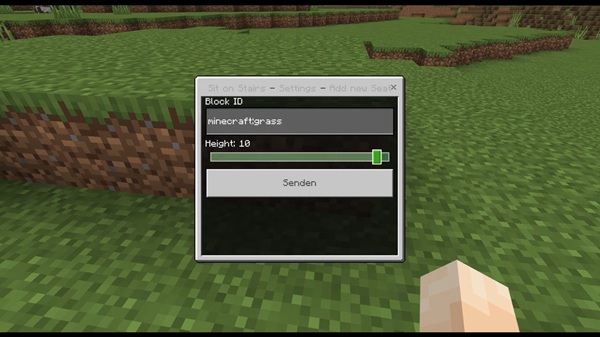
Optional Adjustments for Players
You can customize:
-
Supported seating blocks
-
Sitting height
-
Interaction behavior
Device & Version Compatibility
This section clarifies which systems support the Sit on Stairs Addon, helping you check compatibility quickly before installation.
Compatible Minecraft Versions
-
MCPE / Bedrock 1.20+
-
Latest versions supported
Compatible Devices
-
Android
-
iOS & iPadOS
-
Windows 10/11
Performance Notes
Lightweight scripting keeps gameplay smooth across devices.
Best Ways to Use This Addon
Here are creative ways to elevate your world using the Sit on Stairs Addon.
Great use-cases include:
-
Cozy house interiors
-
Community gathering spots
-
Meeting halls in SMPs
-
Tavern and café builds
-
Screenshots and cinematic shots
-
Roleplay storytelling scenarios
When used intentionally, your world feels more expressive and personal.
Tips & Helpful Notes for Players
Use these suggestions to get the most from the addon.
-
Pair with interior decoration addons
-
Use slabs for lower seating
-
Test seat heights per block type
-
Create dedicated resting areas
-
Keep interactions simple
Small adjustments make a big difference.
Final Thoughts
The Sit on Stairs Addon is a simple upgrade with a meaningful impact. It adds comfort, presence, and atmosphere to your Minecraft world, creating natural moments of rest and connection. If you want your builds to feel more alive, emotional, and immersive, this addon delivers that instantly.
It’s easy to install, easy to use, and easy to enjoy.
Installation Guide (MCPE / Bedrock)
This part helps you install the Sit on Stairs Addon correctly and avoid setup issues. Follow these steps to activate the feature smoothly.
How to Install
-
Download the
.mcaddonfile -
Open it to import automatically
-
Create or edit a world
-
Enable the Resource Pack
-
Enable the Behavior Pack
Required Experimental Toggles
Activate:
-
Holiday Creator Features
-
Additional Modding Capabilities
-
GameTest Framework
Mobile, PC, and console players can all enable the addon successfully by following these steps.











