
Slime Girl Addon 1.21+
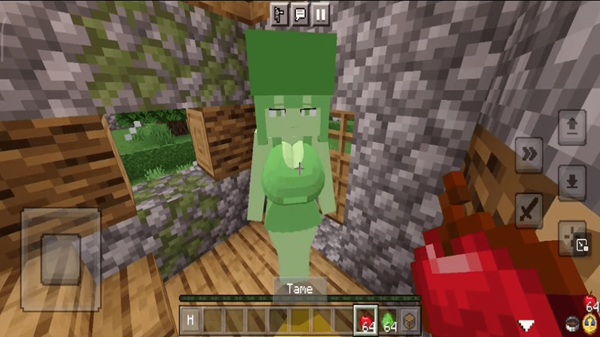
Bring more life to your Minecraft Pocket Edition world with the Slime Girl Addon. This friendly NPC-style slime character enhances both Survival and Creative builds, making towns, villages, and roleplay maps feel lively, cozy, and full of personality.
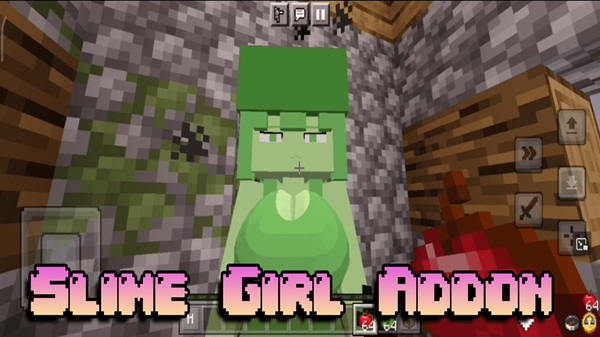
Slime Girl Addon MCPE – Brighten Survival and Builds
If you enjoy building friendly towns, cozy bases, or creative maps in Minecraft PE, the Slime Girl Addon can make your world feel more alive without changing how you play. This addon introduces a cute, non-hostile slime–inspired character that blends into both Survival and Creative mode. Instead of adding combat mechanics or complex features, it enhances the mood of your world, making villages, parks, markets, or fantasy builds feel more welcoming. It’s simple, lightweight, and designed especially for MCPE players on phones, tablets, and Bedrock devices.
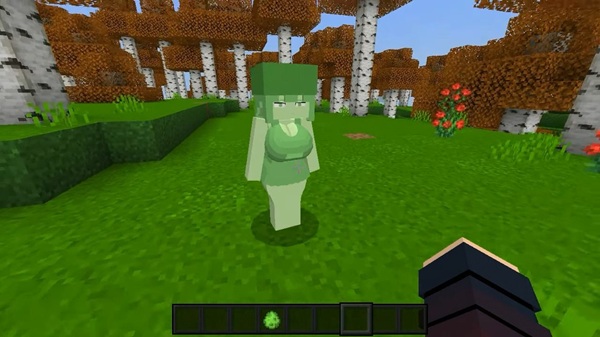
What Is the Slime Girl Addon?
This addon introduces a decorative character inspired by slime mobs and made for Bedrock/MCPE players who want more personality in their worlds. Let’s break down what makes this entity special and why it fits seamlessly into Minecraft PE.
Unlike mods that change gameplay balance or add new weapons, the Slime Girl Addon focuses purely on atmosphere. It offers a friendly entity that fits naturally into many environments, from roleplay worlds to casual survival bases.
Main Characteristics
-
A non-aggressive mob based on slime themes.
-
Adds presence and personality without affecting difficulty.
-
Suitable for both Creative world-building and peaceful Survival.
-
Works smoothly on mobile devices and Bedrock platforms.
Key Features That Brighten MCPE Worlds
This addon provides more than just a new mob—it brings warmth and visual variety. Here’s how it makes your world more enjoyable.
Each feature focuses on visual and creative value rather than gameplay advantages. The result is a family-friendly, lightweight addon perfect for MCPE aesthetics and storytelling.
Friendly, Non-Hostile Character Design
-
Does not attack or alter game difficulty.
-
Safe for younger players and cozy survival sessions.
-
Adds a charming companion-like presence to your world.
Cute and Colorful Aesthetic for Builds
-
Enhances roleplay maps and decorative towns.
-
Fits modern cities, fantasy villages, cafés, parks, and gardens.
-
Works like an NPC character placed in custom environments.
Optimized for MCPE and Low-End Devices
-
Small file size and light textures reduce lag.
-
Designed specifically for phones, tablets, and Bedrock platforms.
-
Does not overload RAM or storage on weaker devices.
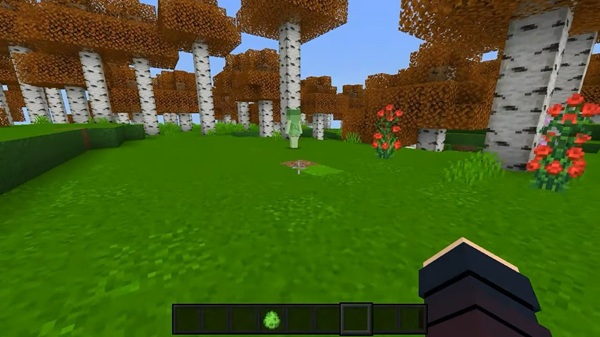
Enhances Both Survival and Creative Mode
-
Appears naturally or via spawn eggs.
-
No crafting recipes, no combat skills, no grind.
-
Ideal for décor, screenshots, and creative storytelling.
Works Smoothly With Other Addons
-
Compatible with furniture packs, roleplay elements, and city builds.
-
Does not replace vanilla mobs or modify hostile behavior.
-
Easy to combine with friendly mob packs for themed worlds.
How It Enhances Survival Mode
Even without buffs or special tools, this addon brings value to your everyday exploration and building routine.
The Slime Girl Addon doesn’t try to turn Survival into a new game. Instead, it adds subtle life and emotion to your surroundings.
Survival Benefits
-
Makes villages, farms, mines, and forest bases feel less empty.
-
Encourages cozy, creative, non-violent gameplay styles.
-
Great for casual players who like to build and relax.
-
Helps environments feel “inhabited” without new challenges.
How It Improves Builds and Roleplay Maps
Decorative entities give your builds personality. The Slime Girl acts like a world character or resident.
Creative builders, roleplayers, and content creators can use this addon to tell small stories or complete thematic scenes in their builds.
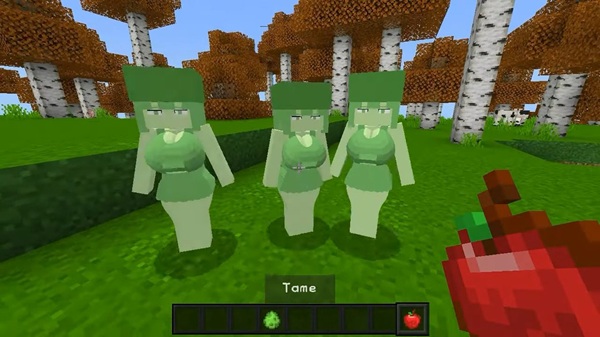
Ideas for Creative Use
-
Populate a fantasy village square with characters.
-
Place her near shops, benches, markets, or schools.
-
Use her as a unique figure in cinematic videos or screenshots.
-
Build slime-themed cafés or magical slime markets.
Build Inspiration Examples
-
A park bench character, surrounded by lanterns and flowers.
-
A slime café counter attendant in a modern city build.
-
A market stall resident in a fantasy trading town.
Performance & Compatibility
This addon is suitable for mobile players who want smoother gameplay.
Because it doesn’t alter combat, physics, or game systems, the Slime Girl Addon stays stable on most builds.
Best Settings
-
Medium render distance
-
Particles ON
-
Fancy graphics optional
-
Close background apps on low-end devices
Troubleshooting & Safe Use Tips
Problems may happen if settings are not applied properly.
Here are quick fixes for the most common issues when using the addon in MCPE.
Common Solutions
-
Not spawning? Enable Experimental Features.
-
Import failed? File must be
.mcaddon, not.zip. -
Lag issues? Reduce render distance and restart the app.
-
Safety tip: Only install trusted versions to avoid corrupted files.
Download Section
Enhance your world with a character that makes your builds feel alive.
The Slime Girl Addon brings friendly style to both Survival bases and Creative maps. It’s small, light, and easy to install.
Quick Summary
-
✔ Version Support: MCPE/Bedrock 1.19 – 1.21+
-
✔ Designed for phones, tablets, and Windows Bedrock
-
✔ Ideal for Creative, Survival décor, and roleplay builds
Install the addon and start transforming your worlds with a playful, slime-inspired character who adds life without changing gameplay!
How to Install the Slime Girl Addon on MCPE
Installation is simple and works across most Bedrock devices.
Follow this setup to avoid spawn issues or missing textures. Always activate both pack types and experimental settings.
Step-by-Step Installation
-
Download the
.mcaddonfile. -
Open it through Minecraft to import automatically.
-
Go to World Settings → activate Behavior Pack + Resource Pack.
-
Enable Experimental Features:
-
Holiday Creator Features
-
Custom Mobs
-
Molang/Beta Features (if available)
-
-
Launch the world and start exploring.
Supported Versions
-
Works best on Minecraft Bedrock 1.19 – 1.21+.











