
Stickman Morph 1.21+
The Stickman Morph Addon lets you transform your Minecraft Bedrock character into a slim stickman model. Designed for MCPE, this addon focuses on visual customization, smooth animations, and easy installation for creative and multiplayer gameplay.
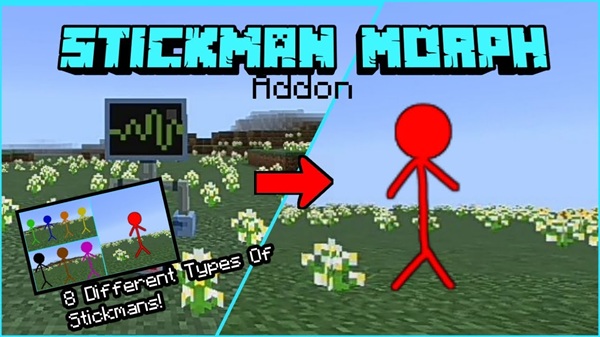
Stickman Morph Addon – Become a Slim Stickman in Minecraft
The Stickman Morph Addon is a creative and lightweight Minecraft addon that lets you change your player model into a slim stickman character in Minecraft Bedrock Edition. If you have ever felt that the default player model looks bulky or limiting, this addon gives you a fresh way to experience the game without changing how Minecraft works at its core.
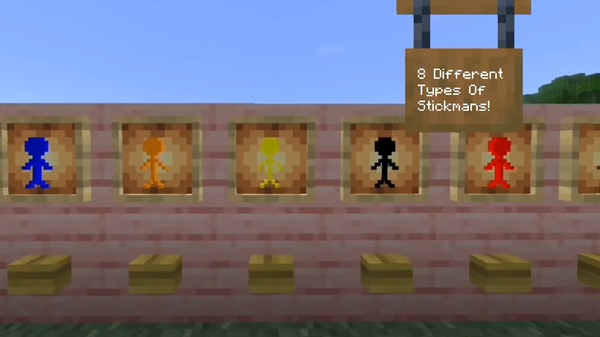
Designed with MCPE and Bedrock players in mind, the Stickman Morph Addon is easy to install, smooth on mobile devices, and perfect for players who enjoy visual customization, roleplay, or casual multiplayer sessions. You don’t need advanced knowledge or extra tools—just activate the addon and enjoy a new look for your character.
What Is the Stickman Morph Addon?
At its core, the Stickman Morph Addon is a player morph addon that focuses on appearance rather than gameplay mechanics. Before diving into how it works or how to install it, it’s important to understand what this addon is—and what it is not.
The Stickman Morph Addon changes your player’s model and shape into a stickman-style design. It does not modify survival difficulty, combat rules, or world generation. Everything you already know about Minecraft Bedrock remains the same, except how your character looks and feels visually.
This makes the addon especially suitable for:
-
MCPE players who want a fresh visual style
-
Roleplay worlds where character identity matters
-
Mini-games and social worlds
-
Creative testing and casual gameplay
Because it focuses on visuals only, the addon remains stable and mobile-friendly.
Key Features
This section highlights what makes the Stickman Morph Addon worth trying. Each feature is designed to improve visual variety while keeping performance smooth on Bedrock devices.
-
Slim stickman player model that replaces the default character shape
-
Multiple color options, allowing players to customize their appearance
-
Smooth animations that follow standard Minecraft movement
-
Multiplayer-friendly, suitable for shared worlds and servers
-
Creative Mode support for easy testing and access
-
Optional Survival Mode usage, depending on configuration
-
Lightweight design, optimized for MCPE performance
Together, these features make the addon simple to use while still feeling unique.
How the Stickman Morph Works In-Game
Once the addon is active, the morph system becomes available inside your world. This section explains how the transformation works during actual gameplay.
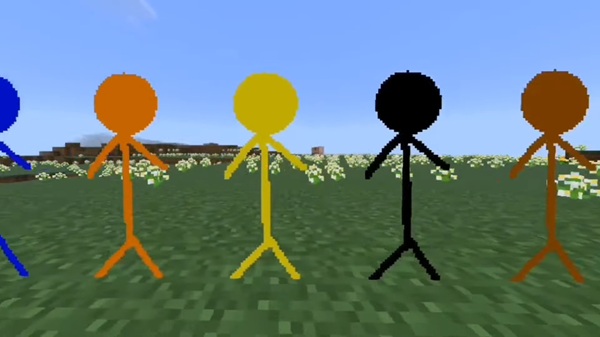
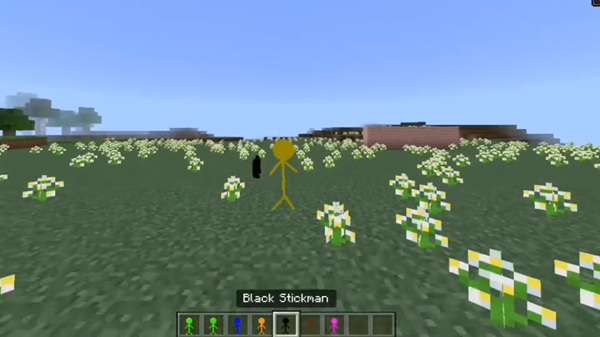
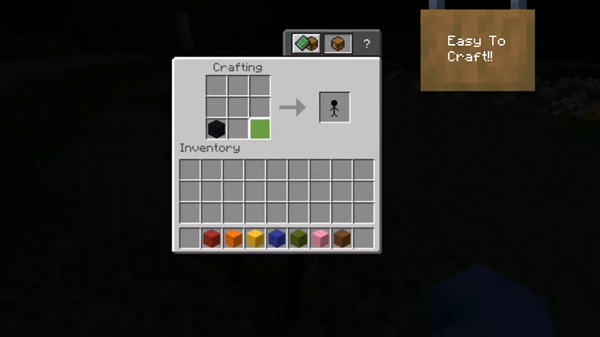
Players receive access to special Stickman morph items. When you use one of these items, your character instantly changes into a stickman. The transformation is visual and clear, making it easy to confirm that the addon is working correctly.
Key points to know:
-
The morph happens instantly when the item is used
-
Movement, jumping, and interactions remain smooth
-
Animations are based on default Bedrock behavior
-
A reset or unmorph option lets you return to normal
In Creative Mode, all morph items are available directly. In Survival Mode, players may need to obtain the morph item through crafting or gameplay, depending on how the addon is set up.
Best Ways to Use This Addon
The Stickman Morph Addon shines when used creatively or socially. This section helps you imagine how it fits into real MCPE play sessions.
Popular use cases include:
-
Mini-games like Hide & Seek or tag-style activities
-
Roleplay worlds with different characters or groups
-
Multiplayer sessions using color-based stickman teams
-
Creative builds where visual identity adds immersion
Because the addon doesn’t affect game rules, it blends naturally into almost any Bedrock world without disrupting balance.
Activating Resource & Behavior Packs
After importing:
-
Open your world settings
-
Activate the Resource Pack
-
Activate the Behavior Pack
Both packs must be enabled in the same world.
Required Experimental Settings
Because this addon uses custom player models, experimental features are required:
-
Enable Holiday Creator Features
-
Enable Molang Features
-
Turning on all experimental toggles is recommended
These settings allow the stickman model to display correctly.
Entering the World and Finding the Morph Items
Once inside the world:
-
Open the Creative Inventory
-
Search for “Stickman”
-
Select a morph item or color variant
-
Use the item to transform
If your character changes shape, the addon is working as intended.
Compatibility & Requirements
Before long-term use, it’s helpful to review compatibility details:
-
Minecraft Version: Bedrock Edition 1.21 or newer
-
Platforms: MCPE, Windows Bedrock, consoles via Realms
-
Conflicts: Other player-model addons may cause issues
Avoid using multiple morph addons in the same world for best results.
Helpful Tips for Players
To get the best experience:
-
Test the addon in Creative Mode first
-
Back up your world before enabling experiments
-
Avoid mixing with other character-model addons
-
Restart the world if the morph doesn’t apply
-
Performance remains stable even on low-end mobile devices
These small steps help prevent common issues.
Download & Final Notes
The Stickman Morph Addon is a simple, creative way to change how your character looks in Minecraft Bedrock Edition. It focuses on visual style, ease of use, and MCPE-friendly performance, making it ideal for casual players, roleplayers, and multiplayer groups.
Activate the addon, step into your world, and enjoy becoming a slim stickman in Minecraft.
How to Install on MCPE / Bedrock
Installing addons on MCPE can be confusing for new players, so this section walks you through the process step by step. Taking a few minutes here ensures everything works correctly.
Supported Devices Before Installation
Before installing, make sure you’re playing on a supported platform:
-
Android phones and tablets
-
iOS devices (iPhone and iPad)
-
Windows 10 / 11 Bedrock Edition
-
Consoles through Realms or hosted servers
Downloading the Stickman Morph Addon File
The Stickman Morph Addon is provided as a .mcpack or .mcaddon file.
-
Download the file from a trusted source
-
No third-party apps are required
-
Wait until the file finishes downloading
Importing the Addon Into Minecraft
-
Tap the downloaded file
-
Minecraft will open automatically
-
Look for “Import Started” and “Import Successful” messages
If Minecraft does not open, you can manually choose Minecraft when opening the file.











