
Talking Ben 1.21+
The Talking Ben Addon adds a fun, interactive character to Minecraft Bedrock Edition, giving MCPE players a casual and creative way to bring personality, humor, and interaction into their worlds.
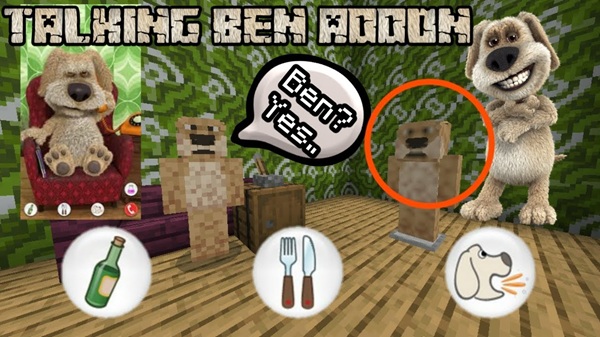
Talking Ben Addon – Interactive Fun for Bedrock Worlds
The Talking Ben Addon brings a well-known, humorous character into Minecraft Bedrock Edition, adding interaction, personality, and light entertainment to your world. Designed specifically for MCPE and Bedrock players, this addon focuses on fun and creativity rather than complex mechanics or intense survival gameplay.
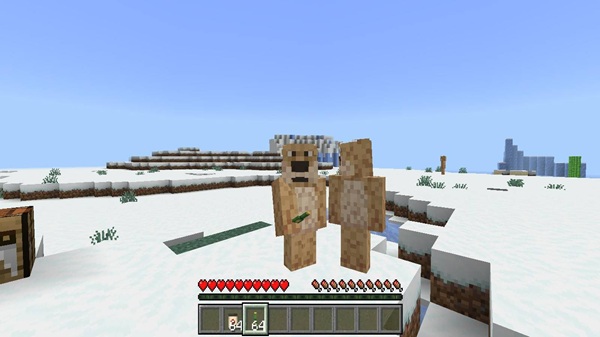
If you enjoy Minecraft addons that add character-based interactions, casual features, and creative possibilities, the Talking Ben Addon fits naturally into your playstyle. It works smoothly on mobile devices and is easy to understand, making it suitable for a wide range of players.
Meet Talking Ben: A Fun Interactive Character
Every good addon starts with a clear idea, and this one centers around a single character. Before diving into features, it helps to understand who Talking Ben is and how he fits into your Minecraft world.
Talking Ben is a custom in-game character designed to interact with you in a friendly, non-hostile way. He does not replace existing mobs or change how survival works. Instead, he adds a playful presence that makes your world feel more alive.
You can use Talking Ben in different ways, depending on how you play:
-
As a companion character in your base
-
As a decorative NPC for creative builds
-
As a roleplay or story element in custom worlds
Because his behavior is designed to be approachable, Talking Ben works well for solo play, multiplayer worlds, and family-friendly environments.
Main Features at a Glance
This section highlights what the Talking Ben Addon actually adds to Minecraft Bedrock Edition. Each feature is designed to enhance interaction and creativity without overwhelming the player.
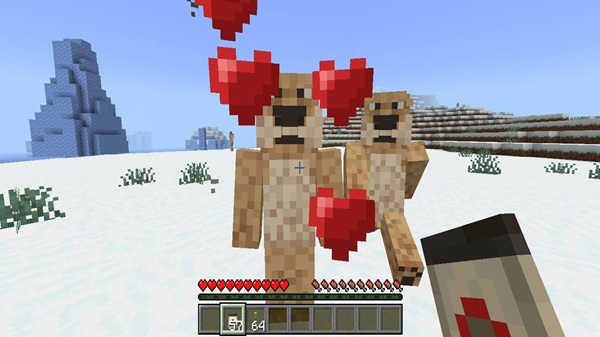
Interactive Talking Ben Character
The core feature of the Talking Ben Addon is the interactive character itself. Talking Ben behaves differently from standard mobs, focusing on interaction rather than combat. His presence adds personality and makes your world feel less empty, especially in creative or roleplay-focused maps.
Special Items and Fun Enhancements
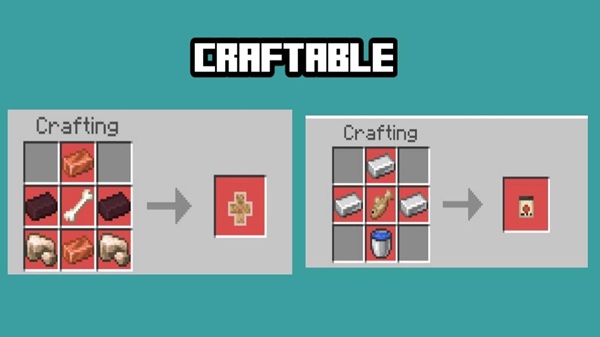
Alongside the character, the addon includes special in-game items that expand how you interact with Talking Ben and your environment. These items are optional and meant for experimentation. They do not force changes to normal Minecraft gameplay unless you choose to use them.
Everything functions entirely within the game and is designed to support casual and creative playstyles.
Casual-Friendly Gameplay Mechanics
The Talking Ben Addon avoids complicated systems. You do not need advanced knowledge of commands, redstone, or technical settings to enjoy it. Mechanics are simple, clear, and easy to use, which makes the addon especially appealing for MCPE players who prefer relaxed gameplay sessions.
Creative and Roleplay Potential
This addon shines in creative environments. Builders and storytellers can use Talking Ben as:
-
A character in roleplay worlds
-
A centerpiece in themed builds
-
A fun detail that adds life to custom maps
If you enjoy creating stories or unique environments, Talking Ben becomes more than just a mob—he becomes part of your world’s identity.
Optional Experimental Features
Some parts of the Talking Ben Addon may require experimental gameplay settings. These features are optional, and the main character works without them. Enabling experiments unlocks the full experience, but it’s best to do this in a new or test world to keep everything stable.

How the Addon Feels to Play
Understanding how an addon feels during actual gameplay matters more than technical details. This section focuses on the experience you can expect.
The Talking Ben Addon feels light, playful, and stress-free. It encourages creativity instead of pressure and works well for short sessions or longer creative projects. On MCPE, where many players prefer quick and enjoyable gameplay, this addon fits naturally.
You’ll likely notice:
-
Exploration without constant danger
-
More personality in your world
-
Fun interactions during solo or multiplayer play
Compatibility & Requirements
Before installing, it’s important to confirm that your device and game version are supported.
-
Minecraft Versions: Bedrock Edition 1.19.10 and newer
-
Supported Platforms:
-
Android (MCPE)
-
iOS / iPadOS
-
Windows 10 / 11 Bedrock Edition
-
-
Experimental Features: Optional but recommended
The Talking Ben Addon is lightweight and performs well on most mobile devices. To maintain smooth gameplay, avoid running many heavy addons at the same time.
Tips for the Best Experience
A few small adjustments can help you get the most out of this addon:
-
Use Creative mode or casual Survival gameplay
-
Avoid combining it with addons that heavily modify mobs
-
Back up your world before enabling experimental features
-
Adjust graphics settings on lower-end devices
-
Test the addon on its own before adding others
Who This Addon Is For
The Talking Ben Addon is best suited for:
-
Casual MCPE players
-
Creative builders
-
Roleplay and storytelling fans
-
Younger players and families
-
Anyone who enjoys character-based addons
Players focused on hardcore survival or competitive gameplay may find this addon less relevant.
Final Thoughts
The Talking Ben Addon – Interactive Fun for Bedrock Worlds focuses on what many MCPE players value most: simplicity, creativity, and enjoyment. By adding a friendly interactive character and optional enhancements, it improves the Minecraft experience without complicating it.
If you want to add personality and light humor to your Bedrock or MCPE world, the Talking Ben Addon is a solid and enjoyable choice.
How to Install on MCPE / Bedrock
Installing the Talking Ben Addon follows the standard process used by most Bedrock addons. No extra tools or advanced steps are required.
-
Download the
.mcaddonfile -
Open the file to import it into Minecraft
-
Create a new world or edit an existing one
-
Activate the Behavior Pack (and Resource Pack if included)
-
Enable Experimental Features if prompted
-
Start the world and play
Using a fresh world is recommended, especially when enabling experiments.











