
The Bloodbath 1.21+
The Bloodbath Addon transforms Minecraft Bedrock into a survival-horror challenge with terrifying entities, immersive effects, and thrilling gameplay.
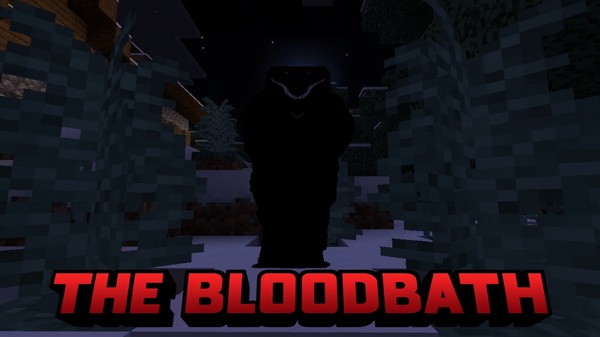
The Bloodbath Addon Turns Darkness Into Survival Horror
Minecraft Bedrock Edition (MCPE) usually offers creativity, exploration, and lighthearted survival. But with The Bloodbath Addon, the game takes a dramatic turn. Darkness becomes more than just the absence of light—it becomes a threat. This addon introduces horror-inspired entities and atmospheric mechanics that push players into true survival-horror territory.
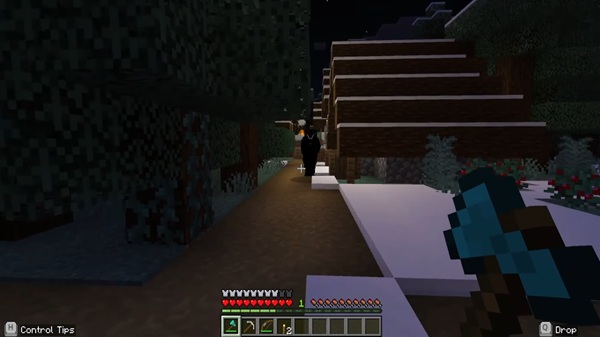
Every addon adds something new, but The Bloodbath Addon stands out because of its chilling mechanics and immersive design. Let’s look at what makes it unique.
- Bloodbath: A mysterious figure that hunts silently in low-light areas. Its attack applies a draining effect, forcing you to act fast.
- Bloodbath Godzilla: A towering kaiju-like boss that emerges after certain conditions. Its stomps and roars reshape the battlefield, leaving no place truly safe.
- Both entities thrive in the dark, especially underground or during storms.
- They pursue players relentlessly with advanced pathfinding.
- Bloodbath inflicts a custom Bleeding effect, while Godzilla’s stomps cause knockback and environmental destruction.
- Heartbeat cues intensify as an enemy gets closer.
- Custom footsteps, shrieks, and roars amplify tension.
- Crimson particle trails highlight their movements, giving you both warning and dread.
- Nights and caves become genuinely threatening.
- Survival demands better strategies: healing items, safe shelters, and constant awareness.
- Every adventure feels different, raising the replay value for seasoned players.
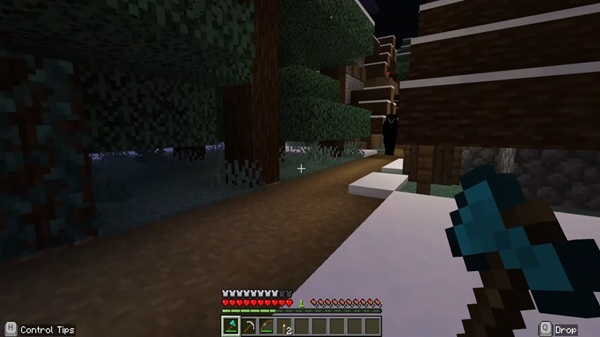
This addon doesn’t just add mobs—it changes how you approach Minecraft. Here’s how it plays out once installed.
-
Spawn Rules: Bloodbath spawns in areas with light level ≤7. Godzilla has a rare spawn chance in caves or thunderstorms.
-
Hunting Behavior: Both entities track across terrain, even following you through caves or open areas.
-
Combat Effects:
- Bloodbath’s melee attack triggers a draining effect lasting several seconds.
- Godzilla delivers knockback stomps that damage both players and blocks.
-
Player Cues: Listen for rising heartbeats and watch for crimson trails—these are signals that danger is near.
Before jumping in, make sure your game and device are ready.
- Supported Versions: Works with Minecraft 1.20 through 1.21.55.
- Platforms: Compatible with Android, iOS, and Windows 10/11 Bedrock.
- Requirements: Experimental Gameplay toggle is necessary.
- Performance Tips: Mid-to-high-end devices handle it best. On lower-end phones, reduce render distance if you notice lag.
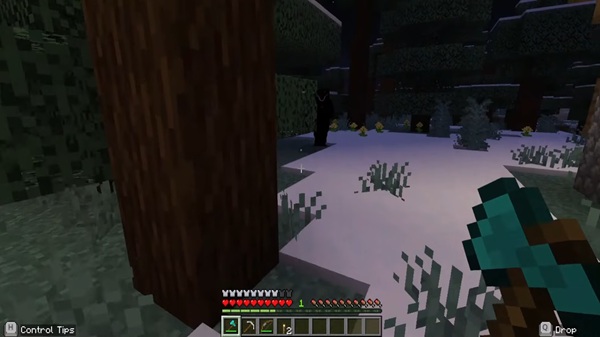
Facing these entities is not easy. Here are practical strategies to help you stay alive.
- Light Up Your Base: Keep interiors bright (light level 10+) to block spawns.
- Carry Healing Items: Potions and regeneration gear counter the draining effect.
- Mark Cave Paths: Use campfires or redstone lamps to avoid ambushes.
- Play With Friends: Multiplayer survival makes encounters less overwhelming.
- Containment Builds: Advanced players can construct piston-door chambers to safely observe Godzilla.
So why should you try it? The answer lies in what it adds to your gameplay experience.
- Suspenseful Atmosphere: Darkness feels threatening, not empty.
- For Horror Fans: Perfect for players who enjoy survival-horror experiences.
- Ideal for Creators: Great for streamers and YouTubers who want thrilling content.
- Replay Value: Unpredictable encounters ensure no two nights are the same.
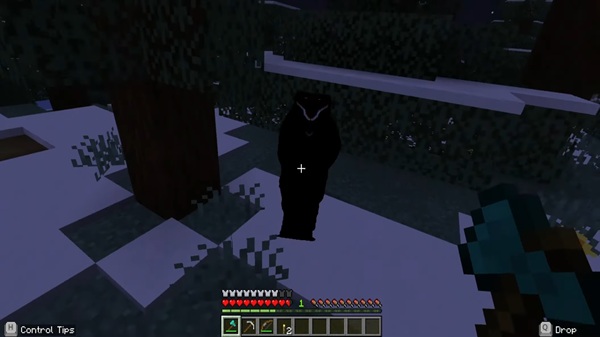
The Bloodbath Addon redefines what it means to survive in Minecraft Bedrock Edition. By combining chilling new entities, immersive effects, and relentless danger, it turns ordinary darkness into a suspenseful, horror-driven experience. Whether you play solo or with friends, this addon will test your survival instincts in ways vanilla Minecraft never could.
Installation Guide for MCPE
Adding The Bloodbath Addon to your world is simple, even for beginners.
- Download the Addon: Get the
.mcaddonfile compatible with your MCPE version. - Import Into Minecraft: Tap the file, and MCPE will import it into Global Resources.
- Enable Experimental Gameplay: In your world’s settings, activate this option under Game Rules.
- Activate Packs: Turn on both the Behavior Pack and Resource Pack.
- Play: Launch the world, and the entities will spawn naturally.











