
Transform Into Baby 1.21+
The Transform Into Baby Addon lets you experience Minecraft at baby scale by changing your player size and perspective. Designed for MCPE and Bedrock Edition, this addon is perfect for creative gameplay, roleplay worlds, and players who want to explore Minecraft from a fresh, playful point of view.
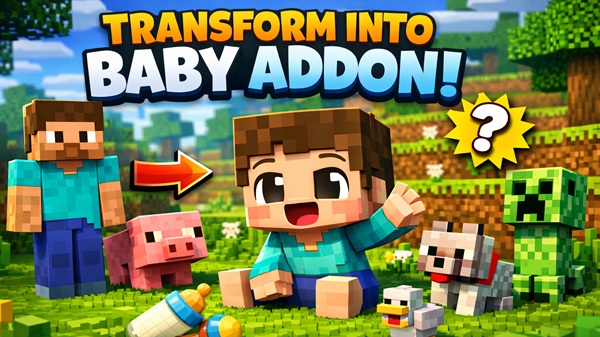
Transform Into Baby Addon – Play Minecraft at Baby Scale
The Transform Into Baby Addon offers a fresh way to enjoy Minecraft by letting you experience the game at baby scale. Instead of modifying blocks or mobs, this addon focuses on the player itself—your size, your viewpoint, and how you interact with the world. Built specifically for Minecraft PE and Bedrock Edition, it works smoothly on mobile devices and other Bedrock platforms without adding unnecessary complexity.
If you enjoy creative gameplay, roleplay scenarios, or simply want Minecraft to feel different again, the Transform Into Baby Addon delivers a playful yet practical experience that fits naturally into everyday MCPE worlds.
What Does “Baby Scale” Mean in Gameplay?
Before diving into features, it’s important to understand what “baby scale” actually changes. This section explains how shrinking your character affects the way Minecraft looks and feels, especially on mobile screens.
Smaller Player Size and Perspective
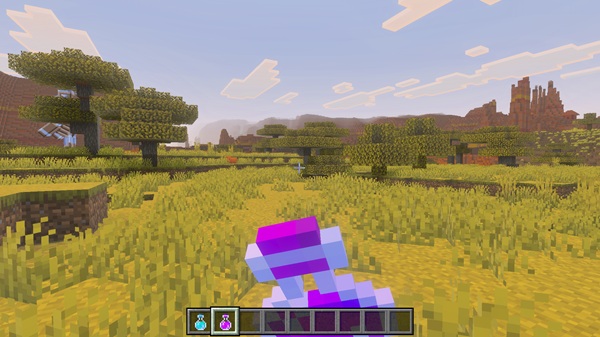
When you activate the Transform Into Baby Addon, your character becomes noticeably smaller. This lowers the camera height and changes your perspective. Blocks appear taller, doors feel larger, and spaces you once walked through now feel more detailed. On MCPE, where screen size matters, this shift is immediately visible and easy to appreciate.
Movement and Exploration at Baby Scale
A smaller player size changes how you explore. Tight areas become easier to access, and familiar builds feel new when viewed from closer to the ground. You may find yourself slowing down, paying more attention to details you previously ignored, such as stair height, furniture placement, or block textures.
How Baby Scale Changes the Minecraft Experience
Playing at baby scale encourages creativity over efficiency. Many players use this addon to:
-
Revisit old worlds from a new angle
-
Focus on storytelling instead of progression
-
Enjoy Minecraft in a calmer, more playful way
This subtle change often makes long-running worlds feel fresh again.
Gameplay Modes Where Baby Scale Feels Best
The Transform Into Baby Addon fits naturally into several play styles:
-
Creative Mode for exploration and building experiments
-
Roleplay worlds focused on family, town, or story-based gameplay
-
Casual survival for players who want variety without altering core mechanics
Visual Appeal for MCPE Players
On mobile devices, visual clarity matters. The size change is obvious without being distracting, making the addon enjoyable even for short play sessions.
Key Features of Transform Into Baby Addon
This section highlights what you actually get when using the addon, keeping the focus on practical benefits rather than technical details.
-
Player transformation into baby-sized scale
-
Noticeable camera and viewpoint adjustment
-
Compatible with creative and survival modes
-
Designed for roleplay and casual gameplay
-
Lightweight performance for MCPE devices
-
Simple activation with minimal setup
These features make the Transform Into Baby Addon accessible to both younger players and long-time Bedrock users.
How the Addon Works In-Game
Once installed and enabled, the addon integrates smoothly into your world. This section explains what happens during gameplay without overwhelming you with mechanics.
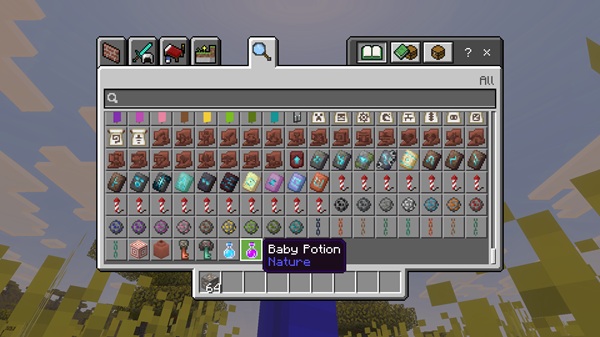
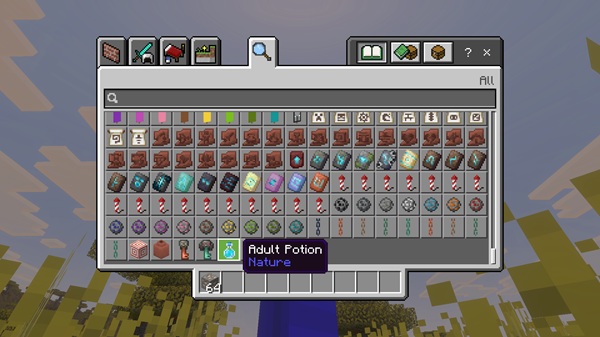
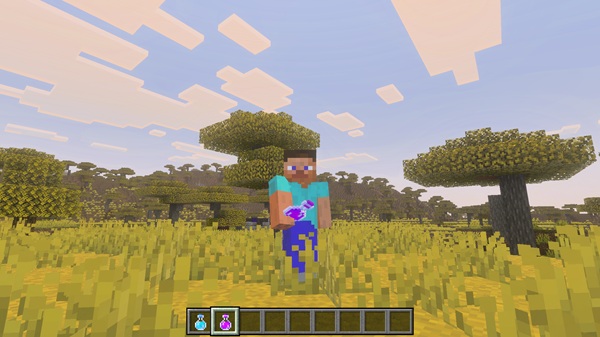
Players activate baby mode using the method provided by the addon, such as a command or a special item. After activation:
-
Your character instantly becomes smaller
-
The camera adjusts to match the new scale
-
Gameplay continues normally, just from a different perspective
Some versions allow switching back to normal size, which makes the addon flexible for different situations. You don’t need to manage settings constantly—the design stays simple and user-friendly.
Creative & Roleplay Ideas
The Transform Into Baby Addon truly shines when used creatively. This section explores how players often use it beyond basic gameplay.
-
Family or town roleplay: Play as a baby character in story-driven worlds
-
Exploration builds: Revisit houses, cities, or castles at a smaller scale
-
Creative design: Build rooms or paths designed for baby-sized movement
-
Multiplayer moments: Create playful scenarios with friends
-
Content creation: Capture screenshots or short clips with a unique viewpoint
These uses make the addon more than a novelty—it becomes a storytelling and creativity tool.
Compatibility & Requirements
To avoid confusion, here’s a clear overview of where the addon works best.
Supported platforms:
-
Android (MCPE)
-
iOS (iPhone and iPad)
-
Windows 10/11 (Bedrock Edition)
-
Bedrock-based consoles
Recommended version:
-
Minecraft Bedrock 1.19 or newer
Additional notes:
-
Experimental features may be required
-
Updated versions offer the best stability
The addon is optimized for performance and runs well on most modern devices.
Helpful Tips for Best Experience
A few small tips can help you get more out of the Transform Into Baby Addon.
-
Test it in a creative world before survival use
-
Back up important worlds
-
Combine it with roleplay or creative maps
-
Keep experimental options enabled if required
-
Treat it as a fun gameplay variation, not a challenge mod
Final Thoughts
The Transform Into Baby Addon – Play Minecraft at Baby Scale adds variety to Minecraft PE without changing what makes the game familiar. By adjusting player size and perspective, it encourages creativity, storytelling, and exploration in a natural way.
If you enjoy roleplay, creative building, or simply seeing Minecraft from a new point of view, the Transform Into Baby Addon fits perfectly into your MCPE experience.
How to Install on MCPE (Bedrock Edition)
Installation is straightforward, even if you’re new to addons. This section keeps instructions clear and mobile-focused.
-
Download the addon file (
.mcaddonor.mcpack) -
Open the file and choose Minecraft to import it
-
Open World Settings
-
Enable both the Behavior Pack and Resource Pack
-
Turn on Experimental Gameplay if required
-
Enter the world and activate the addon in-game
The process works smoothly on Android and iOS devices.











