Tree Capitator Plus 1.21+
Tree Capitator Plus Addon is a smart, survival-friendly Minecraft Bedrock addon that lets you harvest entire trees with control and precision. Designed for MCPE players, it improves wood gathering without breaking game balance.
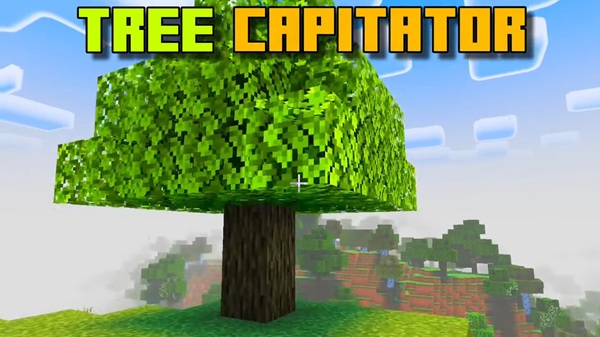
Tree Capitator Plus Addon – Smart, Controlled Tree Harvesting
If you play Minecraft Pocket Edition regularly, you already know that gathering wood can feel more tiring than it should. Tall trees, awkward camera angles, and repeated tapping make a simple task slow—especially during short play sessions. This is where Tree Capitator Plus Addon makes a real difference.
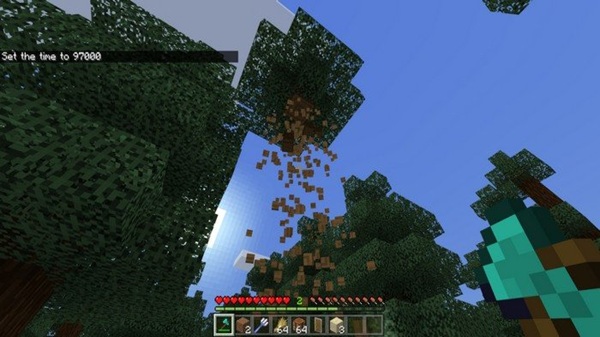
Designed specifically for Bedrock and MCPE players, Tree Capitator Plus Addon improves tree harvesting in a smart, controlled, and survival-friendly way. Instead of changing how Minecraft works, it refines the experience, helping you gather resources faster while keeping full control over your world.
What Is Tree Capitator Plus Addon?
Before diving into features, it helps to understand what this addon is meant to do—and what it is not.
Tree Capitator Plus Addon is a Minecraft Bedrock Edition addon that allows you to harvest an entire tree by breaking a single log, but only when you choose to activate it. It is designed for survival mode and respects core mechanics such as tools, durability, and player intent.
Rather than feeling like a shortcut, the addon fits naturally into regular gameplay. You still use axes, still manage resources, and still decide when to harvest trees efficiently.
Core Features That Make It “Smart and Controlled”
This section explains how Tree Capitator Plus Addon delivers efficiency without chaos. Each feature is designed to give you more control, not less.
Sneak-Based Activation for Precise Control
The addon activates only when you crouch. This small detail has a big impact, especially on MCPE. Touch controls make accidental actions common, and sneak-based activation ensures that trees are harvested only when you intend it.
This means your base trees, farms, and decorative areas stay safe unless you decide otherwise.
One-Action Full Tree Harvesting
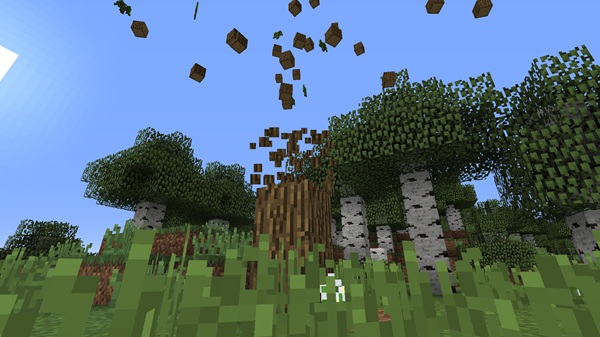
When activated, breaking one log harvests all connected logs in the tree. The addon recognizes natural tree structures and processes them cleanly, preventing floating blocks or incomplete results.
Small trees fall instantly, while larger ones—like jungle or dark oak—are handled reliably.
Survival-Balanced Tool Durability
Tree Capitator Plus Addon does not ignore tool durability. Your axe loses durability based on the number of logs harvested, similar to mining each log manually.
This keeps survival progression meaningful and encourages you to upgrade tools naturally.
Works with All Axe Types
You can use any axe, from wooden to netherite. Most custom axes from other addons also work, giving you flexibility without forcing specific tools.
Support for All Vanilla Tree Types
The addon supports all standard Minecraft trees, including oak, birch, spruce, acacia, jungle, and dark oak. Behavior remains consistent across biomes and world types.
Optional In-Game Configuration Options
Some versions include simple configuration options that let you adjust how the addon behaves. These options help you tailor the experience to your playstyle without complicated menus.
Optimized for Mobile and Low-End Devices
Performance matters on MCPE. Tree Capitator Plus Addon is optimized to reduce lag and handle large trees efficiently, even on mid-range or older devices.
How It Works In-Game (MCPE Focus)
Understanding how the addon works in practice helps you use it effectively from the start.
Using Tree Capitator Plus Addon is simple:
-
Equip an axe
-
Crouch using the sneak button
-
Break a log from the tree
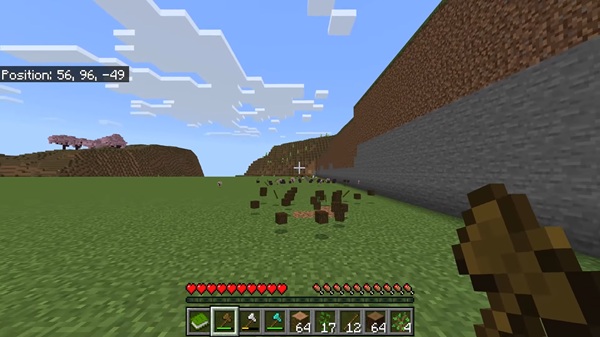
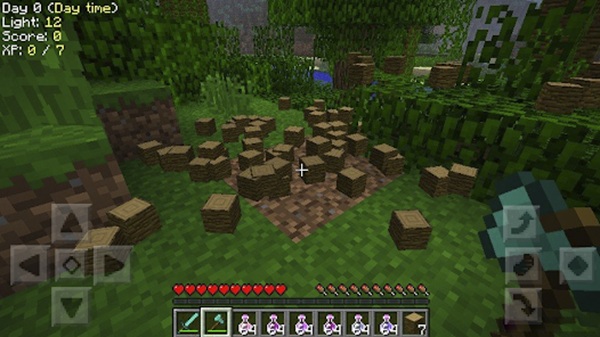
When activated correctly, the entire tree is harvested in one action. This workflow reduces repeated tapping and camera movement, making wood gathering more comfortable on mobile screens.
Why This Addon Is Ideal for MCPE Players
This addon addresses common MCPE frustrations without overcomplicating gameplay.
Key benefits include:
-
Less repetitive tapping
-
Fewer camera adjustments
-
Faster resource gathering during short sessions
-
Reduced mistakes caused by touch controls
By focusing on intention and control, Tree Capitator Plus Addon improves pacing while keeping Minecraft familiar.
Compatibility and Performance
Compatibility is important when running multiple addons, especially on MCPE.
Tree Capitator Plus Addon supports:
-
Modern Minecraft Bedrock versions
-
Mobile devices, PC, consoles, and Realms
It works well alongside other addons and does not modify core game systems. Performance remains stable in both singleplayer and multiplayer worlds.
Tips for Best Results
A few practical tips can help you get the most out of the addon:
-
Use higher-tier axes for large forests
-
Carry spare tools during long harvesting sessions
-
Combine with storage or backpack addons
-
Always crouch before harvesting to maintain control
These small habits make the experience smoother and more predictable.
Who Should Use Tree Capitator Plus Addon?
This addon is well suited for:
-
Survival builders who need large amounts of wood
-
Casual MCPE players with limited playtime
-
Multiplayer and Realm users
-
Players who prefer balanced utility addons
If you enjoy improving efficiency without breaking immersion, this addon fits naturally into your world.
Final Thoughts
Tree Capitator Plus Addon delivers exactly what it promises: smart, controlled tree harvesting designed for Minecraft Bedrock Edition and MCPE. It saves time, respects survival mechanics, and feels comfortable on mobile devices.
If you want a cleaner, more efficient way to gather wood—without turning Minecraft into something it’s not—Tree Capitator Plus Addon is a reliable addition to your survival toolkit.
Installation Guide for Minecraft Bedrock Edition
Getting started with Tree Capitator Plus Addon is straightforward, even if you’re new to addons.
Basic steps:
-
Import the addon file into Minecraft
-
Enable the behavior pack in your world settings
-
Activate experimental features if required
The addon works on Android, iOS, and Windows Bedrock Edition. No commands or advanced setup are needed.