
Tuff Golem Concept 1.21+
Discover Asa’s One Piece Addon, a feature-packed MCPE addon inspired by the world of One Piece. Explore new abilities, characters, and adventure-ready content designed to bring anime-style gameplay into your Minecraft Bedrock world.
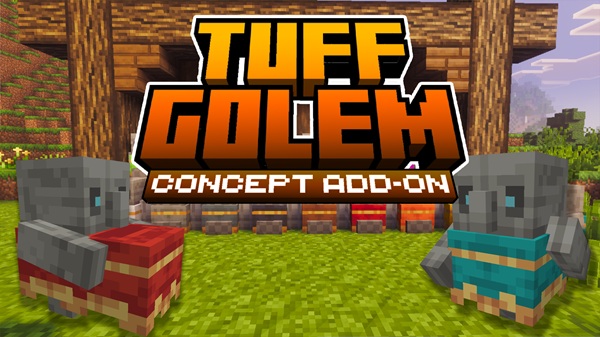
Tuff Golem Concept Addon – Create Colorful Living Statues
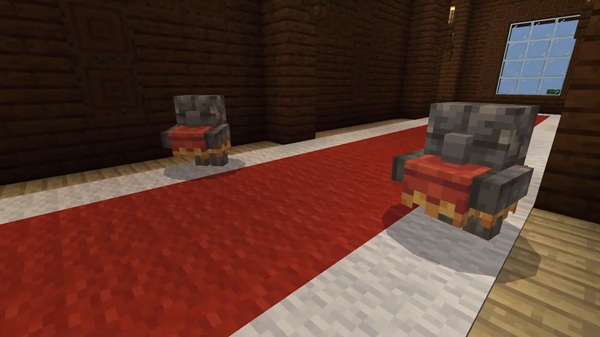
The Tuff Golem Concept Addon brings a creative and decorative twist to Minecraft Bedrock Edition, turning a fan-favorite concept into a useful tool for builders who love adding personality to their worlds. With simple mechanics, customizable colors, and a unique statue system, this addon lets you create your own collection of Colorful Living Statues—perfect for base decoration, item display, and themed builds across MCPE.
Key Features of the Tuff Golem Concept Addon
This addon mixes creativity with simplicity, giving you new ways to decorate your world without changing core gameplay.
Carpet Customization
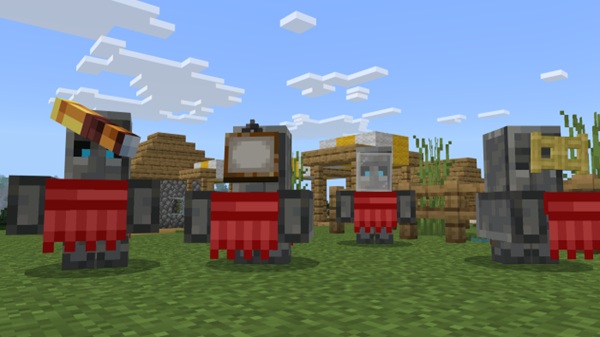
You can dress each Tuff Golem using any carpet color. Because carpets act as “clothing,” you can create matching sets for biomes, bases, or themed rooms. There are 16 color options, making it easy to build your own gallery of personalized golems.
Item Display Ability
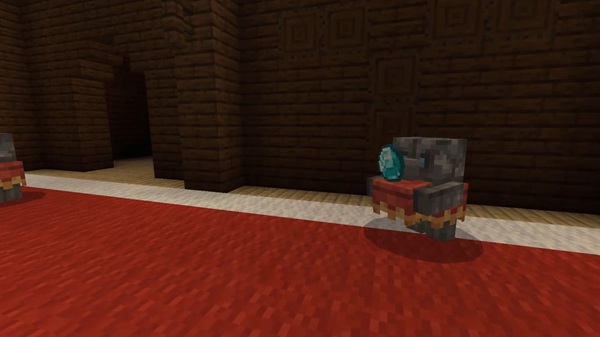
Once your golem is dressed, it can hold and display items. This works like a walking item frame and is great for showcasing tools, potions, enchanted items, or collectibles around your base.
Living Statue Behavior
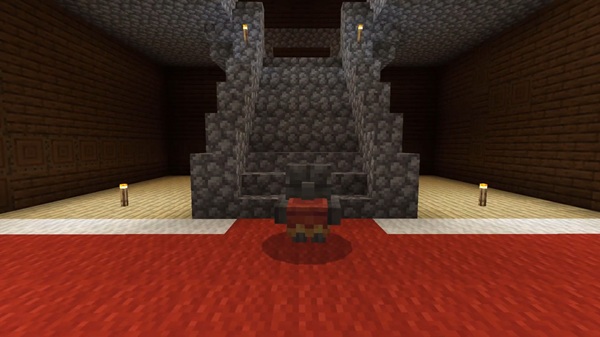
Tuff Golems naturally transition between sitting, wandering, and statue-like stillness. This subtle animation cycle gives your builds a calm, living atmosphere without crowding your world.
Statue Transformation System
By using honeycomb, you can convert any Tuff Golem into a permanent statue block. These statues keep their carpet colors and can be moved anywhere—ideal for builders who love decorative hallways, gardens, and themed interiors.
Simple Spawning
Just place a Tuff Block and top it with a Carved Pumpkin. The golem instantly appears, ready to be customized.
How to Create Colorful Living Statues in MCPE
This section covers the full Tuff Golem workflow—spawning, dressing, transforming, and creatively using your new living statues.
How to Spawn a Tuff Golem
Spawning follows classic golem rules:
-
Place a Tuff Block
-
Add a Carved Pumpkin on top
The golem appears in a calm statue-like pose, ready for customization.
Dressing Your Tuff Golem With Carpets
To customize:
-
Interact with the golem while holding any carpet color
-
The outfit updates instantly
-
Use Shears while sneaking to remove the carpet
Carpet colors aren’t just cosmetic—they unlock item-holding behavior.
Enabling Item-Holding Mode
A dressed golem will:
-
Pick up nearby dropped items
-
Display one item at a time on its cloth
-
Act as a decorative item holder
This feature is perfect for storage rooms, trophy halls, or adventure builds.
Converting Your Golem Into a Statue
To create a permanent statue:
-
Sneak + interact with Honeycomb
-
The golem becomes a solid statue block
-
Statues retain color and pose
These blocks can be mined and placed anywhere.
Restoring Life to a Statue
To revert a statue:
-
Sneak + interact with any Axe
-
The statue returns to its active form
This makes your decorations highly flexible.
Creative Ways to Use Living Statues
Try using Tuff Golems in:
-
Color-themed statue gardens
-
Fantasy builds with magical guardians
-
Museum-style rooms for trophies
-
Base entrances or hallways
-
Map builds that need decorative characters
Behavior and In-Game Mechanics
The Tuff Golem’s behavior is simple and decorative:
-
Starts as a statue
-
Wakes up and wanders slowly
-
Picks up items only when dressed
-
Sits down and eventually returns to a statue-like state
Their passive nature makes them ideal for peaceful MCPE worlds.
Compatibility & Performance
-
Best on MCPE 1.20–1.21+
-
Supports Android, iOS, Windows, Xbox, and PlayStation
-
Very lightweight; ideal for most devices
-
Works in multiplayer if everyone installs the addon
Tips, Tricks, and Best Practices
-
Spread out statues for smoother performance
-
Match carpet colors to your build themes
-
Use lighting to highlight statues
-
Always back up your world before activating experiments
Conclusion
The Tuff Golem Concept Addon adds creativity, charm, and customization to Minecraft Bedrock. Whether you're decorating a base, showcasing rare items, or creating themed statue gardens, these golems bring personality to every build. If you enjoy creative building, visual storytelling, or just want more life in your world, this addon is a must-try.
Installation Guide for MCPE (Bedrock Edition)
Importing the Tuff Golem Concept Addon is quick and mobile-friendly.
Installing on Android & iOS
-
Download the
.mcaddonfile -
Tap it via your file manager
-
Minecraft opens and imports it automatically
-
Enable both packs in world settings
Installing on Windows 10/11
-
Download the
.mcaddon -
Double-click to import
-
Activate packs when editing your world
Required Settings
Before loading your world:
-
Enable Experimental Features as required
-
Activate both Resource Pack and Behavior Pack
-
A world copy may be created automatically











