Ukraine Road Signs 1.21+
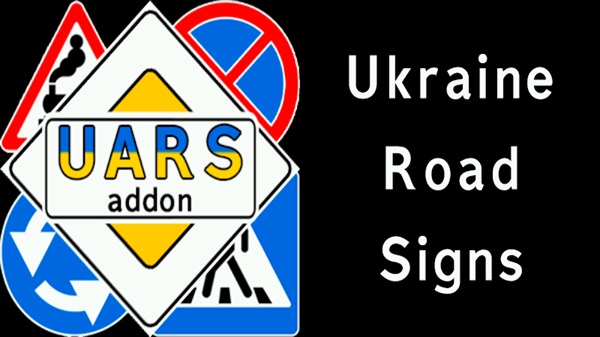
The Ukraine Road Signs Addon adds high-detail, realistic road signs to Minecraft Bedrock, helping you build believable cities, highways, and urban environments with smooth performance on MCPE.
Ukraine Road Signs Addon – High-Detail Signs for Real Cities
Building realistic cities in Minecraft Bedrock is all about the details. You can have perfectly paved roads, towering skyscrapers, and well-planned districts, but without accurate road signage, your urban creations can still feel incomplete. That’s where the Ukraine Road Signs Addon comes in. Designed specifically for MCPE, this addon introduces high-detail, authentic Ukrainian road signs, adding both functionality and visual depth to your cityscapes.
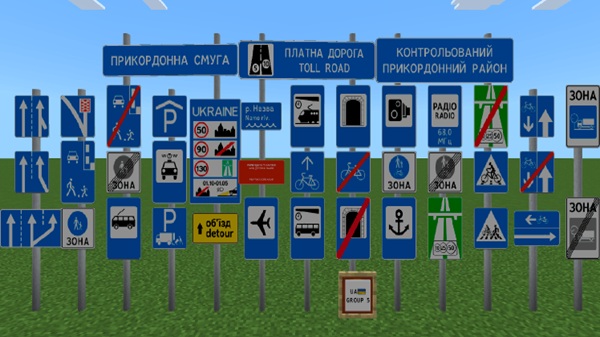
Whether you’re crafting sprawling metropolises or small town streets, the Ukraine Road Signs Addon ensures that every road feels purposeful, guiding players and adding a layer of realism that elevates your builds.
Key Features & Visual Quality
The first thing you’ll notice about the Ukraine Road Signs Addon is its dedication to realistic design. Unlike generic road decorations, this addon uses 3D models to bring road signs to life in Minecraft.
Before diving into how the addon works, it’s worth highlighting the features that make these signs stand out and why they’re perfect for mobile and Bedrock environments.
Key Features:
-
High-detail 3D models that add depth to roads and intersections
-
Readable textures that remain sharp from various distances
-
Realistic proportions that fit well on sidewalks, highways, and urban streets
-
Optimized performance for mobile devices, avoiding lag during large builds
By focusing on visual accuracy and performance, the addon allows you to create immersive, realistic cityscapes without sacrificing gameplay fluidity.
How the Addon Works in MCPE
Understanding how the Ukraine Road Signs Addon functions in-game is essential before you start placing signs. It’s designed to be intuitive for both survival and creative players.
Let’s explore the mechanics behind these signs, including placement, rotation, and organization, so you can seamlessly integrate them into your city designs.
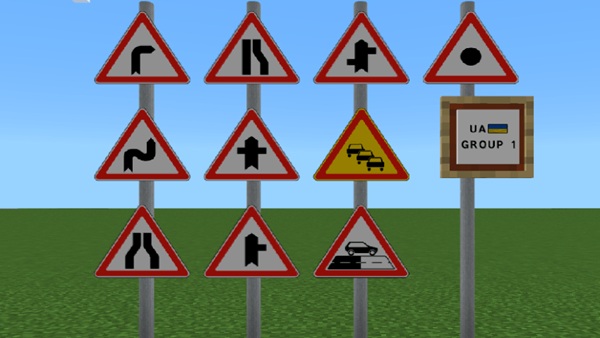
Block-Based Sign System (Mobile-Friendly Design)
-
Signs are implemented as blocks, not entities.
-
Blocks don’t despawn or move, even when chunks reload.
-
This ensures stable performance, especially on mobile devices.
Survival vs Creative Mode Usage
-
Survival Mode: Access signs through a structured system for organized building.
-
Creative Mode: Quickly select and place signs for experimentation or large-scale projects.
Sign Selection & Organization
-
Signs are grouped by category to avoid inventory clutter.
-
Efficient access makes it easier to place multiple signs quickly.
Placement & Rotation Behavior
-
Signs face the player automatically when placed.
-
Multiple rotation angles support straight and diagonal roads.
-
Easy alignment at intersections and curves reduces trial-and-error placement.
Poles, Mounts, and Placement Logic
-
Ground placement automatically adds poles.
-
Wall-mounted signs adapt to the surrounding block.
-
Ensures that signage looks intentional, not random.
Stability in Large City Builds
-
Works efficiently in worlds with hundreds of signs.
-
No lag or performance drops when placed across multiple chunks.
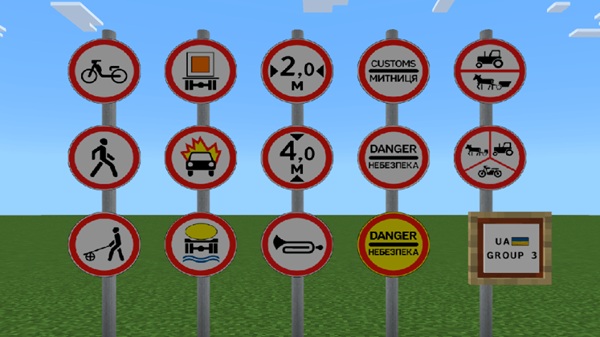
Compatibility & Performance
Performance and compatibility are critical for large urban projects, especially on mobile devices.
-
Minecraft Version: Bedrock Edition 1.20 and newer
-
Supported Devices: Android, iOS, Windows 10/11
-
Performance: Optimized for mobile devices and large cities
Because signs are block-based and well-optimized, the addon is suitable for long-term builds without compromising speed or stability. Low-end devices may require moderate placement density for the smoothest performance.
Building Tips for Realistic Cities
To get the most out of the Ukraine Road Signs Addon, consider how signs integrate into your city layout and guide player movement.
Tips:
-
Use roads 3–5 blocks wide or more for proper sign scale.
-
Place signs strategically rather than randomly for realistic navigation.
-
Combine with sidewalks, asphalt, and road addons for cohesive streetscapes.
-
Plan intersections and curves in advance to align signs naturally.
Thoughtful placement transforms signs from mere decoration into functional city elements.
Important Notes & Best Practices
Before expanding your city, keep a few best practices in mind to protect your builds and maintain functionality.
-
Always back up your world before installing or removing addons.
-
Removing the addon may result in missing signs.
-
If signs appear incorrectly, check pack activation and experimental settings.
-
Update carefully when new addon versions are released.
Following these steps ensures a smooth and stable building experience.

Final Thoughts
The Ukraine Road Signs Addon is more than decorative—it’s a tool for city builders, designed for realism, stability, and MCPE optimization. By integrating high-detail signage, your roads gain purpose, your cities feel alive, and your urban projects reach a professional level of polish.
Whether you’re building for solo survival, multiplayer servers, or roleplay, this addon offers both visual depth and functional design, making it an essential addition to any modern Minecraft Bedrock world.
Installation Guide (MCPE / Bedrock)
Installing the Ukraine Road Signs Addon is straightforward, but following the correct order ensures everything works properly.
Steps:
-
Import the addon files into Minecraft PE or Bedrock Edition.
-
Activate the behavior and resource packs in your world settings.
-
Enable necessary experimental features for custom blocks.
-
Enter your world and verify that the signs are available in Creative or via the structured selection system.
Following this process avoids common setup issues and ensures all signs appear as intended.