
Unbreakable Items 1.21+
The Unbreakable Items Addon gives you permanent, reliable tools, weapons, and armor in MCPE. If you're tired of gear breaking during survival or long adventures, this addon delivers a simple, stress-free way to play with equipment that lasts forever.
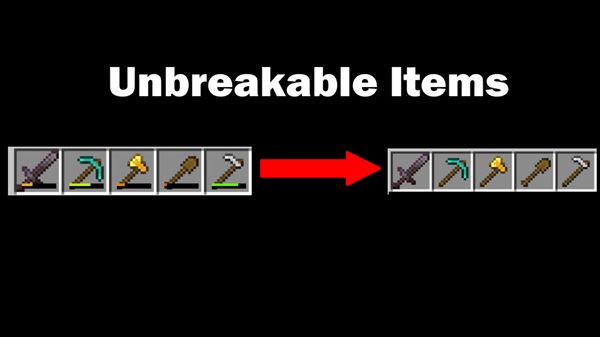
Unbreakable Items Addon – Tools You Can Trust Forever
Minecraft Bedrock Edition gives you endless freedom to explore, build, and survive—but durability can easily interrupt that flow. When a tool breaks during a mining run or a weapon shatters mid-battle, it disrupts everything. The Unbreakable Items Addon removes that limitation by turning all default tools, weapons, and armor into long-lasting, reliable gear you can use permanently. If you’re looking for smoother survival gameplay or a more relaxed MCPE experience, this addon instantly upgrades the way you play.
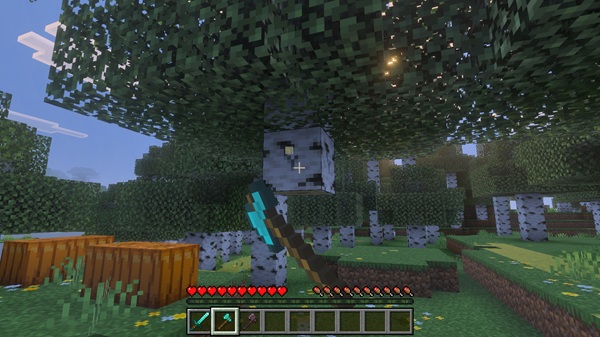
Introduction – Tools You Can Truly Trust in MCPE
Before exploring the details, it’s helpful to understand why durability affects so many parts of your MCPE world. This section introduces the problem and sets the stage for how the Unbreakable Items Addon transforms your experience.
Durability is designed to challenge players—but in Bedrock Edition, especially on mobile, it often feels like an unnecessary hassle. Gear breaks quickly, repairing items requires resources, and managing durability becomes another task that slows you down. The Unbreakable Items Addon removes that friction completely. By giving you tools and armor that never wear out, the addon keeps your adventure moving without constant interruptions or repairs.
Key Features of the Unbreakable Items Addon
These core features show what makes the addon effective, simple, and reliable. Each improvement is designed to fit naturally into survival gameplay while staying true to vanilla Minecraft.
Complete Removal of Durability Loss
All items that normally wear down—pickaxes, swords, armor, and more—become permanently unbreakable. Their durability never drops, no matter how long you use them.
Survival-Friendly Functionality
You can use unbreakable gear in standard survival without cheats, commands, or special settings.
Supports All Default MCPE Tools and Armor
This includes:
-
Pickaxes, axes, shovels, hoes
-
Swords, tridents, bows, crossbows
-
Shields, shears, fishing rods
-
All armor sets
If it normally has durability, this addon protects it.
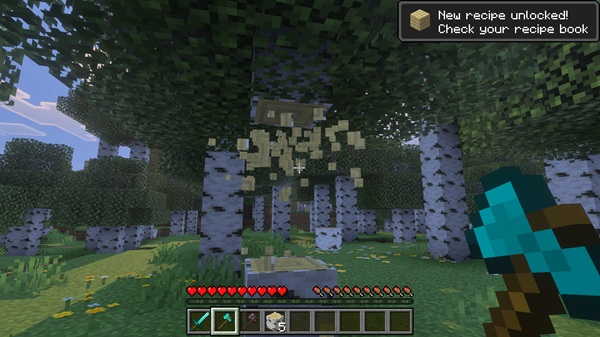
No Crafting Changes Needed
Recipes stay the same as vanilla Minecraft. You craft items normally—only durability behavior changes.
Lightweight and Optimized for Mobile
Designed for smooth performance on all MCPE devices, including low-end Android phones.
Enchantment Compatible
Enchantments like Efficiency, Fortune, Sharpness, and Protection still work normally, giving you powerful gear that lasts forever.
Multiplayer-Safe and Vanilla-Friendly
Worlds feel unchanged, and the addon works in multiplayer as long as all players enable it.
How the Addon Improves Your Gameplay Experience
This section highlights the real benefits you feel during play—the improvements that make MCPE smoother, easier, and more enjoyable.
Build With Confidence
Large builds take time and materials. With unbreakable tools, you can gather resources nonstop without returning home for repairs.
Explore Freely
Long-distance exploration becomes easier when your gear stays reliable during cave trips, biome hunting, or underwater adventures.
Stress-Free Survival
You won’t worry about losing your pickaxe or sword at the worst moment. This keeps your focus on fun, not maintenance.
Perfect for Kids and New Players
Younger players often struggle with repairing tools. Unbreakable gear simplifies survival and keeps gameplay enjoyable.
Ideal for Multiplayer Worlds
Everyone gets dependable tools, creating a fair and frustration-free experience.
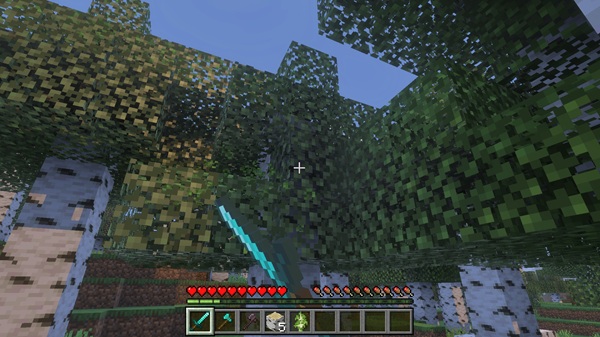
What Items Become Unbreakable?
Here’s a quick reference for players who want to know exactly what’s affected.
-
Pickaxes
-
Axes
-
Shovels
-
Hoes
-
Swords
-
Tridents
-
Bows and crossbows
-
Shields
-
Shears
-
Fishing rods
-
Full armor sets
All items behave the same way as before—just without durability loss.
Compatibility Overview
The Unbreakable Items Addon is designed to work smoothly across many devices and MCPE versions.
Supported Versions
-
Minecraft Bedrock 1.21+
-
Many older versions may also work, depending on updates
Compatible Devices
-
Android
-
iOS / iPadOS
-
Windows 10/11
Addon Stacking
Works with most addons, except those that modify durability or tool behavior.
Best Use Cases & Player Types
Different players benefit in different ways. Here’s where you’ll notice the biggest improvements.
-
Builders: endless resource gathering
-
Explorers: long, uninterrupted adventure sessions
-
Survival players: no more crafting multiple backup tools
-
Kids & beginners: easier learning curve
-
Multiplayer players: consistent tools for everyone
-
Low-end device users: smoother gameplay with fewer interruptions
Tips to Get the Most Out of the Addon
These simple tips help you maximize the value of the Unbreakable Items Addon.
-
Pair it with quality-of-life addons (like backpacks or mining helpers).
-
Use enchantments to further boost performance.
-
Experiment with tool tiers—stone or iron tools can carry you for the whole game.
-
Back up your worlds before adding any new addon.
-
Encourage all players on your server or realm to enable it for consistency.
Final Thoughts – Why These Tools Deserve Your Trust Forever
The Unbreakable Items Addon removes one of the biggest hurdles in survival gameplay: durability. With permanent tools and armor, your MCPE worlds become smoother, more reliable, and more enjoyable. Whether you're building giant structures, exploring distant biomes, or helping younger players learn the game, unbreakable gear keeps your adventure flowing from start to finish. It truly delivers what the name promises—tools you can trust forever.
Installation Guide for MCPE (Bedrock Edition)
Installing the Unbreakable Items Addon is straightforward, and the steps are similar across devices.
How to Install on Mobile (Android / iOS)
-
Download the .mcaddon file.
-
Open your file manager and tap the file.
-
Minecraft will launch and begin importing.
-
Wait for the “Import Successful” message.
-
Enable the addon in Behavior Packs.
-
Start your world and enjoy unbreakable tools.
How to Install on Windows 10/11
-
Download the .mcaddon file.
-
Double-click it to open Minecraft.
-
Enable the addon in your world settings.











