
V40DU Auto 1.21+
The V40DU Auto Addon transforms Minecraft Bedrock (MCPE) with a classic van built for adventure, teamwork, and creativity. Drive together, store supplies, and explore your world in retro style.
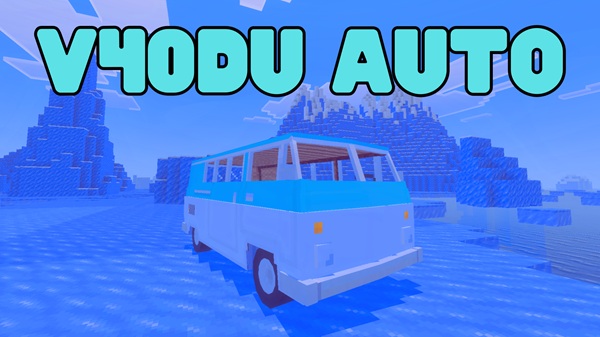
V40DU Auto Addon – A Timeless Van for Every Adventure
If you’ve ever wanted to explore Minecraft with style, the V40DU Auto Addon turns that dream into reality.
Designed for Minecraft Bedrock Edition (MCPE), this addon introduces a retro-inspired van that perfectly blends nostalgic charm with practical features. Whether you’re a creative builder, a survival explorer, or someone who simply enjoys multiplayer adventures, the V40DU van makes every journey smoother, brighter, and more personal.
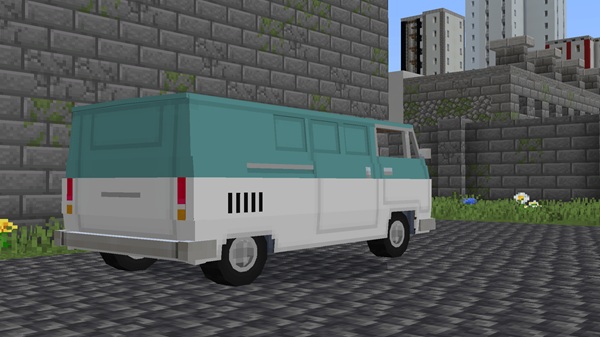
More than just transport, this addon represents freedom, teamwork, and creativity — all the reasons you fell in love with Minecraft in the first place.
Main Features – Classic Design Meets Modern Gameplay
The V40DU Auto Addon captures the essence of a 70s road trip van and gives it new life inside Minecraft. Below are the core features that make it stand out from ordinary vehicle addons.
Travel together in style. The van supports up to four players, allowing you to share adventures, run roleplay missions, or simply enjoy sightseeing across your worlds. It’s made for co-op fun — because the best journeys are shared.
Never worry about limited inventory again. The V40DU includes a 32-slot cargo system that functions like a mobile chest. Perfect for survival players who move between bases or transport materials during big builds.
Keep your van running with ease. The V40DU can be repaired using common resources such as iron, gold, copper, or netherite, so you’ll never be stranded. This feature ensures balanced gameplay for both new and experienced players.
Enjoy immersive driving. Authentic Iron Golem–based engine sounds and stable movement make driving feel natural on both mobile and console. You’ll feel the rhythm of the road without the lag or stiffness often found in other vehicle mods.
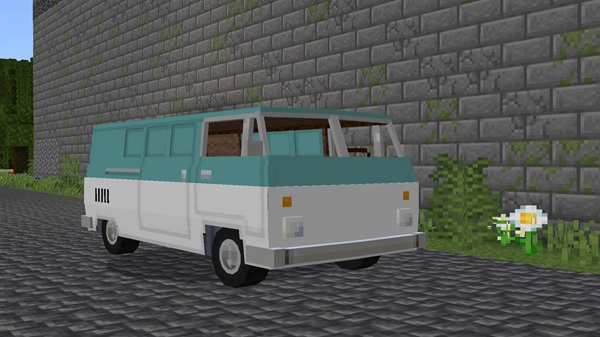
The developer has confirmed that color customization and skin variants are planned for future updates. Soon, you’ll be able to match your van to your world’s theme — from city builds to beach trips.
How It Works In-Game – Drive, Explore, and Create Memories
The V40DU Auto Addon is easy to use, even for players new to vehicle addons.
After installing it, you can spawn your van using two simple methods:
-
Command:
/summon v40du_auto -
Spawn Egg: craft or find it in your creative inventory.
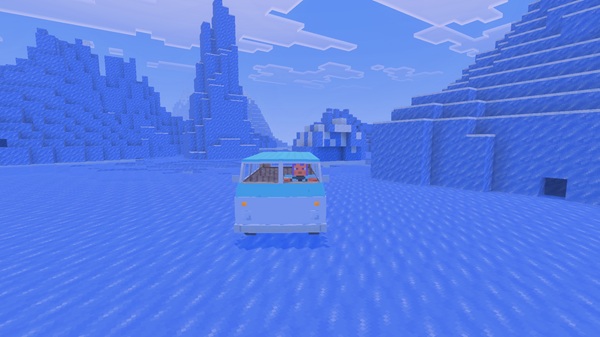
Once spawned, right-click or tap to enter. The van handles smoothly across roads, plains, and custom maps. Bring your friends along, store your supplies, and let your world feel alive with motion. It’s more than transportation — it’s a story waiting to be written.
Compatibility – Built for Every Device and Player
The V40DU Auto Addon is optimized for all major Bedrock platforms, ensuring seamless gameplay and stable performance.
| Platform | Support Status |
|---|---|
| Android / iOS | ✅ Fully supported |
| Windows 10/11 | ✅ Supported |
| Xbox / PlayStation / Switch | ✅ Supported |
| Realms | ⚠️ Requires matching version for all players |
Recommended: at least 2GB RAM for consistent performance.
Tested on Minecraft Bedrock 1.20 – 1.21, the addon runs efficiently even with moderate texture or shader packs enabled.
Best Ways to Enjoy the V40DU Auto Addon
From survival players to city builders, everyone finds their own reason to love this addon.
Use the van to decorate urban builds, coastal resorts, or festival maps. It brings energy and realism to your creations.
Transform travel into exploration. Use the storage feature for long expeditions or transport between distant bases.
Set up road trips, racing events, or delivery missions. The V40DU’s friendly aesthetic fits perfectly in community servers or co-op sessions.
Performance & Optimization Tips
Keep your gameplay smooth and lag-free with these quick tips:
- Disable unused addons when driving multiple vehicles.
- Lower render distance on older devices.
- Avoid filling all 32 slots with heavy items on low-end phones.
- Save your world frequently during long-distance travel.
A well-optimized setup ensures both stability and immersion during your journey.
Final Thoughts – Drive, Explore, and Remember the Journey
The V40DU Auto Addon captures everything that makes Minecraft Bedrock magical — freedom, creativity, and connection.
Its combination of classic design, functional engineering, and multiplayer charm turns simple travel into unforgettable storytelling.
Whether you’re exploring a sunrise desert, cruising a custom city, or roleplaying with friends, the V40DU makes every block feel like an open highway.
Start your next adventure — and let your world move with you.
Installation Guide – Simple Setup for MCPE Players
- Download the
.mcaddonfile for Minecraft Bedrock 1.20 or higher. - Open it with Minecraft — it will import automatically.
- In your World Settings, enable Experimental Features (Holiday Creator, Molang, Beta APIs).
- Activate both the Behavior Pack and Resource Pack for V40DU Auto.
- Load your world, and start driving!
Tip: Back up your world before enabling experiments to keep achievements intact.











