
View FPS 1.21+
The View FPS Addon gives Minecraft Bedrock players a real-time FPS counter on screen, making performance easier to understand and optimize. Track frame rate instantly while exploring, building, or testing packs and enjoy smoother gameplay based on clear data.

View FPS Addon – Ultimate Real-Time Frame Monitor
Smooth gameplay is a big deal for anyone who plays Minecraft Bedrock Edition. Whether you’re exploring survival worlds, testing shaders, building farms, or fighting in multiplayer, how fast your game renders frames can change everything. The View FPS Addon makes performance visible in real time by showing your frame rate (FPS) directly on-screen. It doesn’t change gameplay, affect achievements, or slow your device—its only job is to help you understand how well Minecraft is running.
What Is View FPS Addon?
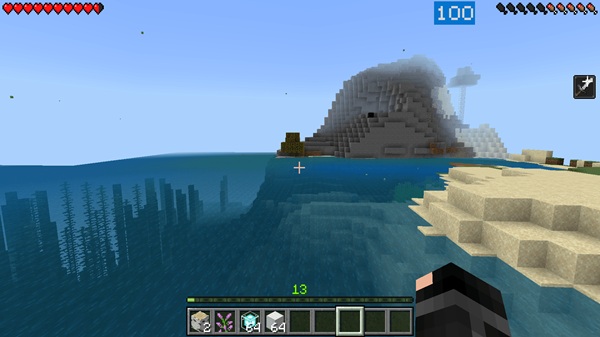
The View FPS Addon is a lightweight HUD tool that adds a small real-time FPS counter to your Minecraft screen. It updates constantly, showing how smoothly your device is drawing each frame. You don’t need advanced knowledge to understand the indicator—just watch the number rise and fall based on what’s happening in your world.
This addon doesn’t modify gameplay, items, or controls. Instead, it works like a simple and reliable monitor. You get useful information instantly, which helps you decide how to play and what settings to adjust. If you’ve ever wondered whether lag comes from your device, your settings, or your world, this tool gives you clarity.
Why FPS Monitoring Matters for MCPE Players
It’s easier to improve performance when you know what’s slowing you down. The View FPS Addon gives you real numbers to work with. Below, you’ll see how it helps different players and devices.
Understanding FPS and Smooth Gameplay
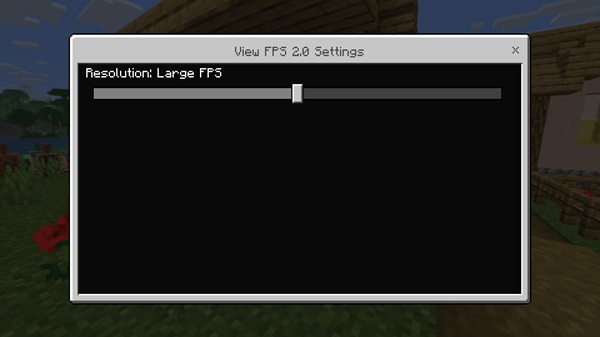
FPS (frames per second) measures how many “pictures” your device shows each second. More frames mean smoother motion and faster response. You’ll feel the difference:
| FPS Level | Gameplay Feel |
|---|---|
| 20 FPS | Playable but noticeably slow |
| 30 FPS | Comfortable for most players |
| 60+ FPS | Smooth and ideal for fast gameplay |
Seeing your FPS live helps you recognize when performance drops and why.
Performance Differences Across Devices
Not all devices work the same. For example:
-
Mobile phones may lag when they heat up or run too many apps.
-
Tablets sometimes struggle with large worlds or dense builds.
-
Windows and consoles benefit from FPS data to check if lag comes from settings or hardware.
With this addon, you can watch how your device reacts to chunks loading, texture packs, or long gaming sessions.
When FPS Drops Impact MCPE Most
Lag often shows up during:
-
Terrain exploration
-
Mob farm activity
-
Redstone automation
-
Multiplayer events
-
Heavy shaders and textures
The View FPS Addon makes these problem spots easy to identify.
How a Real-Time Monitor Helps Players Fix Issues
Instead of guessing, you instantly see the effects of:
-
Lower render distance
-
Turning off particles or fancy graphics
-
Removing heavy textures
-
Adjusting simulation distance
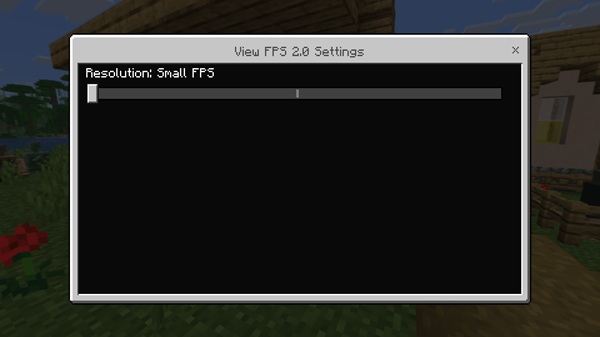
You can also tell whether lag comes from your world or the server you’re connected to.
Who Gains the Most From FPS Tracking
This addon is useful for:
-
Players on low-end devices
-
Redstone builders and farm designers
-
Shader and resource pack testers
-
Realm owners and content creators
If smooth gameplay matters to you, live FPS data is a practical advantage.
Core Features of the Ultimate Real-Time Frame Monitor
-
Live FPS counter with constant updates
-
No gameplay changes and achievement-safe
-
Works in Survival, Creative, Realms, and Servers
-
Compatible with shaders, UI packs, and resource packs
-
Small overlay design that avoids blocking the screen
-
Low performance impact so it won’t cause lag
This addon acts like a professional monitoring tool inside Minecraft Bedrock.
How View FPS Addon Improves Gameplay Experience
The View FPS Addon helps you make smarter adjustments. You immediately see what helps your device run smoothly. This makes your game feel better, especially when:
-
Moving through busy areas
-
Running complex builds
-
Using custom resource packs
Instead of guessing, you optimize with confidence.
Compatibility & Device Tips
-
Works on Android, iOS, Windows, Xbox, PlayStation, Switch
-
Best with Minecraft 1.20+
-
Tracks performance; it does not boost FPS
-
To stabilize FPS on mobile:
-
Close unused apps
-
Lower render distance
-
Keep your device cool
-
Recommended Settings After Installing the FPS Monitor
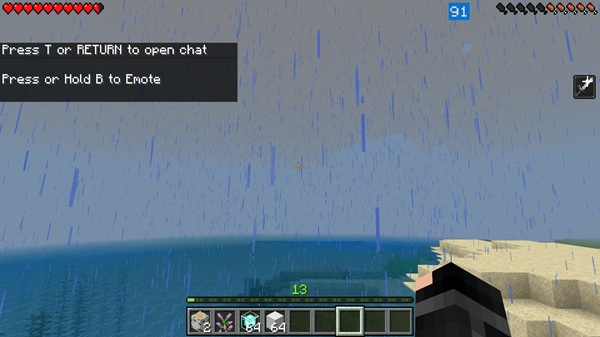
To improve performance while watching your FPS:
-
Lower render distance
-
Reduce simulation distance
-
Turn off fancy leaves, particles, and beautiful skies
-
Compare shaders and textures in real time
-
Test builds gradually to avoid performance-heavy mistakes
Final Value Summary
The View FPS Addon empowers you to play smarter. With instant performance data, you make better decisions, reduce lag, and enjoy smoother gameplay. It’s simple, accurate, and designed to support every kind of Bedrock player—from casual explorers to Redstone engineers.
If you want more control, better settings, and clearer gameplay, this addon gives you the tools you need without changing how you play—only how well you play.
Installation Guide for MCPE Devices
-
Download the addon (.mcpack or .mcaddon).
-
Open the file to import it into Minecraft.
-
Go to Settings → Global Resources.
-
Activate the View FPS Addon.
-
Load a world and the FPS monitor will appear.
If the display doesn’t show, enable GameTest Framework in Experimental Features to load UI elements correctly.
No behavior pack is required.











