
Warblocks Warthunder 1.21+
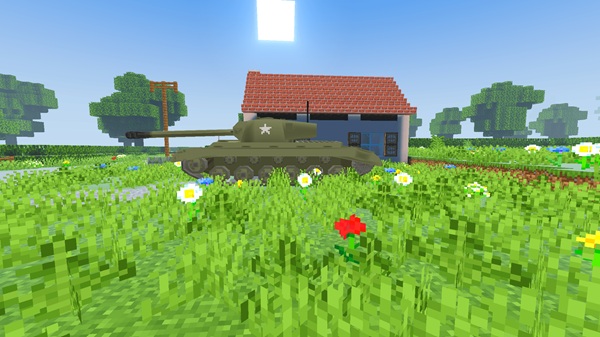
The Warblocks Warthunder Addon brings a tactical vehicle experience to Minecraft Bedrock (MCPE), focusing on strategic movement, vehicle control, and structured gameplay for solo and multiplayer worlds.
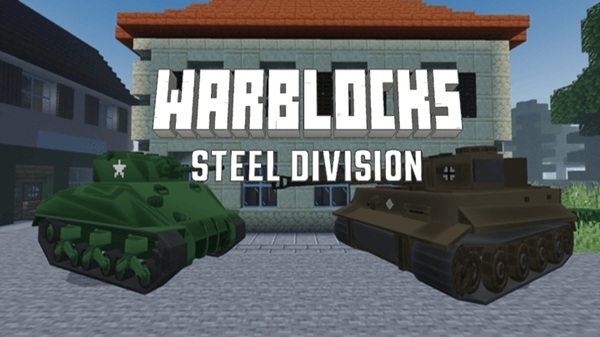
Warblocks Warthunder Addon – Tactical Vehicle Experience
The Warblocks Warthunder Addon is a Minecraft Bedrock (MCPE) addon built for players who want deeper, more intentional gameplay. Instead of fast and unpredictable action, it introduces a tactical vehicle experience where planning, positioning, and control matter.
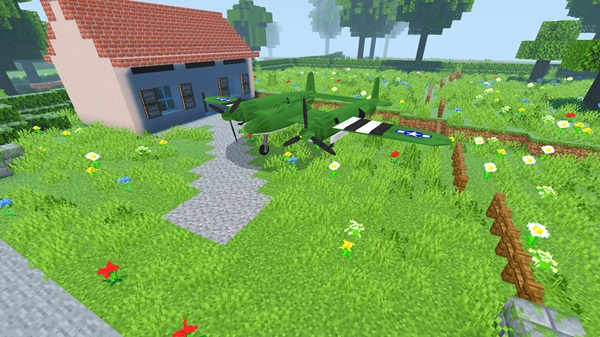
If you enjoy vehicle addons, military-style mechanics, or structured gameplay in Minecraft Bedrock Edition, this addon offers a refreshing change. It places vehicles at the center of your world and encourages you to think before you move, turn, or engage.
Core Gameplay Experience
At the heart of the Warblocks Warthunder Addon is a noticeable shift in how Minecraft feels to play. This section explains how vehicles change the rhythm of the game and why that matters for MCPE players.
How Vehicles Change Minecraft Gameplay
Vehicles replace the usual run-and-jump style of Minecraft. Instead of quick movement, you control large machines that respond slowly and deliberately. Every action feels intentional, and mistakes are easier to notice. This change alone gives your world a new identity.
Tactical Movement and Positioning
Terrain becomes important. Open areas, roads, and cover directly affect how effective you are. Poor positioning can limit your options, while smart placement gives you control over the situation.
Decision-Making Over Speed
Speed is no longer the main advantage. You must decide when to advance, when to stop, and when to reposition. The addon rewards patience and awareness rather than quick reactions.
Weight, Control, and Vehicle Feel
Vehicles feel heavy. Acceleration is slower, turns require space, and stopping takes time. This creates a grounded experience that works surprisingly well on MCPE once you adjust.
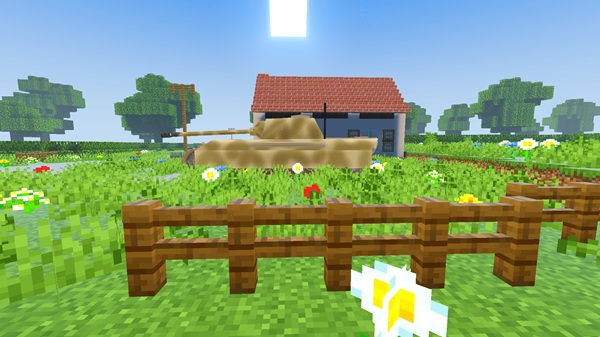
Player Skill Progression
The more you play, the better you get. Mastery comes from learning movement limits, understanding angles, and staying calm under pressure.
Solo vs Multiplayer Experience
Solo play lets you experiment and learn at your own pace. Multiplayer adds coordination and teamwork, making the tactical depth more rewarding when played with others.
Vehicle Systems & Mechanics
To support this experience, the Warblocks Warthunder Addon uses several simple but effective systems. These mechanics work together to slow the game down and encourage thoughtful play.
-
Weight-based movement limits sharp turns and sudden stops
-
Camera-based controls allow natural aiming and interaction
-
Directional impact mechanics reward good positioning
-
Reload timing adds pacing and risk
Each system is easy to understand but meaningful in practice, even for players new to vehicle addons.
Playing on MCPE: Controls & Performance
Because this addon is designed for Bedrock Edition, mobile performance and controls matter. This section focuses on what you can expect on MCPE devices.
Control Experience
The addon supports touch controls, controllers, and keyboard input. On mobile, it may take a short adjustment period, but controls feel consistent once learned. Small sensitivity tweaks can make a big difference.
Performance Considerations
Performance depends on your device:
-
High-end phones and tablets handle multiple vehicles smoothly
-
Lower-end devices benefit from reduced render distance
-
Adjusting graphics settings improves stability
The addon runs best when your settings match your device’s limits.
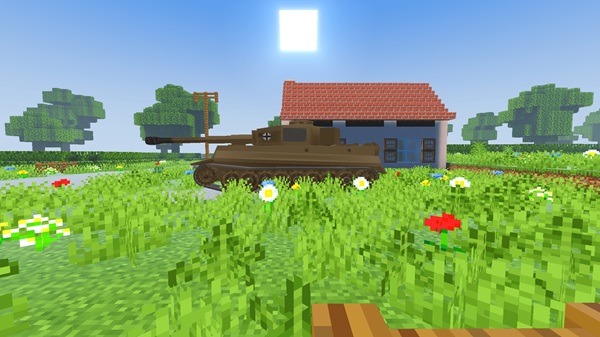
Singleplayer & Multiplayer Use
The Warblocks Warthunder Addon adapts well to different playstyles. Whether you play alone or with others, it offers useful flexibility.
Singleplayer
Singleplayer is ideal for learning controls, testing vehicles, and understanding movement. There is no pressure, making it a good starting point.
Multiplayer & Realms
Multiplayer highlights teamwork and coordination. The addon works well on Realms, especially when resource packs are forced. Agreed rules help keep sessions balanced and enjoyable.
Compatibility & Requirements
Before installing, it helps to know what the addon supports.
-
Minecraft Version: Newer Bedrock versions recommended
-
Platforms: Android, iOS, Windows 10/11, consoles
-
Multiplayer: Supported, including Realms
-
Performance: Multiple vehicles may affect low-end devices
Keeping Minecraft updated improves compatibility and stability.
Recommended Maps & Playstyles
The environment has a strong impact on gameplay. Choosing the right map improves the experience.
-
Flat maps improve vehicle handling
-
City layouts and road networks work very well
-
Warzone-style arenas enhance tactical play
-
Roleplay and PvP worlds benefit the most
Vanilla terrain can limit movement, so custom environments are often better.
Helpful Tips for Players
To get the most out of the Warblocks Warthunder Addon, keep these tips in mind:
-
Start in Creative Mode to learn controls
-
Use flat terrain when possible
-
Avoid large battles on low-end devices
-
Adjust settings to reduce lag
-
Take time to master positioning
Small adjustments lead to a smoother experience.
Final Thoughts
The Warblocks Warthunder Addon – Tactical Vehicle Experience is designed for MCPE players who value structure, control, and thoughtful gameplay. It avoids chaos and instead focuses on strategy, positioning, and vehicle mastery.
If you want to add depth and long-term replay value to your Minecraft Bedrock world, this addon delivers a focused and rewarding experience without unnecessary complexity.
Installation Guide (Bedrock / MCPE)
Correct setup is important for the addon to work properly. Follow these steps carefully.
-
Import the Resource Pack and Behavior Pack
-
Activate both packs in world settings
-
Enable required Experimental Gameplay options:
-
Holiday Creator Features
-
Molang Features
-
Beta APIs
-
Custom Biomes (if required)
-
Skipping experimental features may cause vehicles to appear incorrectly or not function.











