
Auto Totem 1.21+
Auto Totem Addon is a smart quality-of-life upgrade for Minecraft Bedrock and MCPE that improves off-hand Totem control. It helps you manage Totems more smoothly on mobile, reducing inventory interruptions while keeping gameplay balanced and reliable.
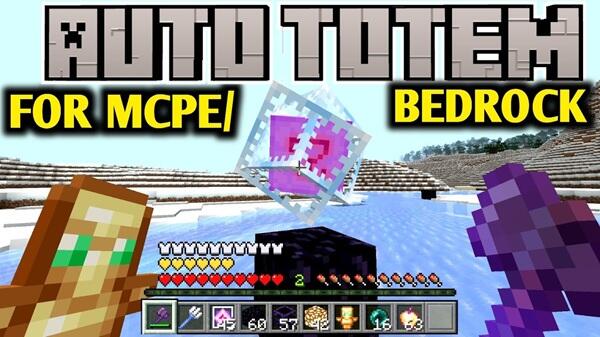
Auto Totem Addon – Smarter Off-Hand Totem Control
The Auto Totem Addon is a practical quality-of-life improvement built for Minecraft Bedrock Edition, with MCPE players clearly in mind. If you play on a phone or tablet, you already know how off-hand item management can interrupt your rhythm. This addon focuses on one simple goal: making off-hand Totem control smoother, more reliable, and more natural—without changing the core survival experience.
Instead of adding new mechanics or complex systems, Auto Totem Addon quietly refines an existing one. The result is gameplay that feels calmer, more consistent, and better suited to touch controls.
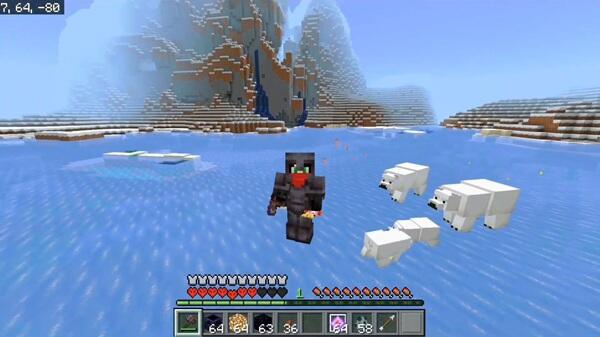
Auto Totem Addon Overview
Before diving into details, it’s important to understand what this addon is designed to do—and just as importantly, what it does not do.
At its core, Auto Totem Addon helps manage Totems in the off-hand slot. When a Totem is used, the addon automatically equips another Totem from your inventory, as long as you have one available. There are no new items, no shortcuts, and no changes to vanilla balance.
The addon works quietly in the background. You don’t need to open menus, tap extra buttons, or adjust settings every time. This refined behavior allows you to stay focused on exploration, building, and survival rather than inventory micromanagement.
Why Off-Hand Totem Control Matters in MCPE
Off-hand control is a small mechanic with a big impact, especially on mobile. This section explains why it matters so much for MCPE players and sets the stage for how Auto Totem Addon helps.
Touch Controls Limit Fast Off-Hand Switching
On mobile devices, every inventory action requires screen space and multiple taps. Compared to keyboard or controller input, touch controls naturally slow down quick item switching. This makes off-hand management feel less responsive during moments that require focus and timing.
Off-Hand Management Is a Known Bedrock Friction Point
Bedrock Edition handles off-hand behavior differently than other versions. This isn’t a skill issue—it’s a mechanical limitation. Many MCPE players experience the same frustration over time, especially in longer survival sessions.
Manual Totem Handling Interrupts Gameplay Flow
Opening the inventory breaks immersion. Your attention shifts away from the world and into menus, which can make gameplay feel fragmented. On mobile, these interruptions are even more noticeable.
Consistent Off-Hand Behavior Improves Player Confidence
When off-hand behavior is predictable, you play with more confidence. You hesitate less, plan better, and stay engaged longer. Reliable Totem handling supports smoother decision-making without adding pressure.
MCPE Players Value Reliability Over Complexity
Mobile players often prefer simple, stable solutions. Auto Totem Addon reflects this preference by improving one mechanic cleanly instead of layering on extra features. It’s smarter, not heavier.
Key Features of Auto Totem Addon
With the core problem understood, the features of Auto Totem Addon make immediate sense. Each one supports smoother off-hand control without unnecessary changes.
-
Automatically re-equips Totems from your inventory
-
Works only when you already own Totems
-
Keeps player control and predictable behavior
-
Lightweight design with minimal performance impact
-
No intrusive UI, animations, or effects
-
Closely matches vanilla Bedrock gameplay
These features work together to improve comfort without altering how survival progression works.
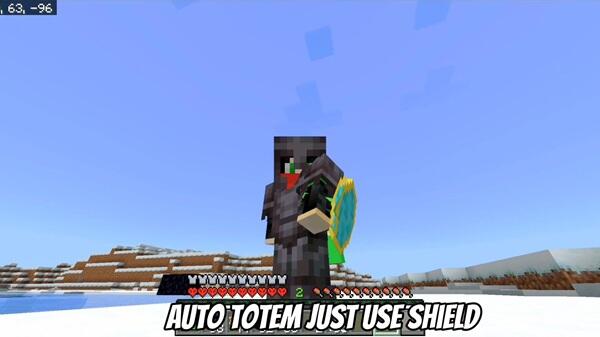
How the Addon Works In-Game
Understanding how the addon behaves in real gameplay helps set clear expectations.
-
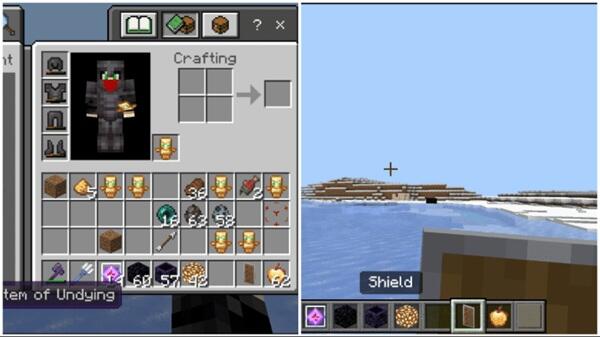
You place a Totem in your off-hand slot
-
Additional Totems remain in your inventory
-
When a Totem is used, the addon equips the next available one
-
If no Totems remain, nothing happens
Auto Totem Addon does not generate items, duplicate Totems, or change your inputs. It simply handles a task you would otherwise need to manage manually.
Compatibility & Performance
Auto Totem Addon is designed for modern Minecraft Bedrock / MCPE versions and runs smoothly across multiple platforms.
-
Android
-
iOS / iPadOS
-
Windows Bedrock
-
Supported console environments
It works in single-player, multiplayer, and Realms when enabled by the host. The addon is lightweight, with minimal impact on frame rate or memory usage, making it suitable for both low-end and high-end mobile devices.
When Auto Totem Addon Is Most Useful
This addon shines in situations where comfort and consistency matter most.
-
Long-term survival worlds
-
High-difficulty exploration
-
Mobile-first gameplay sessions
-
Players who dislike frequent inventory micromanagement
It’s not required for every playstyle, but it becomes especially valuable once off-hand management starts to feel limiting.
Things to Know Before Using
Before adding Auto Totem Addon to your world, keep a few practical points in mind.
-
Totems must already exist in your inventory
-
Achievement behavior depends on addon version and world settings
-
Large addon collections may require load-order testing
-
Backing up worlds before adding addons is always recommended
-
Multiplayer servers may have specific rules regarding addon use
Knowing these details helps avoid confusion and ensures a smoother experience.
Final Thoughts
Auto Totem Addon – Smarter Off-Hand Totem Control is a focused improvement built for MCPE players who value smooth, reliable gameplay. It doesn’t aim to change how Minecraft works—only how comfortably it plays on mobile devices.
By reducing interface friction and keeping mechanics predictable, Auto Totem Addon fits naturally into Bedrock Edition. For players who want consistency without complexity, it’s a practical quality-of-life upgrade that simply makes the game feel better to play.
Photos


How to Install Auto Totem Addon on MCPE
Installation is straightforward and works for both new and existing worlds. This keeps the addon accessible even if you’re not used to managing add-ons.
-
Import the
.mcpackor.mcaddonfile into Minecraft -
Open your world settings and enable the addon under Behavior Packs
-
Enable the Resource Pack as well if one is included
-
Turn on Experimental Features only if the addon requires them
-
Enter the world and start playing
Most players can complete the setup in just a few minutes.
Your comment











