
True Backpack 1.21+
The True Backpack Addon adds portable, wearable storage to Minecraft MCPE, helping you manage inventory more easily during survival, exploration, and long play sessions on mobile.
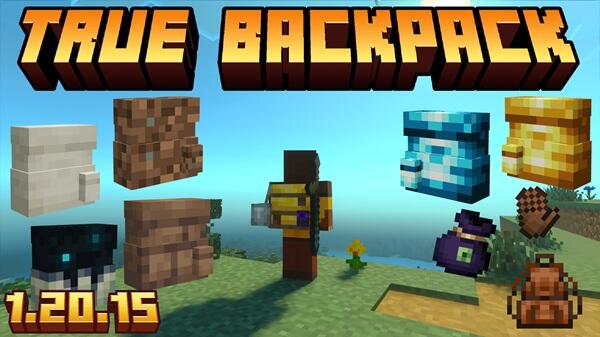
True Backpack Addon – Portable Storage Made for MCPE
If you play Minecraft Pocket Edition for more than a few minutes at a time, you already know the problem: your inventory fills up fast. Touch controls, small screens, and long exploration trips make item management feel heavier on mobile than on other platforms. The True Backpack Addon was created to solve exactly this issue by adding portable storage that feels natural, balanced, and made specifically for MCPE players.
Instead of changing how Minecraft works, True Backpack Addon improves how you experience survival. It gives you more freedom to explore, build, and play without constantly stopping to manage clutter.
What Is True Backpack Addon?
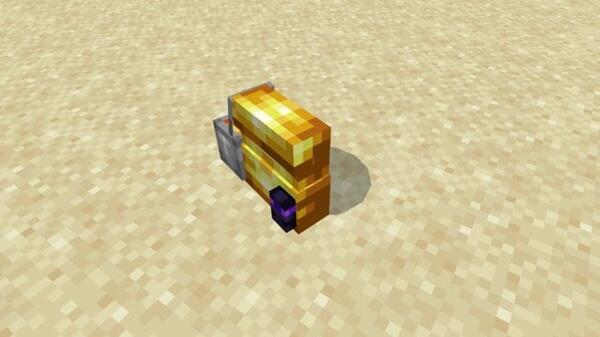
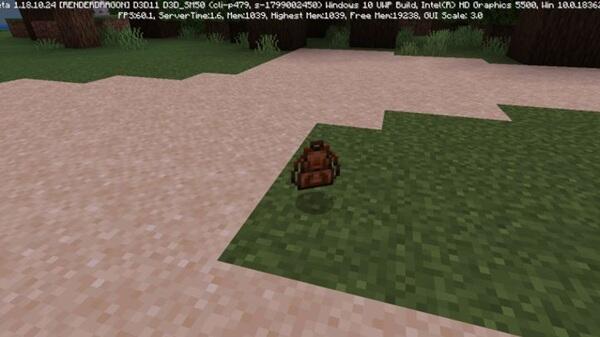
At its core, True Backpack Addon is a Minecraft Bedrock addon that introduces a wearable backpack acting as extra storage. This short section sets the foundation before diving into details.
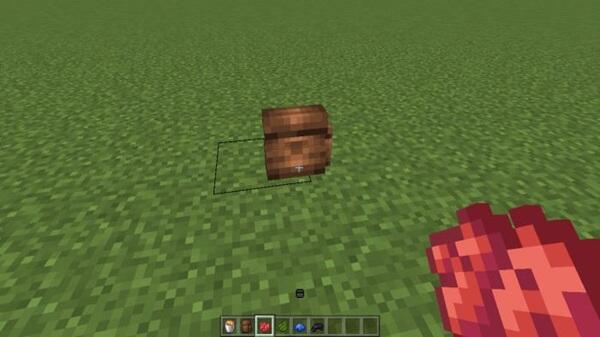
Unlike placeable chests or late-game storage items, the backpack travels with you. Once equipped, it becomes part of your survival routine, giving you quick access to additional inventory space wherever you go.
The addon is designed to stay close to vanilla gameplay. You still gather resources, plan trips, and manage risk—but you do it with less frustration and fewer interruptions.
Key Features of True Backpack Addon
This is the most important section of the article. Here, you see how the True Backpack Addon delivers value in real gameplay situations, especially on MCPE.
Portable Wearable Storage
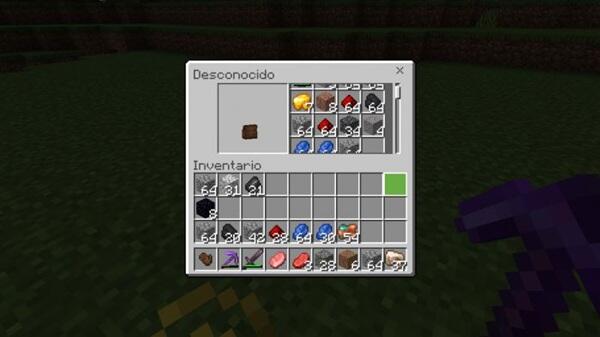
The backpack functions as mobile storage that stays attached to your character. You don’t need to place blocks or stop what you’re doing to access it. This is especially useful when mining deep underground or exploring far from your base.
Chest-Sized Capacity with Upgrade Potential
By default, the backpack offers storage similar to a standard chest. As your world grows, you can upgrade it to hold more items. This gradual progression keeps the experience balanced while supporting longer play sessions.
Designed Specifically for MCPE Controls
True Backpack Addon works smoothly with touch input. Opening, closing, and managing items feels comfortable on small screens, without cluttered menus or confusing interactions.
Lightweight and Performance-Friendly
Mobile performance matters. This addon is optimized to run efficiently, even on low- and mid-range devices. You can play for extended periods without noticeable drops in frame rate.
Survival-Balanced Gameplay Integration
The backpack does not remove challenge from survival mode. You still need to prepare, choose what to carry, and upgrade thoughtfully. It enhances convenience without turning survival into creative mode.
Customization Options for Player Preference
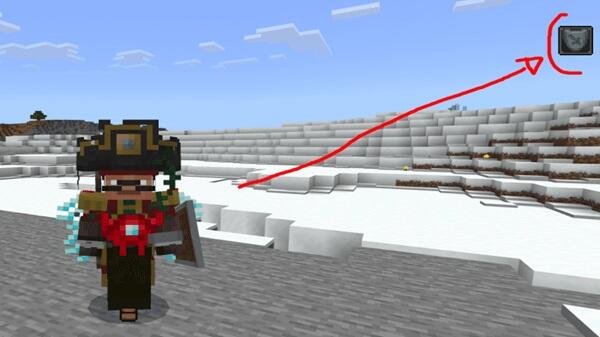
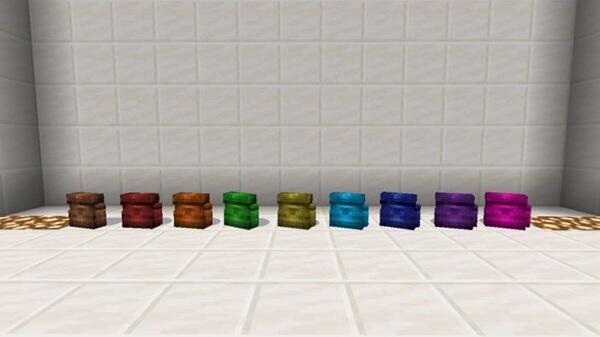
You can personalize your backpack using different styles and colors. This small touch helps your gear feel like part of your character while keeping visuals clean and readable.
Works Well in Singleplayer and Multiplayer
Whether you play alone or with friends, the addon behaves consistently. It fits well into shared worlds and long-term survival sessions when properly enabled.
How True Backpack Works in MCPE
Before discussing upgrades or advanced usage, it’s important to understand how the backpack behaves during normal gameplay.
After crafting and equipping the backpack, it becomes accessible directly from your inventory. Items stored inside are kept separate from your main inventory, which helps you stay organized during long trips.
Imagine mining for an hour without needing to return to base every ten minutes. The backpack quietly supports that flow, letting you focus on the game instead of inventory cleanup.
Upgrade System Explained
The upgrade system is what allows the True Backpack Addon to scale with your world instead of becoming obsolete.
Storage upgrades increase capacity over time, matching your progression from early survival to more demanding projects. Utility-focused upgrades improve convenience rather than raw power, keeping the experience fair and intuitive.
All upgrades are applied through normal gameplay actions. There are no commands or complex systems to learn, which makes the addon accessible even if you’re new to MCPE addons.
Compatibility & Performance on MCPE
True Backpack Addon is built for Minecraft Bedrock Edition, with MCPE as its primary focus. It supports modern versions of the game and runs on both Android and iOS devices.
When installed correctly, the addon performs reliably in singleplayer and multiplayer environments. Even during long survival sessions, it maintains stable behavior and smooth performance.
Practical Tips for MCPE Players
A few simple habits can improve your experience with the addon:
-
Craft your backpack early to reduce inventory pressure
-
Upgrade based on your main activity, such as mining or building
-
Use backpacks to separate tasks and item types
-
Back up your world before updating addons
-
Never remove the addon while backpacks still contain items
These tips help protect your progress and keep gameplay smooth.
Who Should Use This Addon?
True Backpack Addon is a great fit if you:
-
Play survival mode on MCPE
-
Explore far from your base
-
Build large projects
-
Share worlds with friends
-
Prefer smooth, uninterrupted gameplay
If inventory management slows you down, this addon is designed with you in mind.
Final Thoughts
The True Backpack Addon – Portable Storage Made for MCPE focuses on one goal: making Minecraft Pocket Edition feel smoother without changing what makes survival fun. By adding wearable storage, clean mobile interaction, and balanced progression, it improves everyday gameplay in a subtle but meaningful way.
If you value efficiency, organization, and the freedom to play longer without interruption, True Backpack Addon fits naturally into your MCPE world.
Photos
How to Install True Backpack Addon on MCPE
Installation is straightforward, but proper setup ensures the best experience.
-
Import the addon files into Minecraft
-
Activate both the Behavior Pack and Resource Pack in world settings
-
Enable experimental features if your MCPE version requires them
-
Save settings and enter the world
Taking a moment to confirm everything is enabled correctly helps avoid common issues later.
Your comment











