Hole Filler 1.21+
The Hole Filler Addon is a smart terrain repair addon for Minecraft Bedrock and MCPE that helps you keep your survival world clean and natural. It fills surface-level terrain gaps in a balanced, survival-friendly way, allowing you to focus more on building and exploring while reducing repetitive ground repair.
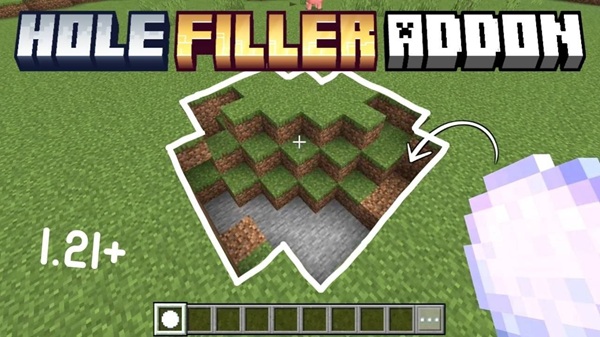
Hole Filler Addon – Smart Terrain Repair for Survival
Keeping a survival world tidy is harder than it looks. Over time, uneven ground, exposed gaps, and broken terrain can slowly ruin areas you once carefully explored or built. This is especially noticeable on MCPE, where manual block placement takes more time and precision. The Hole Filler Addon was created to solve this exact problem by offering smart terrain repair that works naturally within survival gameplay.
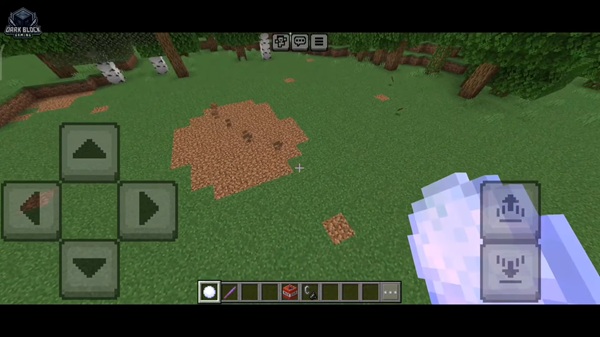
Instead of changing how Minecraft feels, the Hole Filler Addon supports your world quietly in the background. It helps you keep landscapes clean, playable, and visually consistent—without forcing you into creative mode or complex tools.
What the Hole Filler Addon Does
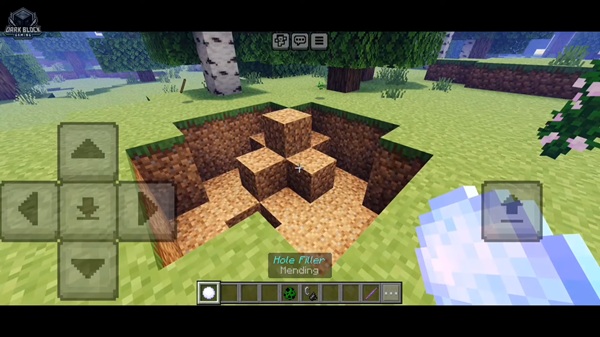
At its core, the Hole Filler Addon focuses on surface-level terrain maintenance. It helps repair uneven or damaged ground by filling visible gaps in a way that blends naturally with the surrounding environment. This makes your world feel maintained rather than artificially altered.
The addon is especially useful in long-term survival worlds, where terrain imperfections slowly build up over time. Rather than spending valuable playtime fixing ground manually, you can rely on the addon to assist with cleanup while you focus on exploration, building, or resource gathering.
How Smart Terrain Repair Works In-Game
Understanding how an addon behaves in your world is essential. This section explains how the Hole Filler Addon operates during normal gameplay, so you know exactly what to expect before using it long-term.
Terrain Detection Logic
The addon detects uneven or incomplete surface terrain that disrupts the natural flow of the landscape. It focuses only on visible ground areas and avoids underground spaces. This means caves, tunnels, and natural world generation remain unchanged.
When Terrain Repair Is Triggered
Terrain repair occurs during regular survival gameplay under specific conditions. The process is designed to feel seamless, without requiring constant player input or commands. As you play, the addon quietly supports terrain consistency in the background.
Block Placement Behavior
When repairing terrain, the Hole Filler Addon uses natural-looking blocks that match the surrounding area. The goal is smooth blending rather than obvious patches, helping the repaired ground look intentional and natural.
Survival-Friendly Design Choices
The addon avoids creative-only mechanics and extreme automation. It is designed as a helper, not a shortcut. You still play survival normally, but with less repetitive terrain maintenance.
What the Addon Does Not Change
To protect your builds and gameplay systems, the addon does not intentionally modify caves, underground areas, or player-made structures. Its scope is limited to surface-level terrain repair only.
Performance Impact on MCPE
Performance matters on mobile. The Hole Filler Addon is lightweight and optimized for MCPE, helping maintain stable gameplay even on low-end or mid-range devices.
Why This Addon Fits Survival Mode
Survival mode is about steady progress, creativity, and long-term world building. The Hole Filler Addon respects that philosophy. Instead of removing challenge, it removes unnecessary frustration. You spend less time fixing ground and more time enjoying your world.
For players who keep the same survival world for weeks or months, this addon helps preserve immersion without altering balance.
Key Features at a Glance
Here’s a quick overview of what the Hole Filler Addon offers:
-
Smart surface-level terrain repair
-
Natural-looking ground restoration
-
Designed specifically for survival gameplay
-
Optimized for MCPE performance
-
Works in singleplayer and multiplayer worlds
MCPE & Bedrock Compatibility
Compatibility is a major concern for Bedrock players. The Hole Filler Addon is built for Minecraft Bedrock Edition, including MCPE, and works across common Bedrock platforms.
Supported platforms include:
-
Android
-
iOS
-
Windows 10/11 (Bedrock)
-
Consoles running Bedrock Edition
The addon is intended for modern Bedrock versions (such as 1.20–1.21). It is not compatible with Minecraft Java Edition.
Best Practices & Usage Tips
To get the best results from the Hole Filler Addon, keep these tips in mind:
-
Use it mainly in Overworld survival worlds
-
Avoid areas with complex redstone or technical builds
-
Test compatibility if using multiple addons
-
Always back up important worlds before long-term use
Known Limitations & Notes
No addon is perfect. Being aware of limitations helps avoid confusion:
-
Not designed for custom maps or heavily modified worlds
-
May not address every possible terrain situation
-
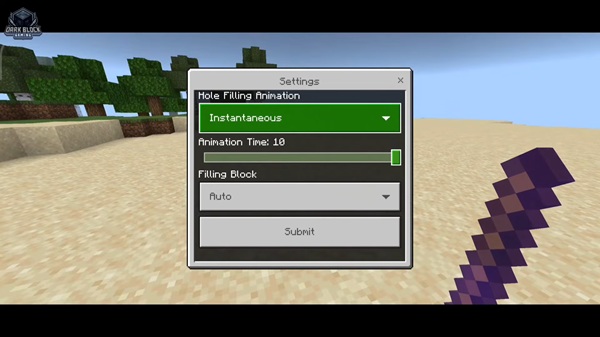
Behavior depends on world conditions and settings
-
Other addons can influence results
Who This Addon Is Best For
The Hole Filler Addon is a great fit for:
-
Survival builders who care about clean terrain
-
Casual MCPE players who value convenience
-
Realm owners and small multiplayer groups
-
Players who prefer subtle, balanced enhancements
Final Summary
The Hole Filler Addon offers a smart and reliable way to maintain clean terrain in Minecraft Bedrock survival worlds. By focusing on surface-level repair, performance efficiency, and survival balance, it improves your gameplay experience without changing how Minecraft feels.
If you enjoy long-term survival on MCPE and want your world to stay neat, playable, and immersive, the Hole Filler Addon is a practical quality-of-life addition worth considering.
How to Install the Hole Filler Addon (MCPE / Bedrock)
Installation is straightforward, even for newer players. Follow these steps carefully:
-
Download the addon file (
.mcaddonor.mcpack) -
Open the file to import it into Minecraft
-
Activate the Behavior Pack in world settings
-
Activate the Resource Pack if included
-
Enable required experimental settings if prompted
-
Start the world (testing in a new world is recommended)