Mario.EXE Explore the Mario.EXE Addon for Minecraft MCPE. Add a mysterious horror presence, subtle atmosphere, and immersive survival gameplay to Bedrock Edition.
The Mario.EXE Addon adds a mysterious, atmosphere-driven presence to Minecraft MCPE and Bedrock Edition. Designed for mobile players, it enhances survival gameplay with subtle tension, unique behavior, and immersive world changes without heavy mechanics or performance impact.

Mario.EXE Addon – A Mysterious Horror Presence in MCPE
The Mario.EXE Addon introduces a suspense-driven layer to Minecraft Bedrock Edition, designed for players who want their world to feel unfamiliar again. Instead of relying on heavy combat systems or complex mechanics, this addon focuses on atmosphere, pacing, and the quiet tension that builds when something feels out of place.
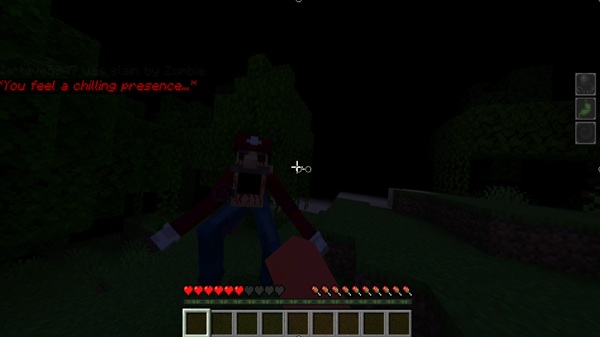
Created specifically for MCPE and Bedrock platforms, the Mario.EXE Addon runs smoothly on mobile devices while blending naturally into vanilla gameplay. If you enjoy subtle storytelling and immersive survival experiences, this addon offers a fresh way to explore your world.
What Is the Mario.EXE Addon?
At its core, the Mario.EXE Addon adds a mysterious entity inspired by horror-themed narratives. To understand its impact, it helps to look beyond traditional mob behavior and focus on how it changes the player’s perception of the world.
A Presence, Not a Typical Mob
Unlike standard hostile mobs, Mario.EXE is designed as a presence rather than an enemy. It doesn’t exist to be farmed, defeated, or controlled. Instead, it influences how you move, explore, and make decisions.
Storytelling Through Gameplay
There are no cutscenes or scripted events. The story unfolds naturally as you play. Small moments—unexpected sounds or unusual encounters—create a sense of narrative without breaking immersion.
Core Features at a Glance
Before diving into the experience, it’s useful to understand what the addon actually includes. These features work together to support atmosphere rather than overpower gameplay.
-
Custom Mario.EXE entity with unique behavior
-
Ambient audio and subtle visual cues
-
Situational and unpredictable appearances
-
Lightweight design optimized for MCPE
-
Compatible with most standard Bedrock addons
Each feature is intentionally restrained, keeping the experience immersive and accessible for mobile players.
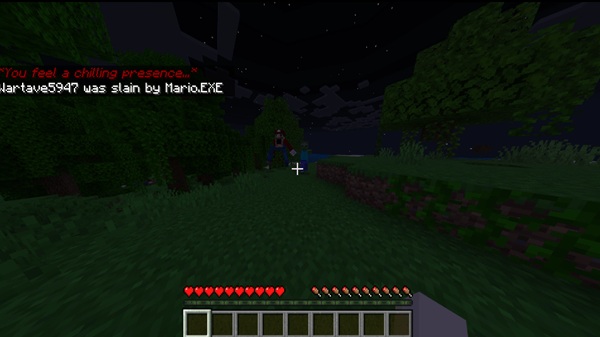
How the Addon Feels In-Game
This section defines the heart of the Mario.EXE Addon. Instead of focusing on mechanics, it explains how the addon changes the emotional rhythm of your Minecraft world.
A Constant Sense of Uncertainty
As you play, the world feels less predictable. Even during familiar tasks like gathering resources, there’s a lingering sense that something might be nearby. This uncertainty creates tension without constant interaction.
Exploration Becomes More Deliberate
Players often slow down naturally. You may find yourself pausing to listen, checking your surroundings, or choosing safer routes—small changes that add depth to survival gameplay.
Subtle Audio and Environmental Cues
Sound plays a major role. Quiet audio effects and environmental hints encourage awareness rather than reaction, making headphones especially effective for immersion.
A Slower, Thoughtful Pace
Instead of increasing difficulty, the addon adjusts pacing. Survival feels calmer but more focused, which appeals to players who want engagement without chaos.
Survival vs Creative Mode
In Survival Mode, the experience feels tense and immersive. In Creative Mode, the addon works well for roleplay, storytelling, and building atmospheric maps.
How the Mario.EXE Entity Works
Understanding how the entity behaves helps set the right expectations. The Mario.EXE Addon avoids repetitive encounters by design.
Conditional Appearances
Mario.EXE does not spawn constantly or follow typical mob logic. Its appearances feel situational, making each encounter more meaningful.
Observation Over Interaction
The entity emphasizes awareness rather than confrontation. You are encouraged to observe patterns, notice changes, and think about how your actions affect the world.
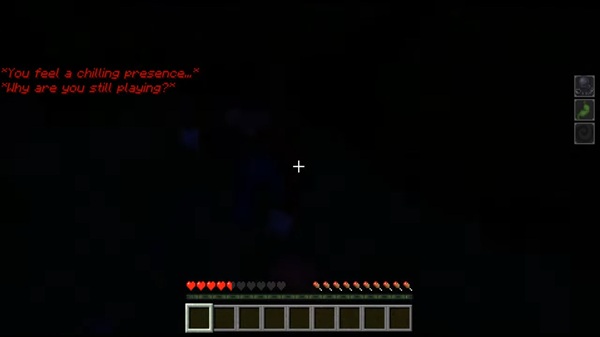
Compatibility & Performance
This section reassures players that the addon fits their setup and runs reliably on MCPE devices.
Supported Platforms
-
Android and iOS devices
-
Windows 10 / 11 (Bedrock Edition)
-
Supported Bedrock consoles
Performance Notes
The addon is optimized for mobile performance and has minimal impact on frame rate. On lower-end devices, avoid combining it with multiple heavy shaders or large addon packs.
Tips for the Best Experience
Small adjustments can significantly improve immersion when using the Mario.EXE Addon.
-
Lower in-game brightness
-
Play on Normal or Hard difficulty
-
Use headphones for audio awareness
-
Prefer solo play or small groups
-
Pair with dark resource packs or minimal UI
Starting in a fresh world helps maintain pacing and atmosphere.
Who This Addon Is For
The Mario.EXE Addon is ideal for players who value mood and immersion over action.
-
MCPE players who enjoy suspense-focused gameplay
-
Survival players tired of predictable mechanics
-
Roleplay and storytelling creators
-
Content creators seeking subtle, reactive moments
Players looking for fast combat or boss encounters may prefer a different style of addon.
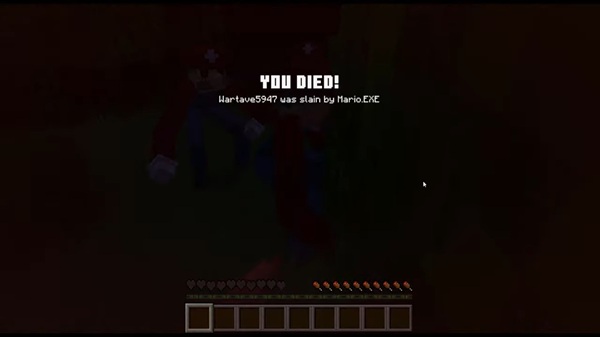
Final Thoughts
The Mario.EXE Addon enhances Minecraft Bedrock Edition by reshaping how your world feels rather than changing how it works. Through atmosphere, pacing, and presence, it offers a thoughtful alternative to traditional addons.
If you enjoy immersive gameplay and want Minecraft on MCPE to feel quietly unpredictable again, this addon is a strong and well-optimized choice.
Installation Guide for MCPE (Bedrock)
Installing the Mario.EXE Addon is straightforward, even if you’re new to addons. Follow these steps carefully to ensure everything works correctly.
-
Download the Mario.EXE Addon
.mcaddonfile -
Open the file to import it into Minecraft
-
Create a new world or back up an existing one
-
Enable required experimental features
-
Activate both the behavior pack and resource pack
-
Start the world and confirm the addon is active
Using a new or backed-up world is recommended when enabling experimental settings.