
XP Tome 1.21+
The XP Tome Addon is a must-have utility for MCPE players, allowing you to safely store and retrieve experience points. Protect your hard-earned XP, optimize enchanting, and manage levels efficiently with this magical book designed for Minecraft Bedrock Edition.
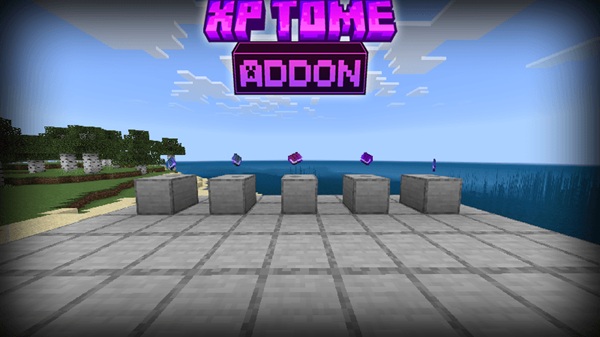
XP Tome Addon: Protect Your Levels with a Magical Book
Losing XP in Minecraft Bedrock Edition can be frustrating—especially after hours spent mining, enchanting, or exploring dangerous areas. The XP Tome Addon solves this problem by giving you a portable, secure way to store and retrieve experience points. Whether you’re a survival strategist, a casual explorer, or a builder focusing on efficiency, this addon ensures your levels remain safe and ready whenever you need them.
In this guide, we’ll cover what the XP Tome Addon is, its main features, how it works in-game, installation steps, compatibility, and some pro tips to help you maximize its potential.
What is the XP Tome Addon?
The XP Tome Addon introduces a magical book that acts as a portable XP bank. Instead of carrying all your levels and risking them during exploration or boss battles, you can deposit XP into the Tome for safekeeping. Later, you can withdraw XP exactly when you need it for enchanting, repairing tools, or leveling up strategically.
This addon blends seamlessly into MCPE gameplay and includes visual cues like a glowing enchantment effect to show when the Tome holds XP. It’s designed to be intuitive for both mobile and console players, offering a natural, immersive experience without altering core gameplay mechanics.
Main Features
The XP Tome Addon brings several utility-focused features that make XP management easier and safer in Minecraft:
-
XP Storage: Deposit your XP into the Tome to protect it from loss.
-
Zero-Loss XP: Most versions store XP at a 1:1 ratio, ensuring nothing is wasted.
-
Loot Integration: In some addon versions, Tomes appear in dungeon, stronghold, or bastion chests.
-
Tiered Books (Addon-Dependent): Iron, Gold, or Diamond variants hold increasing amounts of XP.
-
Lightweight & Compatible: Works smoothly on Android, iOS, Windows, and consoles without causing lag.
These features make the XP Tome Addon a versatile tool for survival, exploration, and long-term world management.
How It Works In-Game
Understanding the mechanics of the XP Tome Addon is essential for using it efficiently. Here’s how it functions in your Minecraft world.
Crafting or Finding the XP Tome
You can obtain the XP Tome by crafting or finding it in loot chests:
-
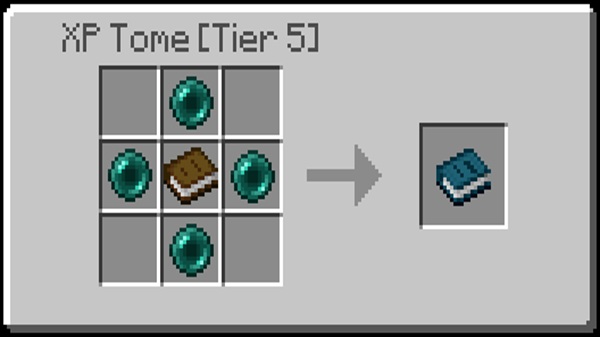
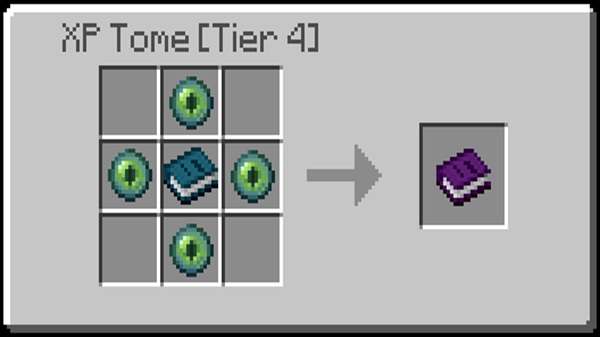
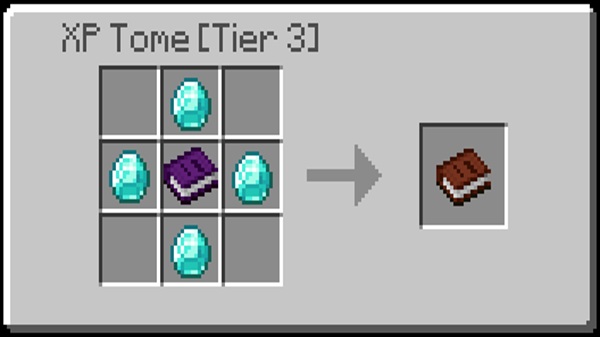
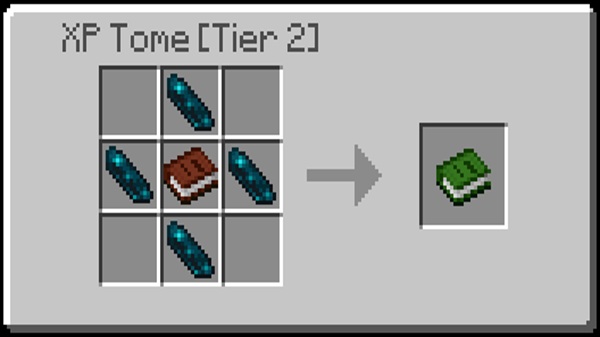
Crafting Recipe: Usually requires a Book surrounded by Ender Pearls. Some addon variants may use Obsidian or Gold Ingots.
-
Looting: Tomes can appear in dungeons, bastions, or strongholds. A fully charged Tome can provide an early-game boost.
-
Strategy: Decide whether to craft early or hunt for loot-based Tomes based on your survival approach.
Storing XP (Deposit)
-
Mobile: Hold the Tome, sneak (crouch), and long press / interact.
-
Console / Windows: Hold the Tome, sneak, and right-click / trigger.
-
Visual Cues: XP drains from your bar, and the Tome’s glow or durability bar fills up.
-
Recommended Use: Deposit XP before risky exploration, mining, or boss fights.
Retrieving XP (Withdraw)
-
Mobile: Hold the Tome (no sneak) and long press to retrieve XP.
-
Console / Windows: Hold the Tome (no sneak) and right-click / trigger.
-
Visual Cues: The Tome’s glow decreases while your XP bar refills.
-
Suggested Scenarios: Withdraw XP for enchanting, tool repair with Mending, or reaching specific levels for crafting.
Tips for Efficient XP Management
-
Deposit XP frequently to prevent high-level loss.
-
Pair the Tome with Mending enchantments for efficient tool repairs.
-
Store the Tome in an Ender Chest for extra security.
-
Avoid carrying large amounts of XP on your player bar during risky exploration.
Common Issues and Fixes
-
Make sure Experimental Features / Holiday Creator Features are enabled.
-
Minor UI differences may appear if you have other addons installed, but the core functionality remains intact.
-
In multiplayer worlds, each player needs their own XP Tome to deposit and withdraw XP individually.
Compatibility Information
The XP Tome Addon works across multiple platforms:
-
Minecraft Version: Bedrock / MCPE 1.20+ (1.21 recommended).
-
Devices: Android, iOS, Windows 10/11, Xbox, PlayStation, Nintendo Switch.
-
Multiplayer & Realms: Fully compatible; each player can use their own Tome.
-
Notes: Minor UI differences may occur with other addons, but the XP management functionality is unaffected.
Pro Tips & Strategies
-
Combine with Mending: Withdraw XP to repair tools without creating complex XP farms.
-
Ender Chest Storage: Keep your Tome safe during exploration or difficult battles.
-
Deposit Strategically: Save XP at key levels, such as level 30, to maximize safety.
-
Monitor the XP Bar: Use the Tome’s glow or durability bar as a guide for stored XP.
-
Plan XP Usage: Withdraw XP deliberately for enchanting, repairing, or leveling to avoid waste.
Conclusion
The XP Tome Addon is a must-have utility for any MCPE survival player who values security, efficiency, and convenience. By protecting your XP, reducing unnecessary grinding, and supporting strategic gameplay, this addon enhances your Minecraft Bedrock experience.
Whether you’re exploring dangerous areas, enchanting your gear, or building a long-term survival world, the XP Tome ensures your XP is always safe. Take control of your levels today and enjoy a smoother, more rewarding MCPE adventure.
Installation Guide (MCPE / Bedrock)
Installing the XP Tome Addon is straightforward, but following the steps carefully ensures it works correctly:
-
Download: Get the
.mcpackor.mcaddonfile from a trusted source. -
Import: Open the file on your device; Minecraft will recognize and import it automatically.
-
Activate Packs: In your world settings, enable both the Behavior Pack and Resource Pack.
-
Enable Experimental Features: Turn on Holiday Creator Features and Beta APIs / Gametest Framework if needed.
-
Verify: Enter your world and check that the XP Tome functions as expected.
-
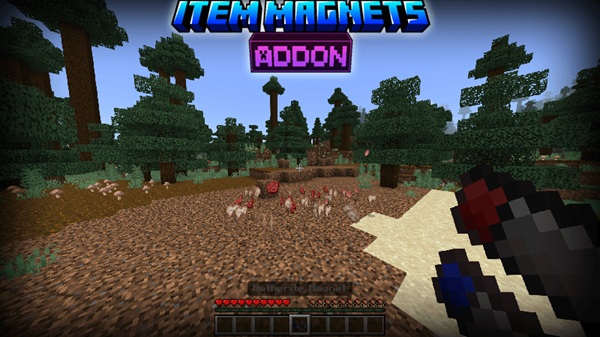
 Item Magnets1.21+Minecraft 1.21+
 -
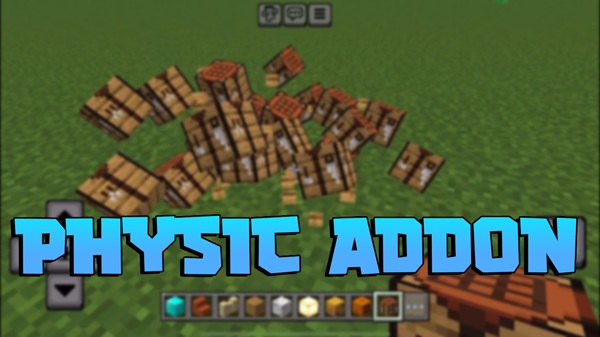
 Physics1.21+Minecraft 1.21+
 -

 Mario.EXEExplore the Mario.EXE Addon for Minecraft MCPE. Add a mysterious horror presence, subtle atmosphere, and immersive survival gameplay to Bedrock Edition.Minecraft 1.21+
 -
 Jujutsu Kaisen1.21+Minecraft 1.21+
 -
 Edds’ VeinCapitator1.21+Minecraft 1.21+
 -

 More Vanilla Animals + Bears1.21+Minecraft 1.21+