
Physics 1.21+
The Physics Addon enhances Minecraft Bedrock and MCPE by making item drops feel realistic and grounded. It improves immersion with natural gravity, 3D items, and smooth visual behavior—without changing core gameplay.
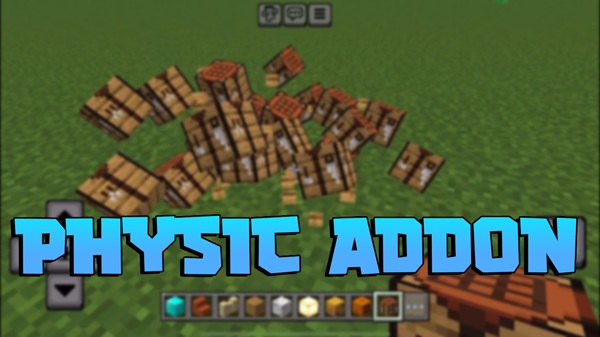
Physics Addon – Realistic Drops That Feel Grounded
Minecraft may be built from simple blocks, but the way those blocks and items behave shapes how immersive the game feels. In vanilla gameplay, dropped items often float slightly above the ground and spin in place. You’ve probably gotten used to it, but once you notice it, that “floating” effect can quietly pull you out of the experience—especially in survival worlds where atmosphere matters.
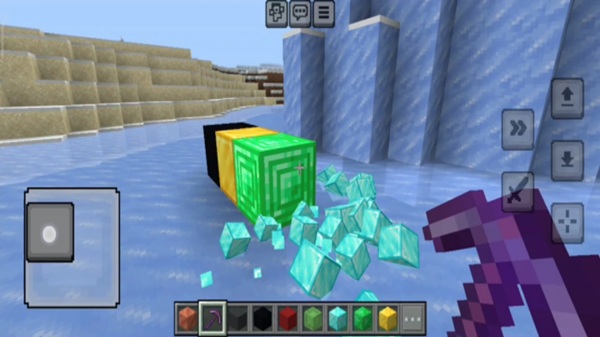
The Physics Addon was created to address this small but important detail. Instead of redesigning gameplay systems or adding complex mechanics, it focuses on making item drops feel more natural and believable. By improving how items fall, rest, and appear in the world, the Physics Addon helps Minecraft feel more grounded while staying true to the original Bedrock and MCPE experience.
What the Physics Addon Changes
At its core, the Physics Addon refines how dropped items behave once they enter the world. These changes are visual and behavior-based, meaning you get a more immersive experience without altering crafting recipes, progression, or balance. The following improvements are subtle on their own, but together they make a noticeable difference.
Item Drops No Longer Float
In vanilla Minecraft, items hover and rotate as if unaffected by the world around them. With the Physics Addon enabled, items fall naturally and settle on the ground. This simple change makes drops feel like real objects instead of floating symbols.
Gravity-Based Item Movement
The Physics Addon applies more realistic gravity to dropped items. When you drop something, it falls straight down and rests where it lands. On uneven terrain, items may slightly adjust before settling, which helps them blend naturally into the environment.
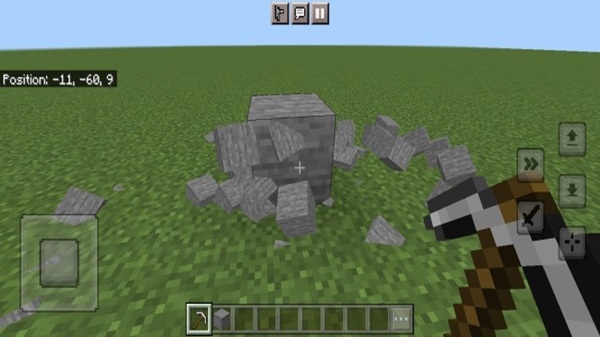
3D Item Appearance on the Ground
Another key feature of the Physics Addon is the use of 3D item models. Blocks look like blocks, and tools look like tools when placed on the ground. This improves visual consistency and works especially well alongside high-quality textures or shaders.
Natural Item Placement and Stacking
When multiple items are dropped together, they no longer merge into a single floating point. Instead, they appear naturally placed on the ground. This makes caves, storage areas, and exploration spots feel more believable and less cluttered.
Subtle, Visual-First Changes
It’s important to note that the Physics Addon does not change how Minecraft functions at its core. There are no new crafting systems or progression changes. Everything still feels like vanilla Minecraft—just more refined.
How It Feels in MCPE Gameplay
In everyday MCPE gameplay, the Physics Addon feels intuitive rather than disruptive. Items land where you expect them to, and the world feels more intentional. This is especially noticeable during survival play, where gathering resources is a constant part of the experience.
On mobile devices, where screens are smaller and details matter more, grounded item drops help the world feel cleaner and more readable. Over time, these small changes add up, creating a calmer and more polished gameplay experience without demanding extra effort from you.
Key Features at a Glance
Before diving deeper, here’s a quick overview of what the Physics Addon offers:
-
Gravity-based item drops
-
3D item models on the ground
-
Natural resting and placement behavior
-
Improved visual consistency with terrain
-
No changes to crafting, progression, or balance
Performance & Device Considerations (MCPE Focus)
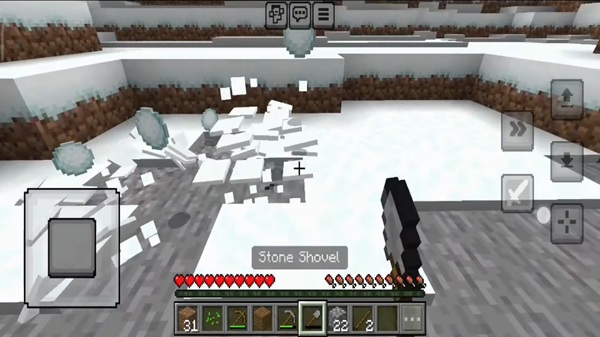
Because the Physics Addon adds more realistic item behavior, performance can be affected if many items are dropped in one area. On most mid-range and high-end mobile devices, this impact is minimal and manageable.
To keep gameplay smooth on MCPE:
-
Avoid dropping large numbers of items in one place
-
Clear unused items regularly
-
Be mindful when combining multiple addons
The Physics Addon is designed with Bedrock limitations in mind, making it a practical choice for mobile players who value stability.
Compatibility Information
The Physics Addon supports modern versions of Minecraft Bedrock Edition, including current MCPE releases. It works across multiple platforms, including:
-
Android
-
iOS (iPhone and iPad)
-
Windows 10/11 Bedrock Edition
Some experimental features may need to be enabled depending on the addon version. In most cases, the Physics Addon works well with texture packs and shaders, though conflicts may occur with other addons that modify item behavior.
Tips for the Best Experience
To get the most out of the Physics Addon:
-
Pair it with shaders for enhanced realism
-
Test it in Creative Mode before long survival sessions
-
Avoid stacking multiple addons that affect item behavior
-
Keep your world free of excessive dropped items
These simple habits help maintain smooth performance and visual clarity on MCPE.
Who This Addon Is For
The Physics Addon is well suited for:
-
Players who enjoy immersive survival gameplay
-
Builders who care about visual realism
-
MCPE users looking for subtle “vanilla-plus” improvements
-
Players who prefer polish over drastic changes
If you enjoy Minecraft worlds that feel calm, believable, and cohesive, this addon fits naturally into your playstyle.
Final Thoughts
Physics Addon – Realistic Drops That Feel Grounded is a thoughtful enhancement for Minecraft Bedrock Edition. By refining how items behave and appear, it makes the world feel more natural without sacrificing performance or simplicity.
For MCPE players who value immersion and visual consistency, the Physics Addon offers a clean, reliable upgrade that blends seamlessly into everyday gameplay.
How to Install the Physics Addon on MCPE
Installing the Physics Addon is straightforward and uses Minecraft’s built-in addon system. You don’t need external tools or advanced knowledge.
-
Import the addon into Minecraft
-
Activate it under Resource Packs
-
Activate it under Behavior Packs
-
Enable the required experimental features in world settings
-
Start or create a new world
For the most consistent results, using a new world is recommended.
-
 XP Tome1.21+Minecraft 1.21+
 -
 Item Magnets1.21+Minecraft 1.21+
 -
 Mario.EXEExplore the Mario.EXE Addon for Minecraft MCPE. Add a mysterious horror presence, subtle atmosphere, and immersive survival gameplay to Bedrock Edition.Minecraft 1.21+
 -
 Jujutsu Kaisen1.21+Minecraft 1.21+
 -
 Edds’ VeinCapitator1.21+Minecraft 1.21+
 -

 More Vanilla Animals + Bears1.21+Minecraft 1.21+