The Reeker 1.21+
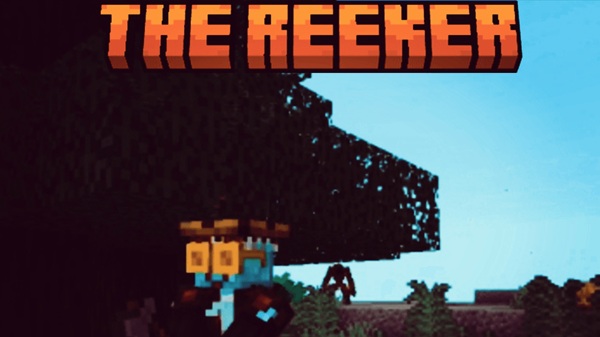
The Reeker Addon enhances Minecraft Bedrock and MCPE survival by introducing a smarter hostile mob that rewards preparation and awareness. Designed for mobile players, it adds challenge without hurting performance or balance.
The Reeker Addon – A Smarter Threat for MCPE Survival
Minecraft survival on mobile can become predictable once you’ve mastered mob behavior, lighting, and base safety. The Reeker Addon is designed to refresh that experience by introducing a smarter survival challenge that fits naturally into Minecraft Bedrock and MCPE gameplay. Instead of relying on excessive damage or complex mechanics, this addon focuses on awareness, preparation, and player decision-making.
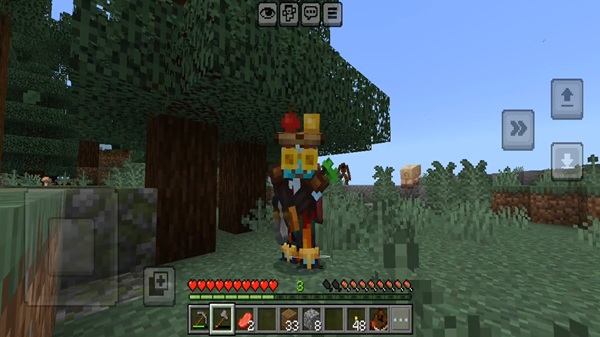
Built with mobile players in mind, The Reeker Addon enhances survival without sacrificing performance or balance. If you enjoy exploration, long-term worlds, or survival gameplay that rewards thoughtful play, this addon offers a meaningful upgrade.
What Is The Reeker Addon?
At its core, The Reeker Addon is a Minecraft Bedrock addon that introduces a custom hostile mob called The Reeker. This mob is not meant to overpower players, but to influence how you approach survival, especially in darker or less-prepared environments.
Before diving into how it affects gameplay, it’s important to understand where this addon fits within the Bedrock ecosystem.
A Survival-Focused Addon
The Reeker Addon is designed specifically for survival mode. It blends into the existing game without replacing vanilla mechanics or forcing new systems on the player.
Designed for Bedrock and MCPE
The addon works smoothly on MCPE devices, including phones and tablets, and follows Bedrock Edition standards for behavior packs and resource packs.
Built for Long-Term Worlds
Because it avoids extreme mechanics, The Reeker Addon works well in long-term survival worlds and does not disrupt progression or balance.
Core Features at a Glance
This section highlights the key elements that define The Reeker Addon and make it suitable for MCPE players.
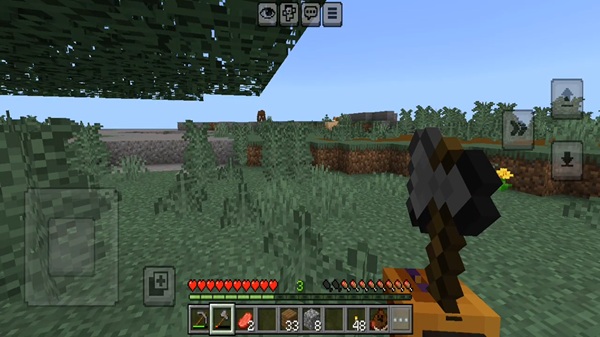
Key Features
-
Adds a new custom hostile mob: The Reeker
-
Appears in low-light or dark environments
-
Encourages careful exploration and preparation
-
Balanced difficulty that fits vanilla-style survival
-
Optimized for MCPE and Bedrock performance
-
Compatible with solo and multiplayer worlds
Each feature is intentionally lightweight, ensuring the addon remains accessible on mobile devices while still adding depth to gameplay.
How The Reeker Changes MCPE Survival Gameplay
This is where The Reeker Addon truly proves its value. Instead of simply adding danger, it changes how survival decisions are made.
Encourages Smarter Exploration in Low-Light Areas
Caves, tunnels, and dark spaces become areas that demand attention. Players naturally slow down, place lighting more carefully, and scout areas before committing.
Makes Nighttime Survival More Meaningful
Night travel becomes a choice rather than a routine task. You may decide to wait until morning, reinforce your base, or prepare better gear before heading out.
Rewards Preparation Over Brute Force
Basic survival tools matter more:
-
Armor improves survivability
-
Food preparation supports longer trips
-
Lighting and positioning reduce unnecessary risks
Feels Balanced for Mobile Controls
Encounters are paced so touch controls remain comfortable. The addon does not rely on fast reactions, making it fair for MCPE players.
Fits Naturally Into Vanilla-Style Survival
The Reeker feels like it belongs in Minecraft. It does not replace existing mobs or systems and works alongside other survival-focused addons.
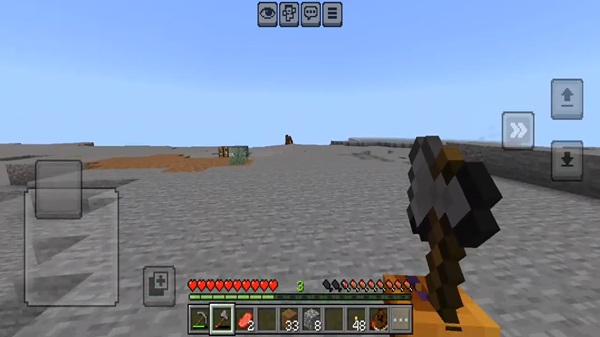
Why This Addon Works Well on Mobile (MCPE)
Mobile players often worry about lag, battery usage, and stability. The Reeker Addon addresses these concerns by staying efficient and performance-friendly.
Optimized for Mobile Devices
-
Lightweight design
-
No heavy visual effects
-
Stable behavior on low- and mid-range devices
This makes it a safe choice for MCPE players who want added challenge without sacrificing smooth gameplay.
Compatibility & Supported Versions
Before using the addon, it’s helpful to know where it works best.
Compatibility Details
-
Minecraft Version: Bedrock / MCPE 1.20+ recommended
-
Devices: Android, iOS, Windows Bedrock
-
Multiplayer: Supported when enabled correctly
-
Addon Compatibility: Works well with most survival-friendly addons
Using the latest game version is recommended for stability.
Survival Tips for Playing With The Reeker Addon
A few simple adjustments can improve your experience with The Reeker Addon.
Practical Tips
-
Light caves and paths early
-
Avoid unnecessary night travel at the start
-
Prepare armor and food before long exploration
-
Treat dark areas as higher-risk zones
-
Learn the mob’s behavior before taking risks
These habits help you get the most out of the addon without frustration.
Who Should Use The Reeker Addon?
This addon is best suited for players who enjoy thoughtful survival gameplay.
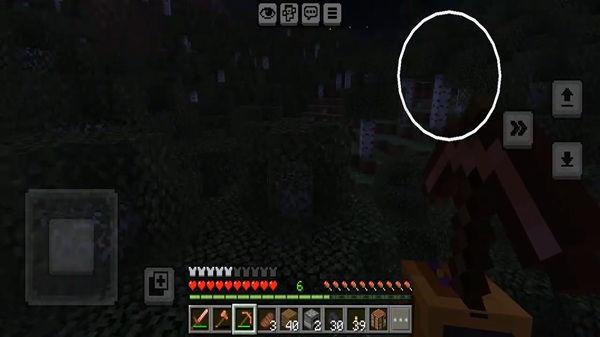
Recommended For
-
MCPE survival players
-
Explorers and long-term world builders
-
Players seeking more engaging mob behavior
-
Small multiplayer survival groups
Not Ideal For
-
Peaceful-only players
-
Very young players who prefer relaxed gameplay
Final Verdict: Is The Reeker Addon Worth Adding?
The Reeker Addon delivers a balanced and intelligent survival experience for MCPE players. By encouraging awareness, preparation, and smarter exploration, it enhances survival gameplay without overwhelming the player or the device.
If you want Minecraft Bedrock survival to feel engaging again—without sacrificing performance or balance—The Reeker Addon is a strong and reliable choice.
How to Install The Reeker Addon on MCPE
Installing The Reeker Addon follows standard Bedrock procedures and works smoothly on mobile.
Installation Steps
-
Download the addon file (
.mcaddonor.mcpack) -
Open the file to import it into Minecraft
-
Go to Settings
-
Enable both the Resource Pack and Behavior Pack
-
Create a new world (recommended) or edit an existing one
-
Enable experimental settings if required
Once loaded, the addon activates automatically in your world.