More Sign Variants 1.21+
The More Sign Variants Addon adds icon-based signs to Minecraft Bedrock Edition, helping you organize bases, storage rooms, and builds more clearly with a clean, vanilla-friendly design.
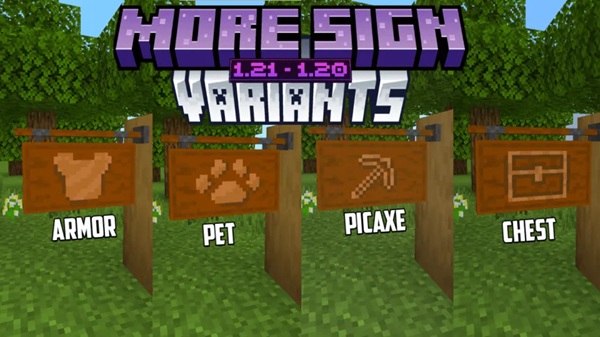
More Sign Variants Addon – Icon Signs for Organized Bases
As your Minecraft world grows, staying organized becomes a real challenge. Storage rooms multiply, new sections appear, and before long, every wooden sign starts to look the same. This is where the More Sign Variants Addon becomes a practical upgrade. Instead of relying only on text, this addon introduces icon-based signs that help you instantly recognize rooms, storage areas, and important zones in your base.
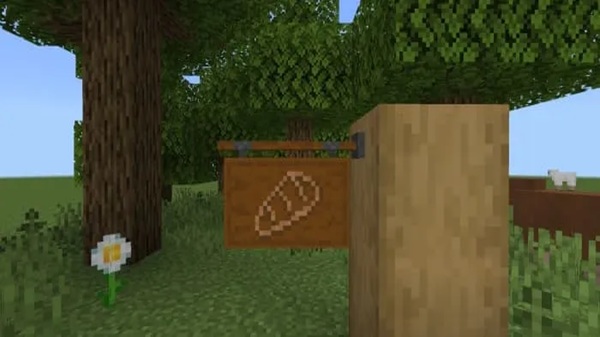
Built for Minecraft Bedrock Edition (MCPE), the More Sign Variants Addon focuses on clarity and usability. It does not change core gameplay mechanics. Instead, it enhances how you interact with signs, making your base easier to navigate and more enjoyable to manage over time.
A Better Way to Organize Your Base
Organization is a core part of long-term Minecraft play, especially on mobile devices where screen space is limited. This section explains how visual signs improve everyday gameplay and why simple changes can have a lasting impact.
In MCPE, large bases often feel crowded and confusing. Text-only signs require you to stop and read, which slows you down. The More Sign Variants Addon improves this experience by adding visual icons that communicate meaning instantly. You still use signs the same way, but now they are easier to understand at a glance.
Why Icon Signs Matter in MCPE
Visual communication plays a bigger role on mobile platforms. Before diving into specific features, it helps to understand why icon signs are especially useful in Bedrock Edition.
Faster Recognition on Mobile Screens
Icons are easier to process than text on smaller displays. A quick glance tells you what a room is used for without reading a full label.
Easier Navigation in Large Bases
When your base spans multiple floors or underground areas, icon signs help you move confidently without getting lost.
Helpful for Shared Worlds
In multiplayer or family worlds, icon signs reduce confusion. Even new players can understand base layouts quickly.
Long-Term World Support
As survival worlds evolve, consistent visual labeling keeps everything structured and manageable.
Main Features of More Sign Variants Addon
This section highlights what the addon actually provides. These features explain why the More Sign Variants Addon works so well as a quality-of-life improvement rather than a gameplay overhaul.
Icon-Based Sign Designs
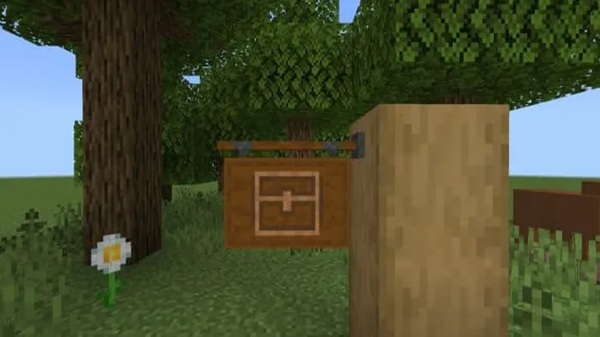
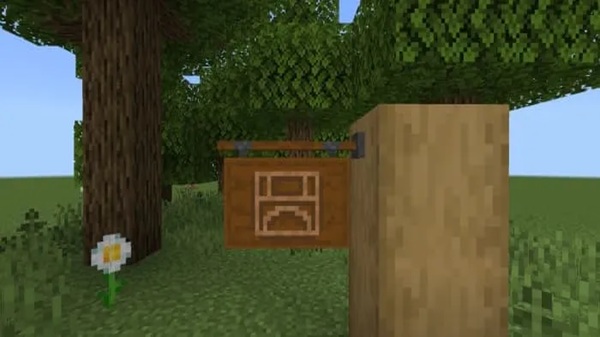
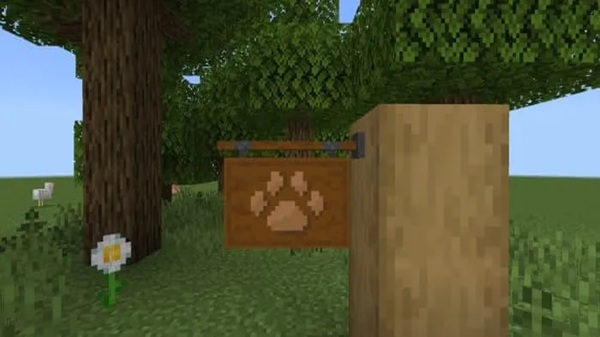
Each sign variant includes a visual icon that represents its purpose, such as storage, crafting, or specific base areas. This makes organization intuitive.
Fully Functional Vanilla-Style Signs
All signs behave exactly like standard Bedrock signs. You can place them, edit text, and remove them normally.
Designed for Organized Bases
The addon encourages structured layouts by making it easier to maintain clear zones and labeled rooms.
Optimized for MCPE Performance
The addon is lightweight and avoids heavy systems, keeping performance stable on mobile devices.
Vanilla-Friendly and Non-Intrusive
Nothing feels out of place. The signs blend naturally into existing builds and textures.
Compatible With Survival and Creative Play
Whether you plan in Creative or manage resources in Survival, the addon works consistently.
How the Addon Works In-Game
Understanding how an addon behaves in real gameplay helps you decide if it fits your world. This section explains what to expect once it is installed.
After enabling the More Sign Variants Addon, you use signs just like you normally would. Place them on walls or blocks, edit the text if needed, and let the icon handle most of the visual communication. The addon does not require commands, scripting knowledge, or special settings. It integrates smoothly into both new and existing worlds.
Compatibility and Performance
Compatibility matters, especially when you use multiple addons. This section explains where the addon works best and what to watch out for.
The More Sign Variants Addon supports modern Minecraft Bedrock versions and runs smoothly on:
-
Android devices
-
iOS devices
-
Windows 10 and 11 Bedrock Edition
It has a low performance impact and works alongside most resource packs and addons. Conflicts may occur only if another addon modifies sign models.
Best Ways to Use This Addon
Once installed, there are many practical ways to apply it in everyday gameplay.
-
Label storage rooms and chest categories clearly
-
Mark different rooms in large survival bases
-
Improve navigation in multi-level builds
-
Keep shared worlds organized
-
Plan base layouts more efficiently in Creative mode
Tips for Clean and Consistent Base Design
Good organization goes beyond signs alone. This section shares practical design habits that work well with the addon.
-
Use the same sign style throughout your base
-
Combine icons with short text when needed
-
Place signs consistently near entrances
-
Test layouts in Creative mode first
-
Back up your world before adding new addons
Who This Addon Is For
Not every addon fits every play style. This section helps readers decide if it matches their needs.
The More Sign Variants Addon is ideal for:
-
Builders who enjoy clean, structured bases
-
MCPE players managing large or long-term worlds
-
Players who prefer visual clarity over text-heavy signs
-
Fans of vanilla-style quality-of-life improvements
It is not intended for players seeking major gameplay changes or progression shortcuts.
Final Thoughts
The More Sign Variants Addon proves that small changes can make a big difference. By adding visual clarity through icon signs, it helps you stay organized, move through your base more easily, and enjoy a cleaner Minecraft experience.
If you value structure, readability, and long-term usability in your MCPE worlds, this addon is a simple upgrade that fits naturally into everyday gameplay.
Installation Guide for MCPE / Bedrock
Installing addons can feel confusing for new players, so this section keeps things simple and direct.
-
Download the addon file (
.mcpackor.mcaddon) -
Open the file to import it into Minecraft
-
Enter your world settings
-
Enable the Resource Pack (and Behavior Pack if included)
-
Restart the world if prompted
The addon works in both new and existing worlds, making it easy to try without starting over.