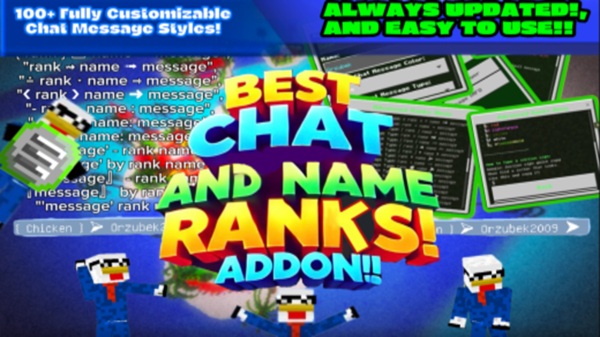
Chat And Name Rank Addon – Clean Chat Ranks for MCPE
The Chat And Name Rank Addon is a Minecraft Bedrock addon built to improve how players communicate in multiplayer MCPE worlds. Instead of plain, hard-to-follow chat messages, this addon adds clear rank labels and name formatting to chat and player name tags, helping everyone instantly understand who is who.
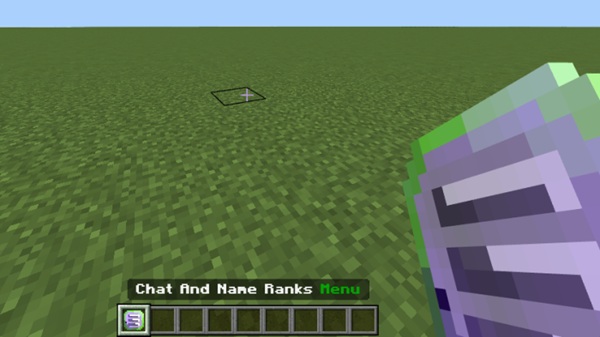
If you manage an MCPE Realm, a multiplayer survival world, or a small community server, you’ve likely seen chat become confusing as more players join. The Chat And Name Rank Addon solves this problem by focusing on visual clarity, organization, and simplicity, without changing gameplay or adding heavy systems.
Main Features
The core strength of the Chat And Name Rank Addon lies in its ability to add structure to multiplayer chat while remaining lightweight and easy to use. Each feature is designed with MCPE players in mind, especially those playing on mobile devices.
Custom Chat Rank Prefixes
The addon adds rank prefixes before player names in chat, making roles visible the moment a message appears. For example, when Alex sends a message, players can immediately see whether Alex is an admin, moderator, or regular member. This keeps conversations organized and avoids confusion in active multiplayer chats.
Colored Name Tags and Chat Formatting
To improve readability, the Chat And Name Rank Addon supports colored rank labels and name formatting. On smaller mobile screens, colors help important roles stand out without overwhelming the chat. Simple formatting keeps everything easy to read, even during busy conversations.
Rank Display Above Player Names
In addition to chat, ranks appear above player name tags in the world. This means you don’t need to wait for someone to speak to know their role. In roleplay worlds or community servers, this feature helps players interact naturally and recognize responsibilities at a glance.
Admin-Controlled Rank Assignment
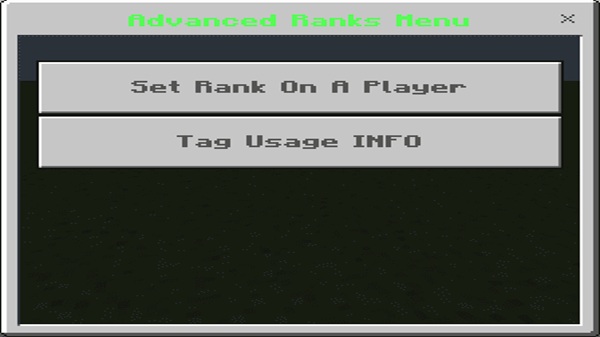
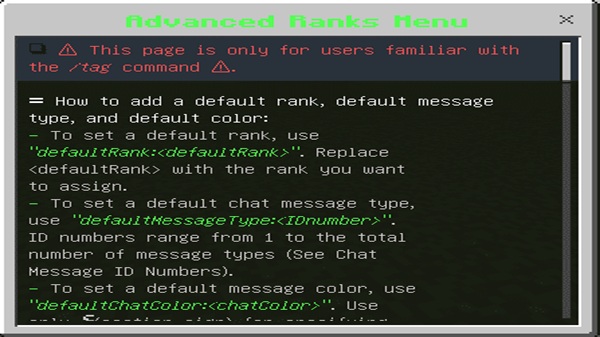
Ranks are fully controlled by world owners or admins. Using commands, tags, or scoreboards, admins decide who receives each role. Players do not earn ranks automatically, which keeps control in the hands of those managing the world and ensures consistent organization.
Lightweight and Mobile-Friendly Design
The addon is designed to work smoothly on MCPE. It avoids complex mechanics and focuses only on visual features, helping maintain stable performance on mobile devices. Even in worlds with many players, chat remains clean and responsive.
No Plugins or External Tools Required
The Chat And Name Rank Addon works as a standard Bedrock addon. You don’t need plugins, server software, or external tools. Everything runs directly inside Minecraft Bedrock, making setup simple for both new and experienced players.
How the Addon Works In-Game
Once the addon is installed and activated, it integrates directly with Minecraft Bedrock’s built-in systems. Admins assign ranks using tags or scoreboards, which are simple in-game tools already supported by MCPE.
After a rank is assigned:
-
The player’s chat messages automatically show the rank
-
The player’s name tag updates to display the role
-
Other players see the changes instantly
The Chat And Name Rank Addon focuses purely on visual role display. It does not affect survival gameplay, give abilities, or change game balance. This makes it safe to use in both survival and creative worlds.
Supported Use Cases (MCPE)
This addon is most effective in worlds where players interact often. It fits naturally into many MCPE multiplayer setups.
-
Multiplayer survival worlds
-
MCPE Realms with friends or communities
-
Roleplay and social servers
-
Small private Bedrock servers
-
Shared worlds with active chat
Anywhere clear communication matters, chat ranks add value.
Compatibility & Requirements
Before using the addon, it’s helpful to know where it works best.
-
Minecraft Bedrock Edition
-
Fully compatible with MCPE (Android & iOS)
-
Works on Windows 10 / 11 Bedrock
-
Supports Realms
-
Best experience on recent Minecraft versions
On consoles, importing addons may require using a Realm.
Tips for Best Results
A few simple tips can help you get the most out of the Chat And Name Rank Addon.
-
Restart the world after changing ranks
-
Use clear, readable colors for rank names
-
Avoid combining multiple chat-modifying addons
-
Back up your world before updates
-
Keep rank titles short for a clean chat layout
These small steps help keep chat organized and consistent.
Common Issues & Quick Fixes
Even simple addons can sometimes need quick adjustments.
Rank not showing in chat
-
Check that both packs are enabled
-
Confirm the correct pack order
Name tag not updating
-
Rejoin the world or restart it
-
Reassign the rank if needed
Chat formatting looks wrong
-
Disable other chat-related addons
-
Restart the world after changes
Most issues are resolved by verifying pack settings.
Who This Addon Is For
The Chat And Name Rank Addon is designed for players who care about communication and structure.
-
MCPE Realm owners and admins
-
Community and roleplay hosts
-
Multiplayer survival players
-
Anyone managing shared Bedrock worlds
If you want chat to feel organized instead of chaotic, this addon fits naturally.
Final Summary
The Chat And Name Rank Addon – Clean Chat Ranks for MCPE offers a simple way to improve multiplayer communication. By adding visible ranks to chat and name tags, it helps players understand roles, reduces confusion, and strengthens community structure.
For MCPE worlds that value clarity and organization, the Chat And Name Rank Addon is a practical, lightweight, and reliable solution.